


Load Files into Stack refuses to work with OneDrive
Attempting to use Load Files into Stack to layer a couple of images in OneDrive, I can select the files necessary, but hitting OK just brings up an error message. This occurs whether the file is available offline or online only.
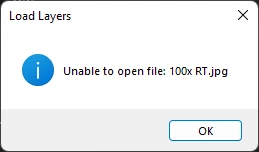
I can open the files individually in Photoshop with no issue, and the operation works as intended when using Load on files in my Downloads folder. It seems to be an issue specific to the Load script and OneDrive. Using Adobe's cloud file storage is not an option due to files being required in another department which has no Adobe CC accounts.
Photoshop version: 23.5.0
Operating system: Windows 11 Pro 21H2 build 22000.856
Device specs: AMD Ryzen 5 3600 with 16 GB of RAM, NVIDIA GeForce GTX 1660 Super on an ASUS PRIME A520M-E
 AdChoices