robbyn30297452
Known Participant
November 22, 2021
Answered

Masking screen?

  • November 22, 2021
  • 2 replies
  • 381 views

When i click select and mask and then click select subject and the screen comes up the circle comes up to add or subtract spots. Is there a way to change the color of the black circle? Some pictures you cant see it unless you move mouse around a lot. Thank you

This topic has been closed for replies.
Correct answer Trevor.Dennis

It's more usual to click on Select Subject before Select & Mask.  You need to get the selection close to what you want, and as a last step use Select & Mask to clean it up.


What View setting are you using with Select & Mask?  Try setting it to Onion skin and Transparecy to 100%
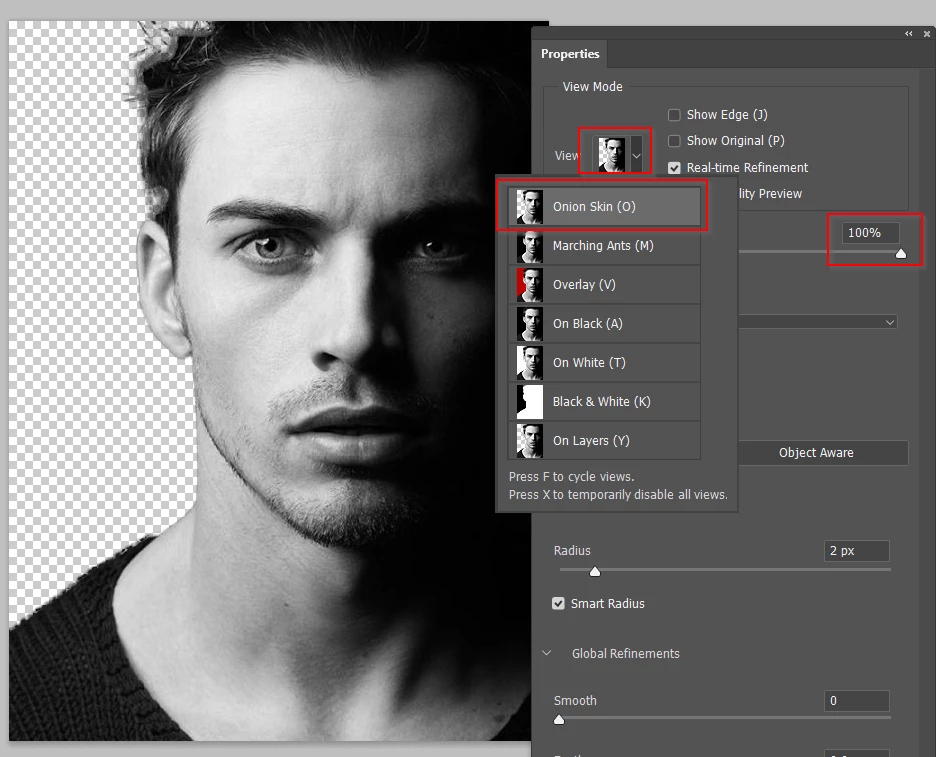
 

Also try turning off other layers. You can see above that I have nothing behind the selection and can see what I am doing

But if I have the situation below with an underlying layer filled with black
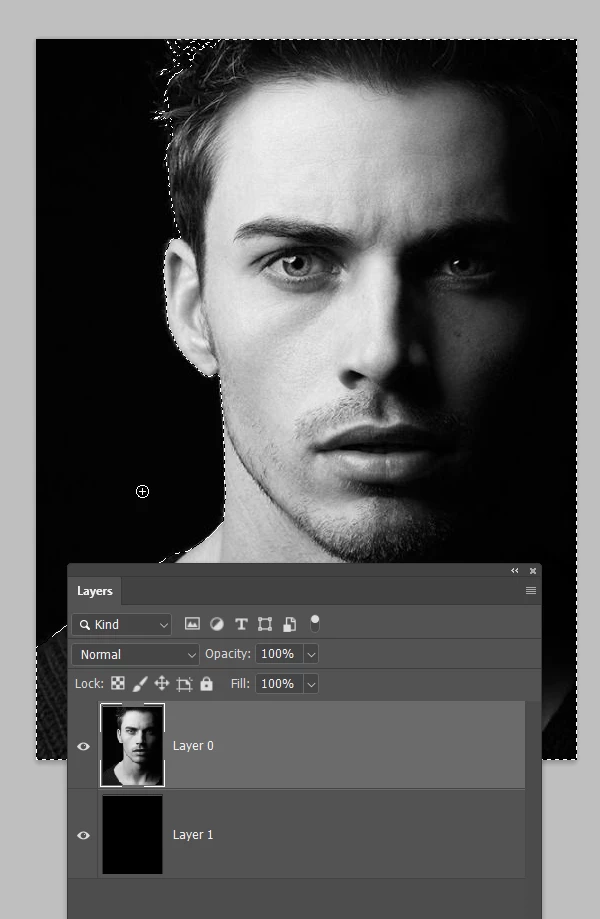
Then Select & Mask is difficult to use because the black layer below is visible.

Note I have change the View setting to Marching Ants so we can see the selected area.
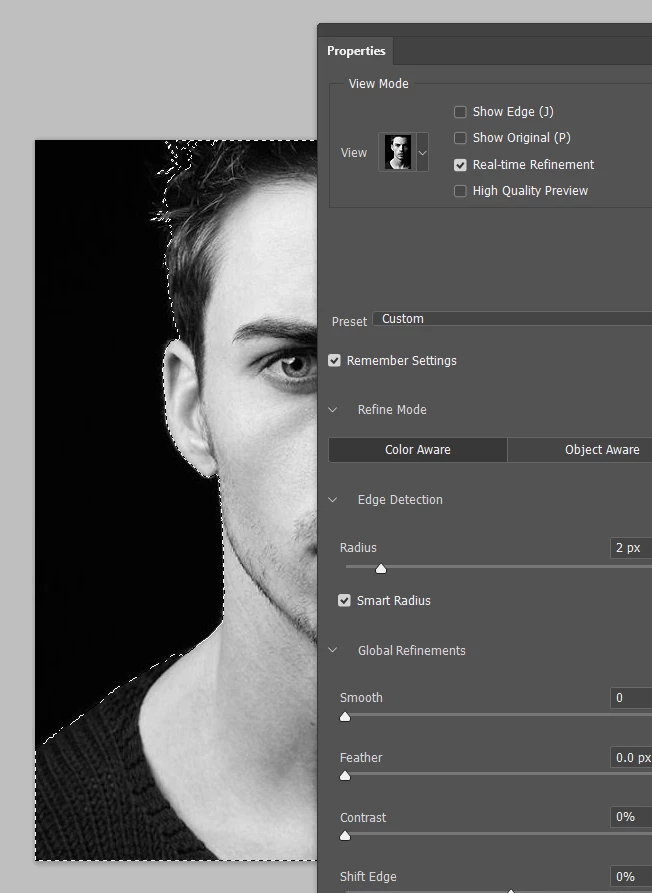
 

Does this help at all?  If not, we need a screen shot as requested by c.p.

 

2 replies

Trevor.Dennis
Community Expert
Trevor.DennisCommunity ExpertCorrect answer
Community Expert
November 22, 2021

It's more usual to click on Select Subject before Select & Mask.  You need to get the selection close to what you want, and as a last step use Select & Mask to clean it up.


What View setting are you using with Select & Mask?  Try setting it to Onion skin and Transparecy to 100%


Also try turning off other layers. You can see above that I have nothing behind the selection and can see what I am doing

But if I have the situation below with an underlying layer filled with black

Then Select & Mask is difficult to use because the black layer below is visible.

Note I have change the View setting to Marching Ants so we can see the selected area.


Does this help at all?  If not, we need a screen shot as requested by c.p.

 

robbyn30297452
Known Participant
November 22, 2021

Wow it helps me a lot.Thank you! i knew it had to be a better way than i was doing it. I had it on red and painting tons in or out. Thank you again!

c.pfaffenbichler
Community Expert
Community Expert
November 22, 2021

Please post screenshots to illustrate what you are talking about.
