


Need Help Resolving Photoshop Glitch
Hello all!
I'm not entirely sure whether this is a computer issue or app issue, but so far I've only noticed it in Photoshop.
Basically, I've been having issues when using the free transform tool--it sometimes randomly deletes blocks of content, and no amount of ctrl+z will bring back the information. See attached--it also does this strange explosion of cmyk sometimes, and there's not really any pattern to how, where, or why it happens. Restarting has not helped, to say the least.
Also, even when I'm just simply rotating parts of an image in free transform (not resizing or anything), the image quality becomes super pixelated after I exit the free transform. Actually, I think something similar is happening when I resize in Illustrator as well (when I scale down, which is unusual).
Someone suggested that it may be a graphics card issue or the like, but I just wanted to see if this could also just be a bug.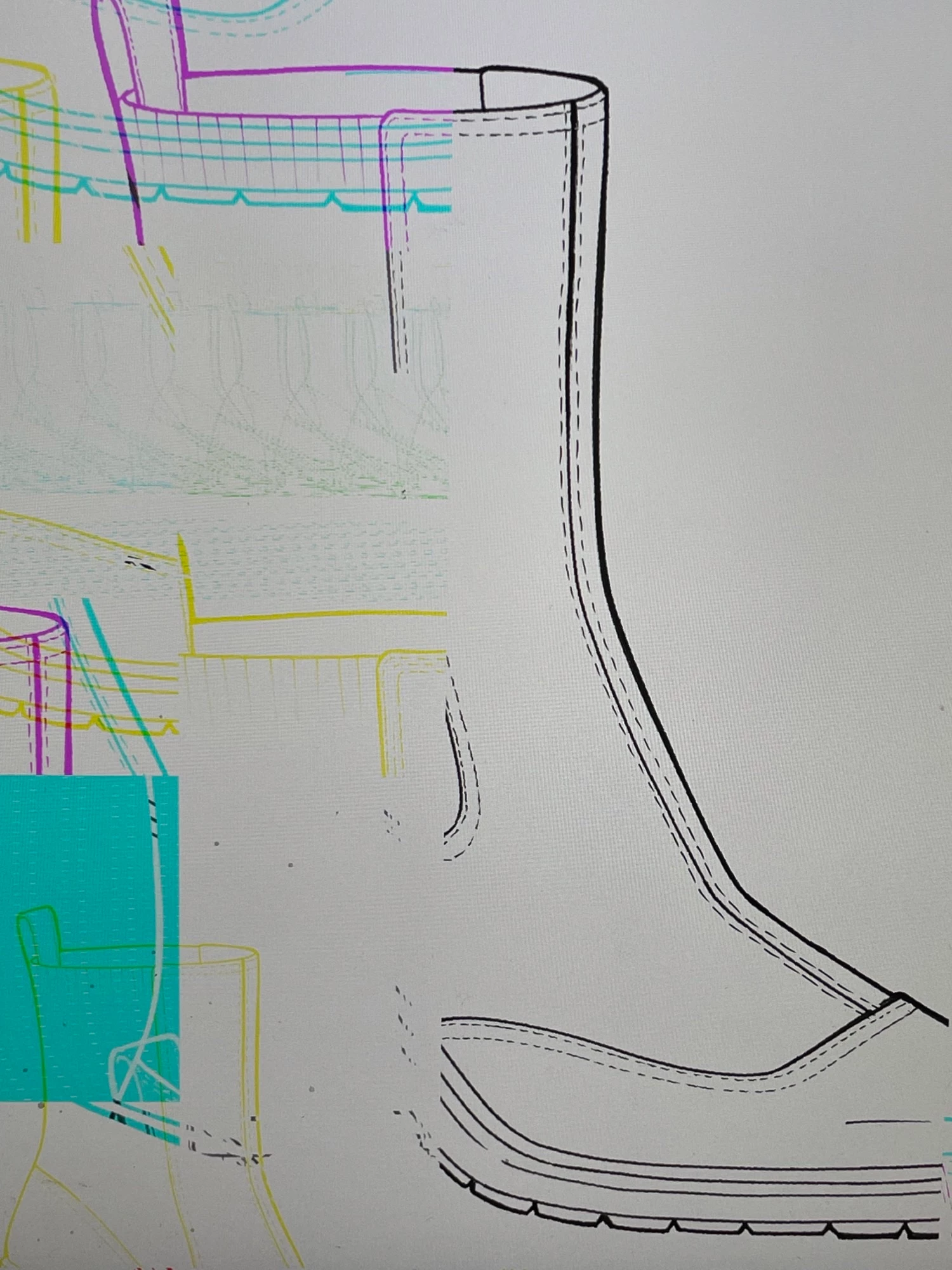
 AdChoices