
TheNeo
Known Participant
March 9, 2021
Answered

Neural Filters NO LONGER works!!!

  • March 9, 2021
  • 4 replies
  • 3292 views

Hi,


After having used the Neural Filters *flawlessly* pretty much since I installed Photoshop 2021 (since their debut in Photoshop), today these filters completly stopped working for me!!


Not only did they stop working, they now crash Photoshop and forces me to exit!!!

I am not sure if it is due to the 22.2.0 update the Cloud app installed or something else, but now I am stuck wanting to use them but they do NOT work anymore!


I tried desactivating the GPU acceleration, still crashes in the absolute same way! I removed the Neural filters folder, nothing changes, still crashes.


Here is what happens: When I call the Nueral Filters from the menu, I get an error box that is EMPTY!
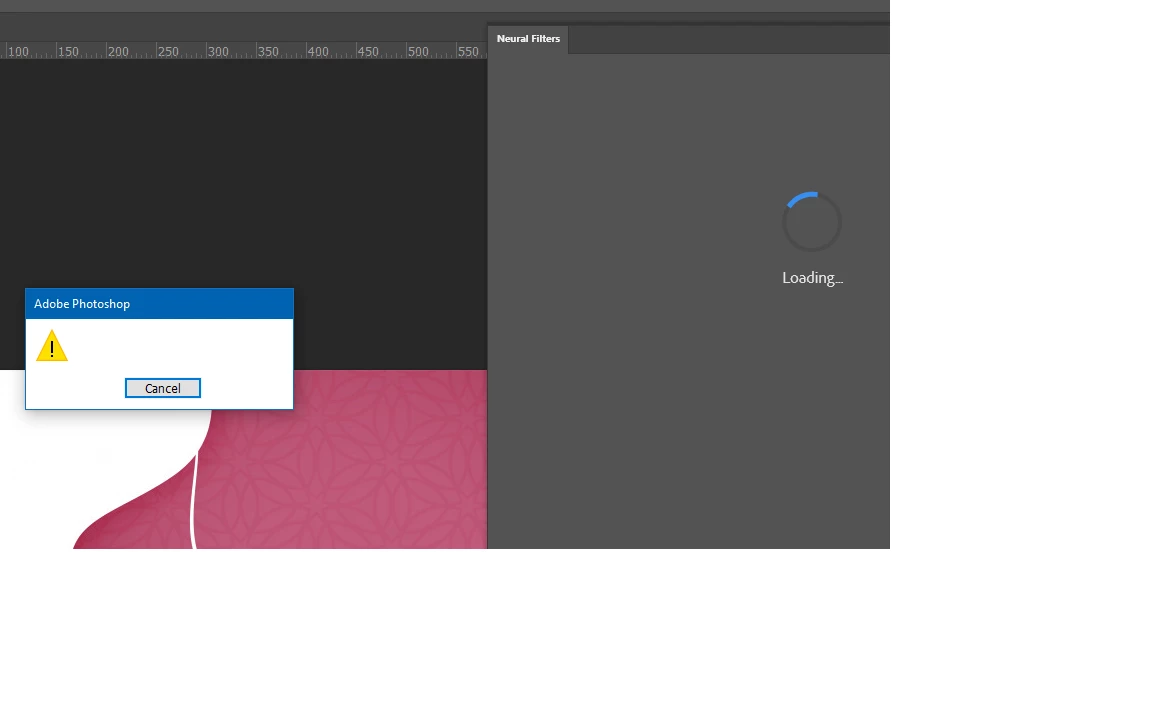
And then, when I hit the "cancel" button on that dialog, a few seconds later I get a CRASH!
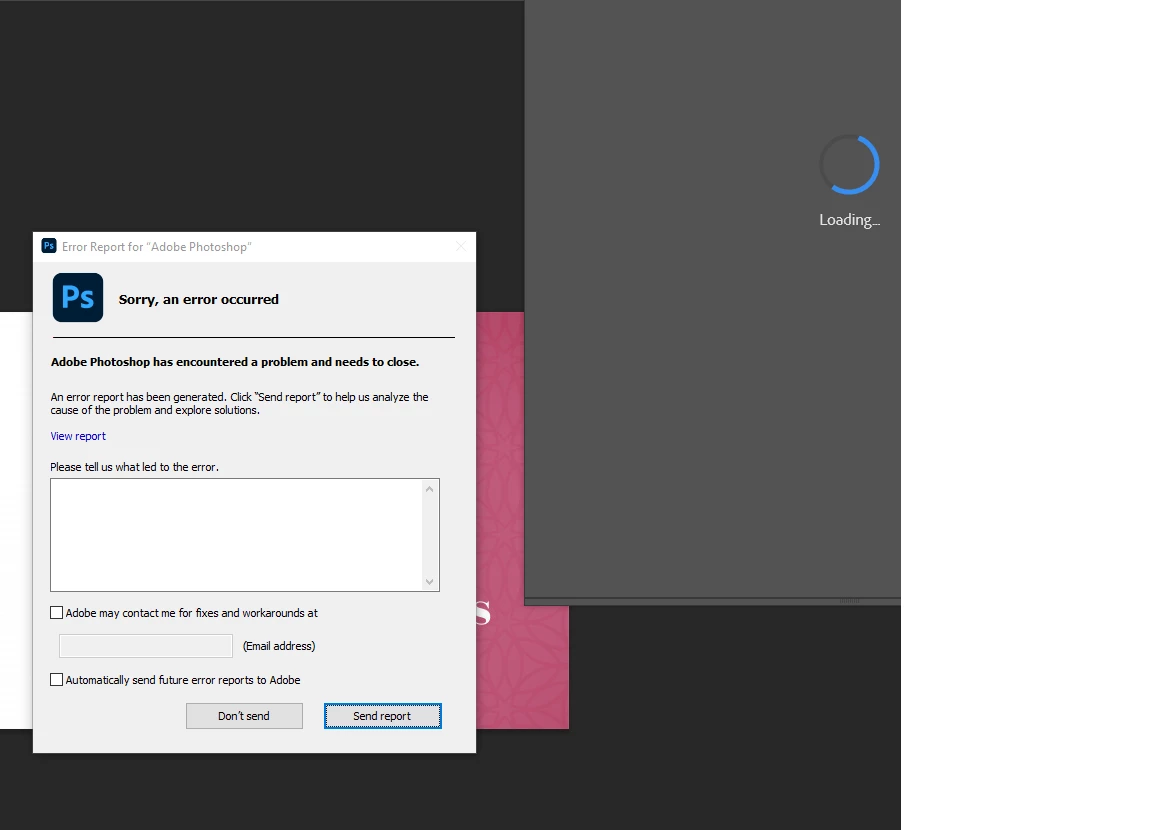
 

And then Photoshop exits!!!!


Please I am late for my project and I have no idea what to do next! I tried everything and nothing seemed to work!


This topic has been closed for replies.
Correct answer raj3300473029va

please help you


4 replies

raj3300473029vaCorrect answer
Participant
October 18, 2023

please help you


TheNeo
TheNeoAuthor
Known Participant
March 24, 2021

OK!!! Update!!!


AFTER A LOT OF INVESTIGATION.


It turns out that it is a BUG with Photoshop. Since I do NOT have a printer nor do I USE a printer, I have turned Off my "Print Spooler" Service.

Well, turns out that for some reason, the Neural Filters did NOT like this service being turned OFF.


The instant I turned it back on (set to automatic), everything worked as expected.

Participating Frequently
August 2, 2021

Thank you for taking the effort in replying what solved your issue! Neural filters keep on being a pain in the software looks like the neural filters are completely disabled now in the recent versions only providing an error message but not crashing the whole photoshop instance. https://community.adobe.com/t5/photoshop-ecosystem/neural-filters-error-quot-there-was-an-error-running-this-filter-quot/m-p/12222600#M570916

TheNeo
TheNeoAuthor
Known Participant
March 11, 2021

OK, I even went BACK (starting from fresh) to the version that I knew for sure was working version 22 and SAME ERROR.

Now this was working on my system a few weeks ago.

Since then, the only MAJOR change I made to my ssystem (Windows 10) was to move to update 20H2.

Could this be the reason?

AxelMatt
Community Expert
Community Expert
March 12, 2021

... Since then, the only MAJOR change I made to my ssystem (Windows 10) was to move to update 20H2.

Could this be the reason?


Hard to say, but it's possible. I've never heard about such problems with 20H2 and I work several months with PS (actual with v22.2.0) under Windows 10 20H2 without any problems.


My System: Intel i7-8700K - 64GB RAM - NVidia Geforce RTX 3060 - Windows 11 Pro 25H2 -- LR-Classic 15 - Photoshop 27 - Nik Collection 8 - PureRAW 6 - Topaz Photo AI
TheNeo
TheNeoAuthor
Known Participant
March 14, 2021

Nah, it wasn't that the issue.

I installed 20H2 on another computer from scracth, and used the latest photoshop and the Neural Filters work.

On my PC they crash!


The tech connected remotly and still could not resolve it so now I am with another support level.

Will keep everypne updated.

AxelMatt
Community Expert
Community Expert
March 9, 2021

In the first step I would try to reset the preferences to the default settings

Preferences in Photoshop (adobe.com)


If this doesn't help I would suggest a complete and clean reinstallation.

Please follow the steps below:


if you're unable to install the cc desktop app at this stage, use an administrator account (solution 4 here, https://helpx.adobe.com/creative-cloud/kb/creative-cloud-missing-damaged.html)


use the desktop app to install your cc programs/trials


My System: Intel i7-8700K - 64GB RAM - NVidia Geforce RTX 3060 - Windows 11 Pro 25H2 -- LR-Classic 15 - Photoshop 27 - Nik Collection 8 - PureRAW 6 - Topaz Photo AI
TheNeo
TheNeoAuthor
Known Participant
March 9, 2021

Well, Axel, I do NOT want to lose my preferences!
It took me days of work to get my Photoshop exactly the way I want it, including the panels position and all related items.


Is there a way to save all that info (preferences/windows and panels) and restore it at a later stage?


Also, is there an OFFICIAL support channel I can contact Adobe besides this forum?


Thanks.

AxelMatt
Community Expert
Community Expert
March 10, 2021

Please take a look here: 

Preferences in Photoshop (adobe.com)


If you wish to contact Adobe staff to help please click the link below.


Be sure to remain signed in with your Adobe ID before accessing the link below.

You have to allow 'cookies' in your web browser for this to work

https://helpx.adobe.com/contact.html


Click the chat icon in the lower right and type "agent" to get a human and not the chat bot.

My System: Intel i7-8700K - 64GB RAM - NVidia Geforce RTX 3060 - Windows 11 Pro 25H2 -- LR-Classic 15 - Photoshop 27 - Nik Collection 8 - PureRAW 6 - Topaz Photo AI