


Participating Frequently
June 21, 2025
Answered

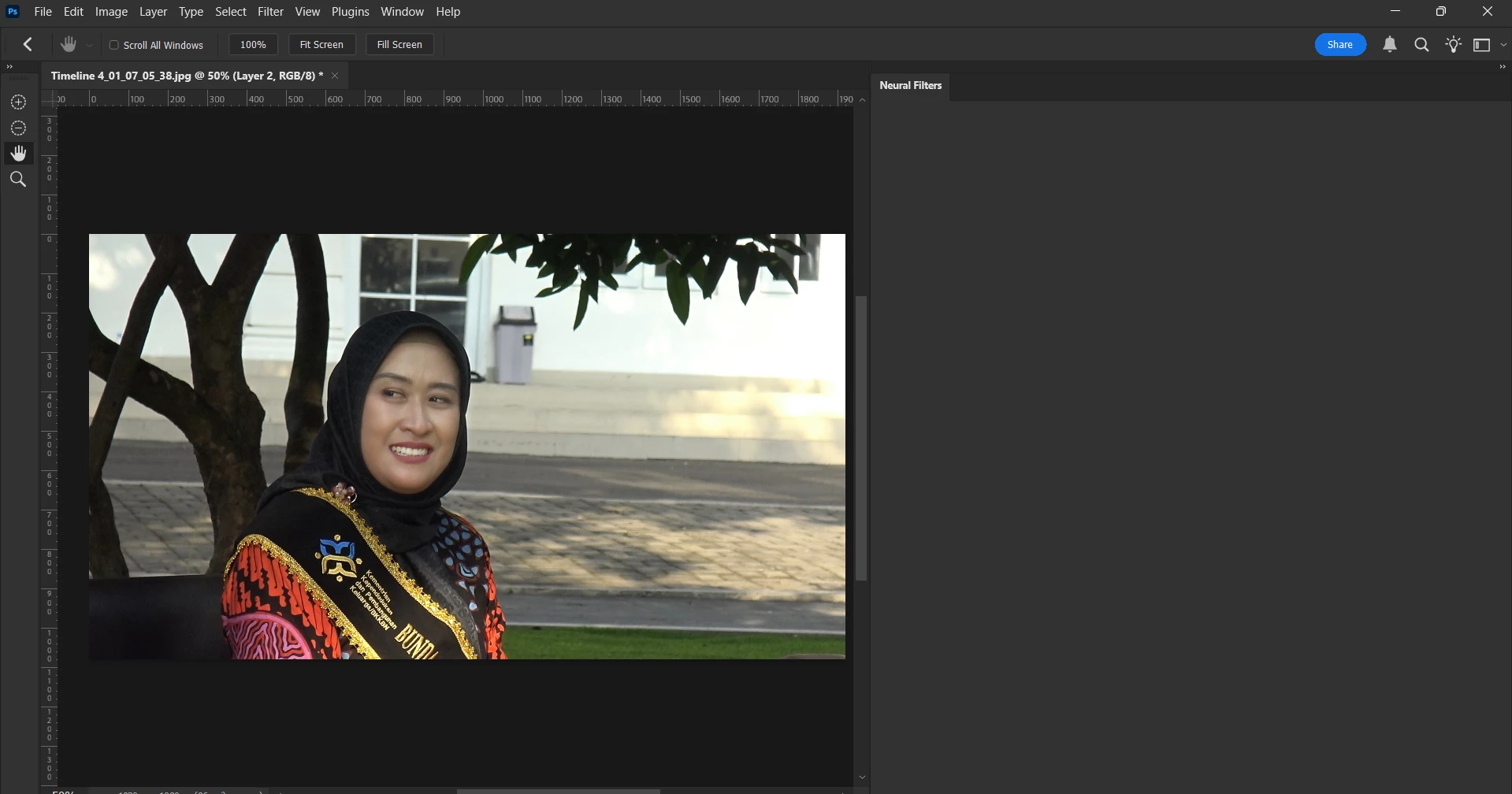
Neural Filters Panel Appears Blank — No Filters Displayed

  • June 21, 2025
  • 1 reply
  • 481 views

I am currently experiencing an issue with the Neural Filters in Adobe Photoshop. A few days ago, I noticed that whenever I attempt to access the Neural Filters panel, it appears blank, with no filters displayed. I am unsure of the cause, as all other features within the application are functioning normally.

I would appreciate any assistance or guidance regarding this matter.

Thank you.
 

Correct answer Ged_Traynor

Check out the correct answer in this thread for the toolbar icons missing

https://community.adobe.com/t5/photoshop-ecosystem-bugs/photoshop-tool-icons-are-missing/idi-p/13895953

Also, can you post your Photoshop system info, in Photoshop go to Help > System Info, hit the copy button and paste the entire thing into this thread

1 reply

Ged_Traynor
Community Expert
Community Expert
June 21, 2025

@DiskominfoKra try manually resetting your Photoshop preferences
https://helpx.adobe.com/ie/photoshop/using/preferences.html#Manually
Remember to back up your settings before doing the preference reset
https://helpx.adobe.com/ie/photoshop/using/preset-migration.html

Participating Frequently
June 21, 2025

I have done resetting.

I have already reset the preferences, and I noticed that some of the icons are missing. However, when I open the Neural Filters panel, it still appears completely blank.


Ged_Traynor
Community Expert
Ged_TraynorCommunity ExpertCorrect answer
Community Expert
June 21, 2025

Check out the correct answer in this thread for the toolbar icons missing

https://community.adobe.com/t5/photoshop-ecosystem-bugs/photoshop-tool-icons-are-missing/idi-p/13895953

Also, can you post your Photoshop system info, in Photoshop go to Help > System Info, hit the copy button and paste the entire thing into this thread
