



vp44132853
Participant
June 24, 2022
Answered

New file size not matching copied image size

  • June 24, 2022
  • 3 replies
  • 2572 views

Hello, when I copy an image from outside of PSD and click New File - the size of the preset details doesn't adjust to size of copied image. So it no longer creates a new file that is the same size as my copied image. 


I've included a screenshot and highlighted the size differences (the clipboard size is the copied image, but the preset details is the last file size I created.


This a new issue since the recent PSD update. Any solutions? Thank you!
This topic has been closed for replies.
Correct answer CShubert

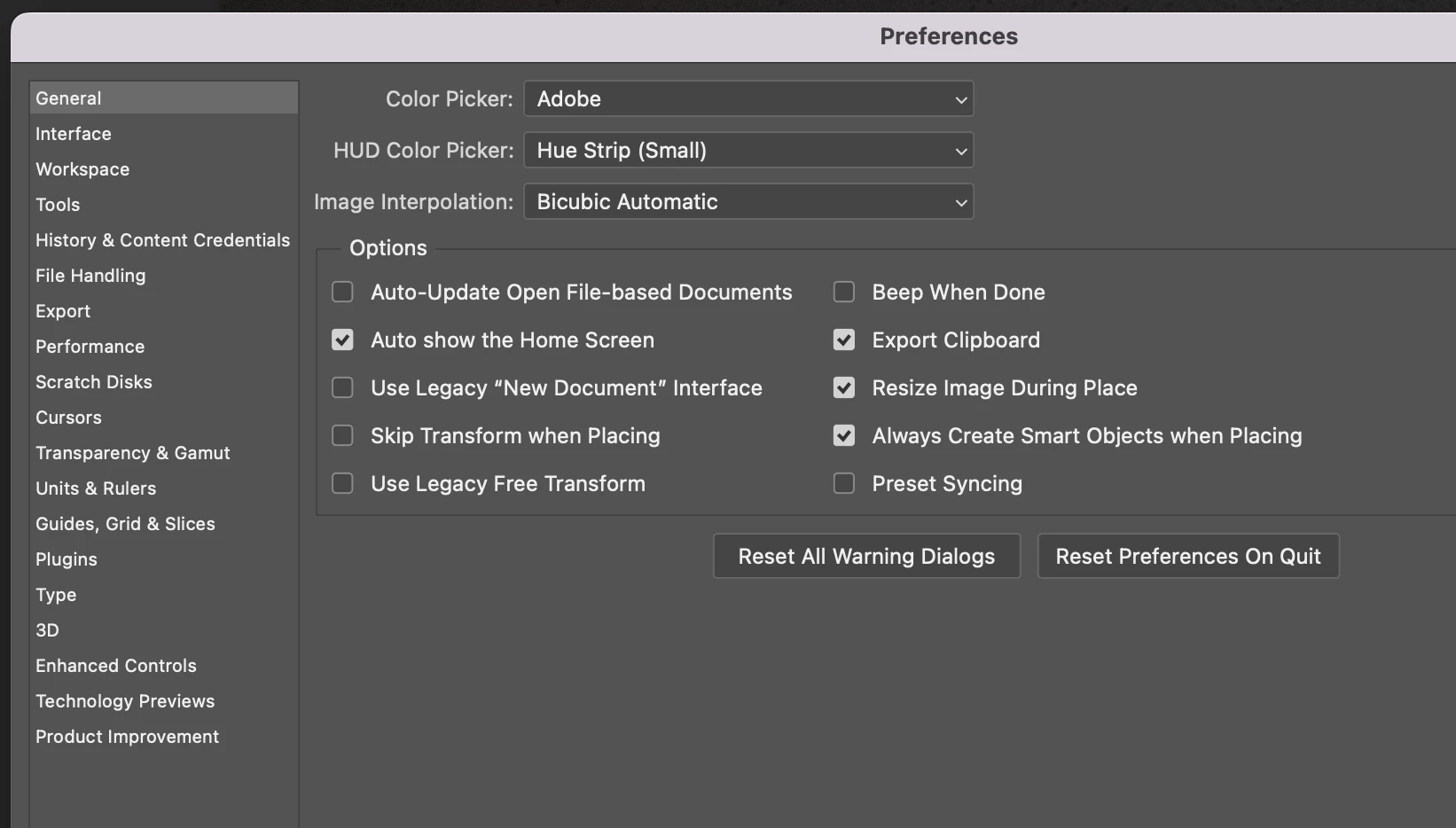
Hi @vp44132853 , tick the box in Preference/General to Use Legacy "New Document" Interface.


Did that fix it?


Thank you,

3 replies

CShubert
Community Manager
Community Manager
June 24, 2022

Great, glad to hear it. Not sure on the future of this or what may change, but needless to say, you are not alone on this questions and I am sure the team is on it to make this a smoother process in future releases.


Thank you,

vp44132853
Participant
June 24, 2022

Gotcha - thanks again, Cory, you're very helpful!

Participant
July 1, 2022

I spent half an hour trying to figure out what was wrong.

Why would this change?

vp44132853
Participant
June 24, 2022

Hi Cory - thank you for your quick reply! Yes, this does work! Is this a common issue that's being worked on or just happening to me? Wondering if I should test it again later?

Beauteous_code1587
Known Participant
June 30, 2022

Nope, not just you. I had the same issue and Cory's workaround fixed it for me as well. Thanks Cory...

CShubert
Community Manager
CShubertCommunity ManagerCorrect answer
Community Manager
June 24, 2022

Hi @vp44132853 , tick the box in Preference/General to Use Legacy "New Document" Interface.


Did that fix it?


Thank you,