im trying to change the ppi of an image that is suppose to be at 1200 but reads as 72. I open the image in Mac and resolutions reads 72 even thought the originator said its suppose to be 1200. I then open it in PS, go to image, size and change to 1200ppi & resample then save as. Yet image is still at 72. How do I get art to stay & save at 1200?
Which file format did you save to? The image you uploaded is GIF. I don’t think the GIF standard has any way to store ppi resolution, so it will be missing. Any application that opens a GIF might just assume a default such as 72 ppi, just to put something in the resolution field. One reason GIF can’t remember resolution information is that ppi resolution only matters for print, but GIF was never intended for print.
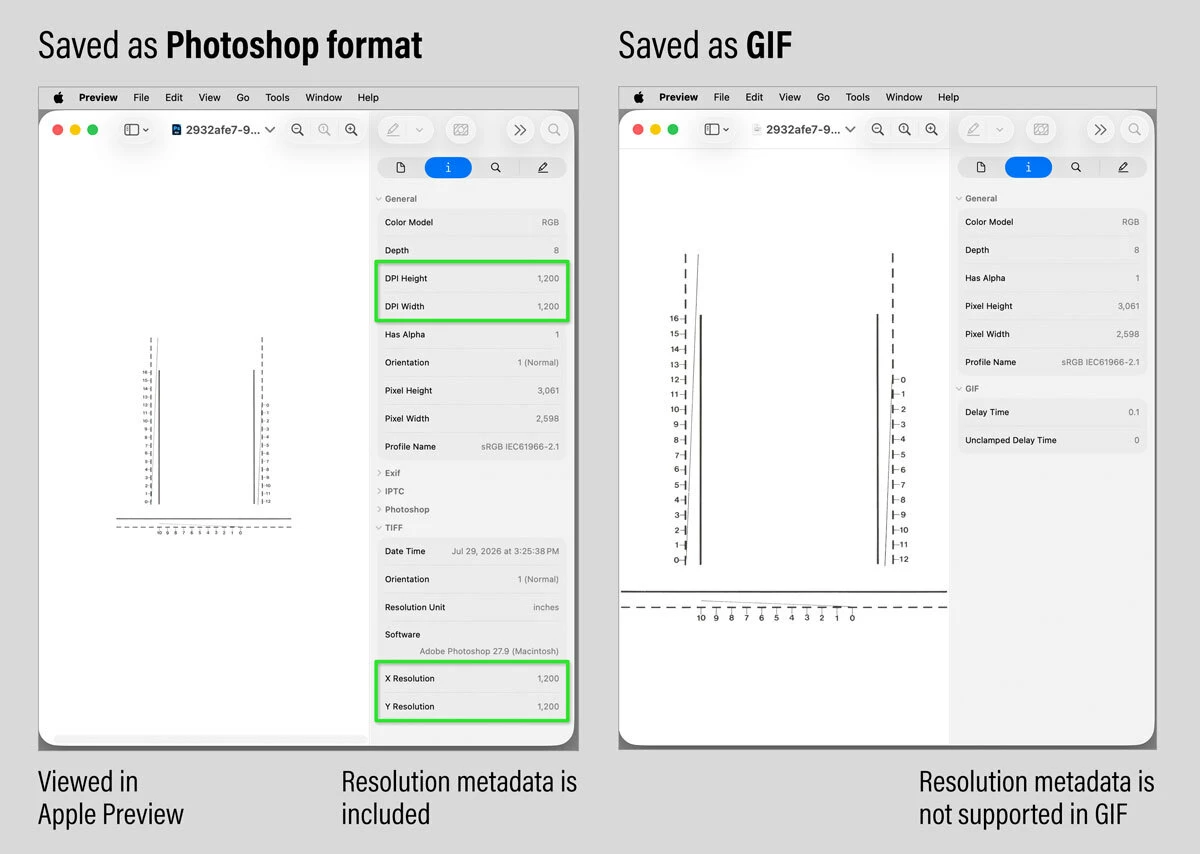
Photoshop format does save ppi resolution metadata, so when I view a Photoshop document I saved at 1200 ppi, Apple Preview and other applications correctly report that it is 1200 ppi.
The picture below shows the difference between Photoshop format and GIF, when viewing them in Apple Preview with its Info panel open. You can see that the Photoshop format file does include ppi resolution metadata, but the GIF file has no place to store ppi resolution metadata.
If you need to save the image in another format, pick a format that can include ppi resolution metadata. For example, JPEG can include ppi resolution: Choose File > Save a Copy, then choose JPEG for the format.
(There are other ways to export a JPEG, such as through Save for Web. But be careful, because if the image is exported using an option that strips metadata, resolution information will be stripped along with it.)
im trying to change the ppi of an image that is suppose to be at 1200 but reads as 72. I open the image in Mac and resolutions reads 72 even thought the originator said its suppose to be 1200. I then open it in PS, go to image, size and change to 1200ppi & resample then save as. Yet image is still at 72. How do I get art to stay & save at 1200?3grdhkkjkkkkk
I have an image that that someone has sent to me and is suppose to 1200ppi. It's a .gif. When I open in Mac, resolution reads 72. I need it to be 1200. I then open it in PS, go to image size, change it to 1200 and resample and saved as. Yet when I open it, it still reads 72. How do I get it to stay at 1200 ppi??





 AdChoices