


Participant
May 23, 2024
Question

P: Photoshop 25.9.0 Generative fill not working (something went wrong, please try again)

  • May 23, 2024
  • 63 replies
  • 49228 views

Every time I try Generative expand or fill the progress bar pops up, gets 1/3rd of the way through then it errors out with a message that says "Something went wrong, please try again"

I've unintalled and reinstalled photoshop, and this issue still persists. How can I fix this so that genertive fill will work again? I rely on this tool heavily to fix images so they work for publications and i need this to be fixed.
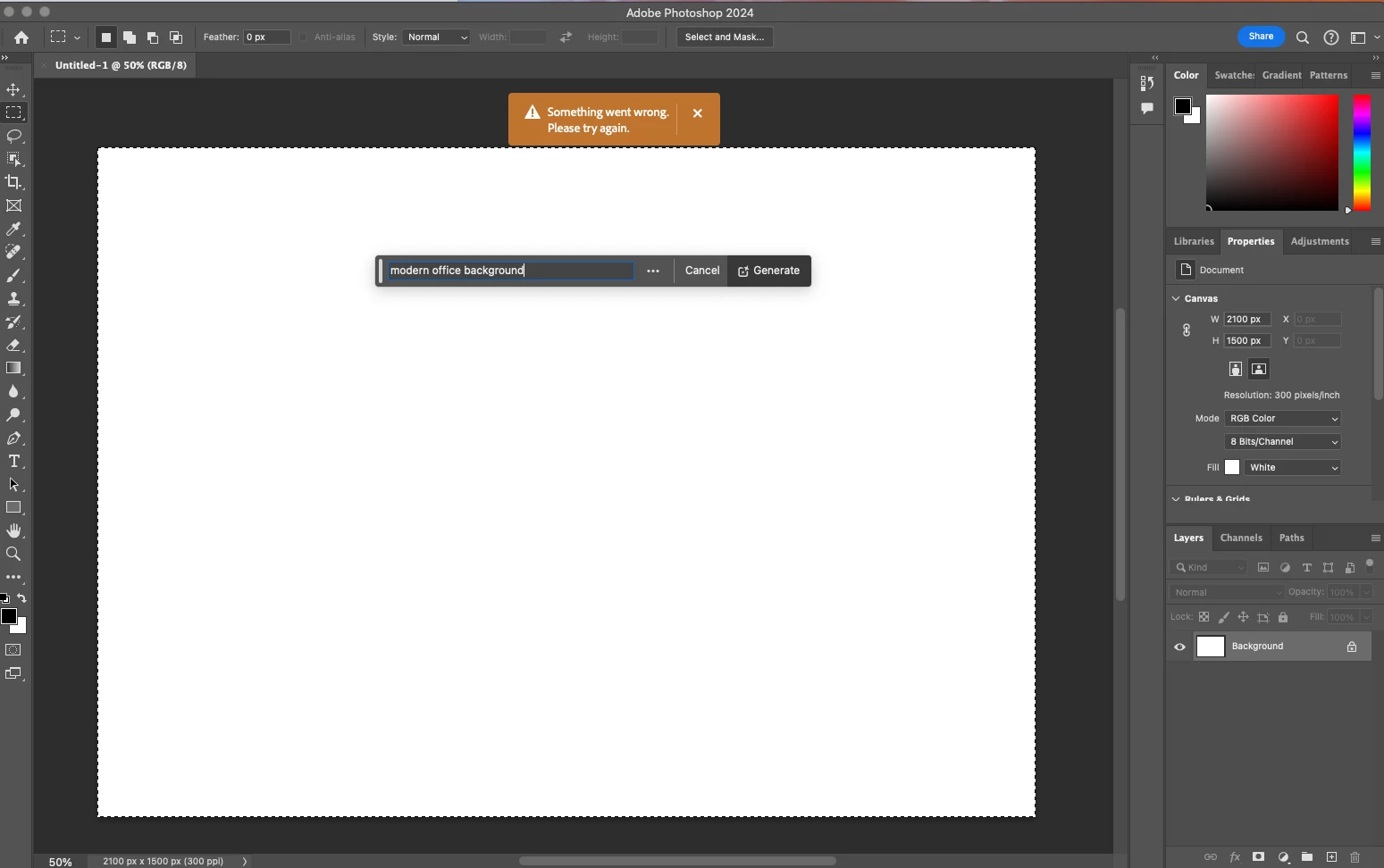
 

63 replies

Participating Frequently
September 25, 2024

It is September 25 2024 and Photoshop is serving this error message today... is there an actual fix somewhere? 

Participant
February 4, 2025

Actually mine ist not working anymore....need help! Any suggestions?


Participant
August 29, 2024

I started having the same issue a few minutes ago. Tried all the advice, tips, resets, relaunch I've been reading on here and nothing is happening.  It's the same in Lightroom and Photoshop BETA. My generative fill is throwing errors the whole time. Has anyone been able to fix this. I see all the issues started to occure in May. Mine started happening now in August. How do I fix this please? 


Participant
August 29, 2024

Same! It started happening to me and a colleague too, 1 hour ago. We both tried every step mentioned in this thread. 

Participant
August 29, 2024

I was reading that people said to reset the preferences. I couldn't find mine on my mac. After looking for newly 15min and following directions I gave up. I uninstalled everything, including Creative Cloud. Restarted my Mac and reinstalled everything from scratch. I tried the generative fill again in Photoshop Beta and it seems to be working so far like it did earlier today. 

I'd suggest reinstall everything Adobe related (like you just got a new computer) and see if that works. 


Participant
May 28, 2024

Today is May 28th, 2024 and Photoshop has been updated to 25.9 and Generative Fill is still greyed out and doesn't work.

What gives?! Why does this problem keep happening??

I have to download beta version again to see if that will work.


Participant
May 28, 2024

I finally got it to work by signing out and signing back in.

Participant
May 26, 2024

i saw this started around the 23rd it is now the 26th and i am still having this issue , it will say that there was an error or what i typed in goes against guidlines or even if i type nothing in this issue still persit.

rbx4
Participant
May 26, 2024

I came here to see if anyone else was reporting this. It doesn't matter what I do: Generative fill no longer works for me.

rbx4
Participant
May 26, 2024

It seems also that everything Adobe--from logins to installs, is low or down this weekend, so maybe that is the real problem.

rbx4
Participant
May 28, 2024

I've been able to fix my issues by updating the beta or uninstalling then reinstalling it.

Rick Spaulding -
Legend
May 24, 2024

Hey everybody.

Generative fill was down for a bit but is now functioning normally. Sorry for the inconveience. 

FYI... If in doubt, you can always check Adobe Status for up-to-date information on the status of any Adobe services.

Participant
May 24, 2024

Still not working at all for me....stable connection, everathing updated etc etc etc. 
So....whats the issue ?

Participant
May 24, 2024

Hello, I wanted to edit an image but the generative fill and expand doesn't work and shows that it is creating it the whole time. How do you fix that or something? Because I need this feature. Thanks for any answers. Best regards, Mikail

Participant
May 24, 2024


Why does my generative fill feature get stuck on my office connection but not my home connection?That really makes me frustrated, what do you think is the cause?

Participant
May 24, 2024

It's been fixed on photoshop but still the same on lightroom classic.

Participant
May 24, 2024

Absolutely, did nothing and it started working again. 

pink375
Participant
May 24, 2024

Yep, it's back up! Thankful!