


Participant
May 23, 2024
Question

P: Photoshop 25.9.0 Generative fill not working (something went wrong, please try again)

  • May 23, 2024
  • 63 replies
  • 49228 views

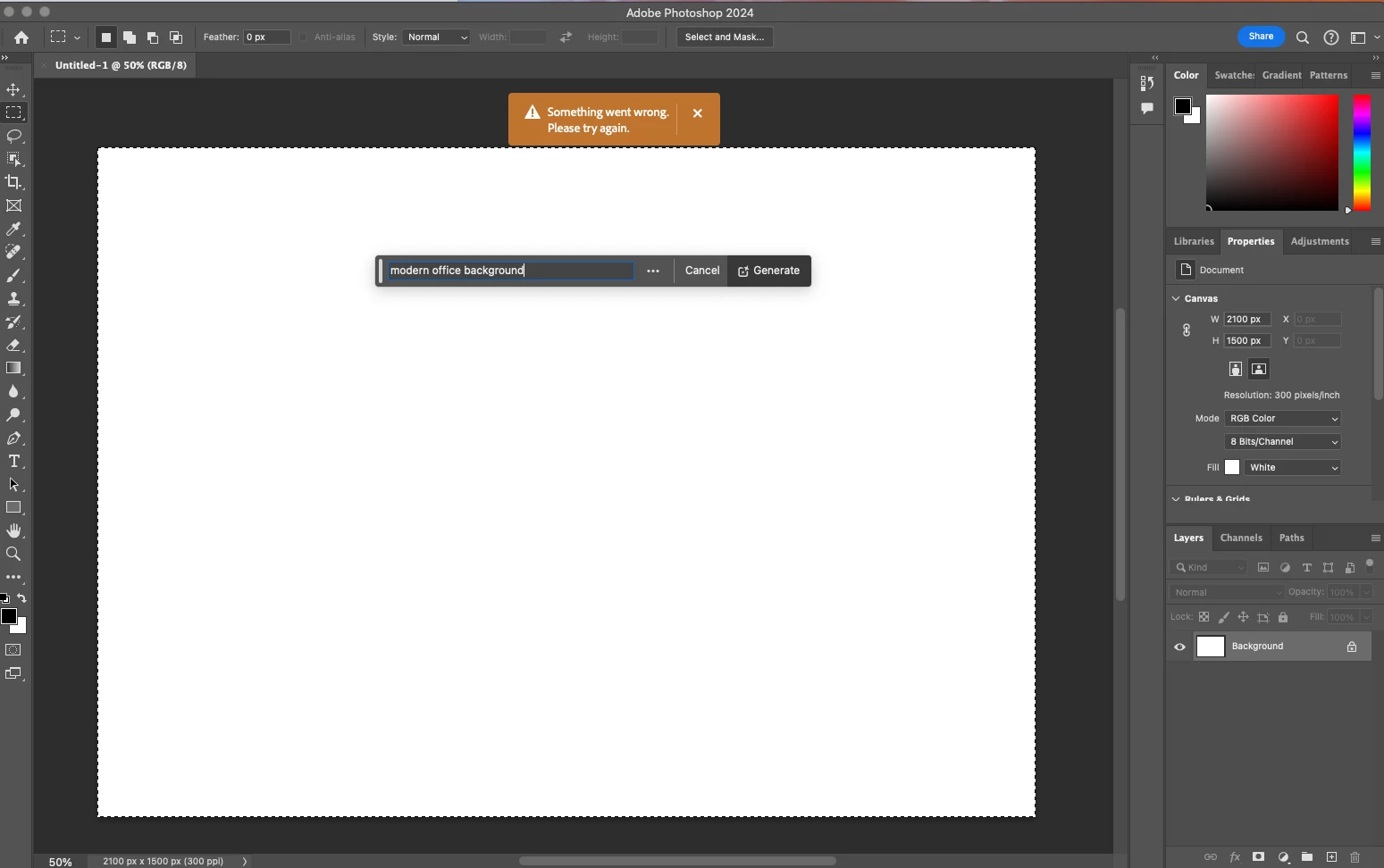
Every time I try Generative expand or fill the progress bar pops up, gets 1/3rd of the way through then it errors out with a message that says "Something went wrong, please try again"

I've unintalled and reinstalled photoshop, and this issue still persists. How can I fix this so that genertive fill will work again? I rely on this tool heavily to fix images so they work for publications and i need this to be fixed.
 

63 replies

Known Participant
May 24, 2024

It is working... for now. God knows for how long...

Adobe Employee
May 24, 2024

Hi Jasmine34480424s66d,

Please try to Press and Hold  Shift and then open photoshop.
It will ask if you wish to Skip Loading optional and third party plugins.
Click on Yes and then check if it works.
If it works, then you may reset Photoshop preferences but it would remove any plugins,action or presets and you will have to reimport them again.
Use this link for complete instructions to reset photoshop preferences: https://helpx.adobe.com/in/photoshop/using/preferences.html
Search for Reset Photoshop Preferences> Manually
Check attached screenshot!

aReuhl
Participating Frequently
May 24, 2024

I tried what you suggested to skip loading plugins but it did not resolve the issue.

Adobe Employee
May 24, 2024

Please let us know more about the OS details.
Is it Windows or a MAC?

Known Participant
May 24, 2024

Bump.

Participant
May 24, 2024

My Generative Fill  stopped working about an hour ago- - it was fine all day. Seems from these threads that it has nothimg to do with Firewall or updates. Is calling Adobe even helpful? 

Participant
May 24, 2024

Happening to me as we speak

Participant
May 24, 2024

Hola, yo tengo un problema similar y no se como solucionarlo antes me funcionaba perfecto

realmente lo uso como siempre lo he usado y tambien actualice photoshop y nada 

itsisabella
Participant
May 24, 2024

Going through the same thing right now. Wonder what caused it. Do you think someone on the adobe team is already aware?

Adobe Employee
May 24, 2024

Please try to Press and Hold  Shift and then open photoshop.
It will ask if you wish to Skip Loading optional and third party plugins.
Click on Yes and then check if it works.
If it works, then you may reset Photoshop preferences but it would remove any plugins,action or presets and you will have to reimport them again.
Use this link for complete instructions to reset photoshop preferences: https://helpx.adobe.com/in/photoshop/using/preferences.html
Search for Reset Photoshop Preferences> Manually

Participant
May 24, 2024

This didn't work for me. Fix would be great 😞

Participant
May 24, 2024

started facing same issue.

Participant
May 24, 2024

Well that's a relief that it's not just me, hopefully they fix it soon

Participant
May 24, 2024

Mine is doing the same. First I had an issue with the beta not loading/starting after updating to 25.9. 25. 10 fixed it. Now my reg photoshop is not working. It worked fine all along. Today I start it up and go to use gen expand. It starts to work and stops. I get an error that something went wrong. I am getting really frustrated. If its not one thing acting up or not working, it's another. This stuff is to expensive to work like this. I've been spending more time reading forums and troubleshooting photoshop issues than I have been editing.


Participating Frequently
May 24, 2024

... and now it's working!

Perhaps Adobe was doing something on their servers?