


Participant
May 23, 2024
Question

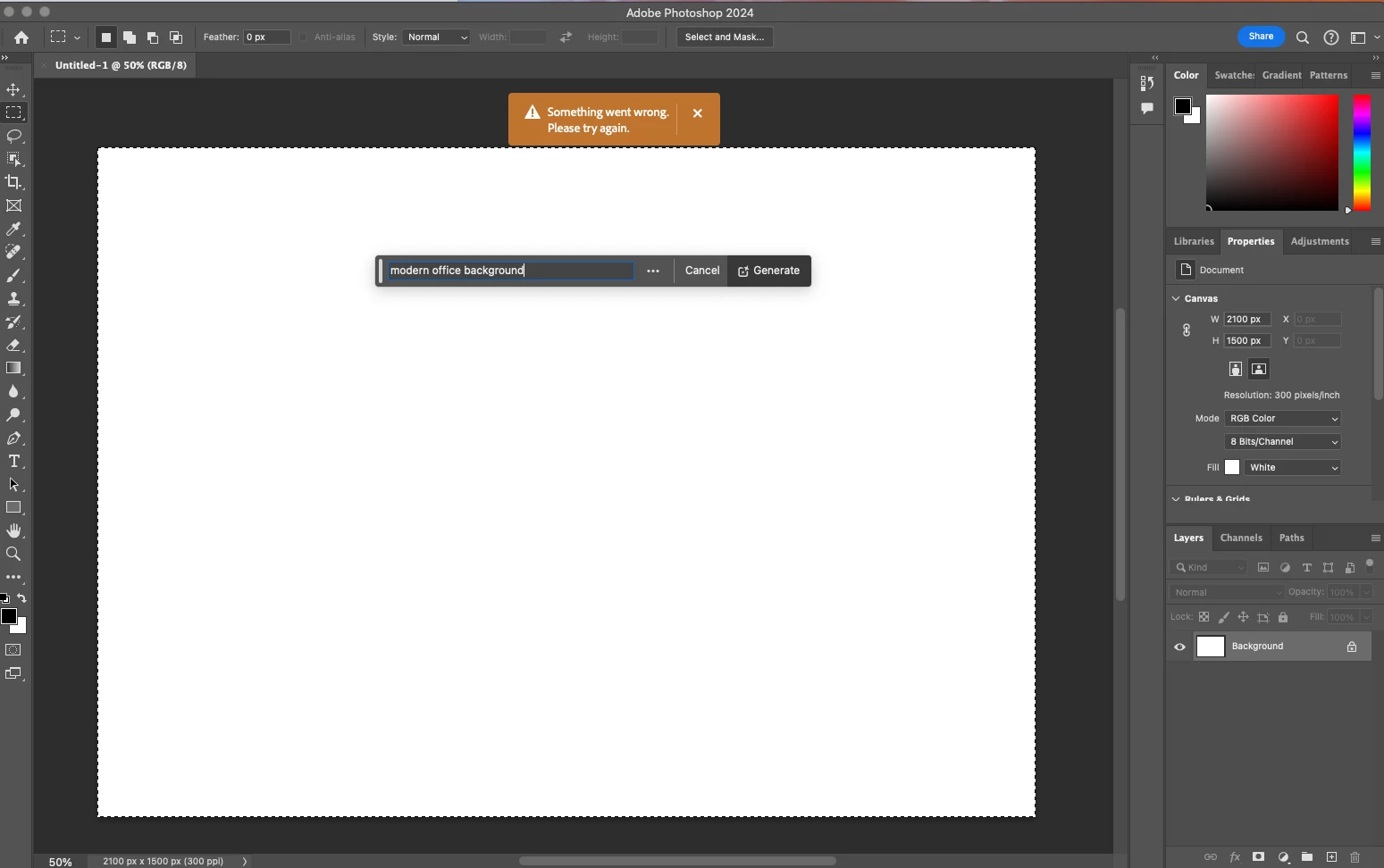
P: Photoshop 25.9.0 Generative fill not working (something went wrong, please try again)

  • May 23, 2024
  • 63 replies
  • 49228 views

Every time I try Generative expand or fill the progress bar pops up, gets 1/3rd of the way through then it errors out with a message that says "Something went wrong, please try again"

I've unintalled and reinstalled photoshop, and this issue still persists. How can I fix this so that genertive fill will work again? I rely on this tool heavily to fix images so they work for publications and i need this to be fixed.
 

63 replies

Annmarie lawler
Participating Frequently
May 24, 2024

Me too!

Participant
May 24, 2024

Same issue here. 

Participant
May 24, 2024

How did you remove the last update?

I have a similar error.

Participant
May 24, 2024

Having the same issue as of today, and been doing all the troubleshooting. Adobe support is not answering

Participant
May 24, 2024

Same issue for me too.  I'm pleased that it isn't just me, so hope Adobe will fix the problem soon.

Participant
May 24, 2024

Same issue for me, started maybe 2 hours ago (3pm pacific time). How do we fix it? Im so close to finishing my current shoot

Participant
May 24, 2024

IT JUST WORKED FOR ME

pink375
Participant
May 24, 2024

Not working in Photoshop or Lightroom. Ugh.

Participant
May 24, 2024

Generative fill and expand was workiing fine for me earlier today but isn't tonight.

Participant
May 24, 2024

just replying to confirm this is also happening to me as well. its a software wide issue. has nothing to do wtih firewall. please raise this with devs it could be a buig with the software.

Participant
May 24, 2024

happening to me as well

Participant
May 24, 2024

Not working for me either. 


Participant
May 24, 2024

Here the same with version 25.9.0 or 25.7.0