


Participant
May 23, 2024
Question

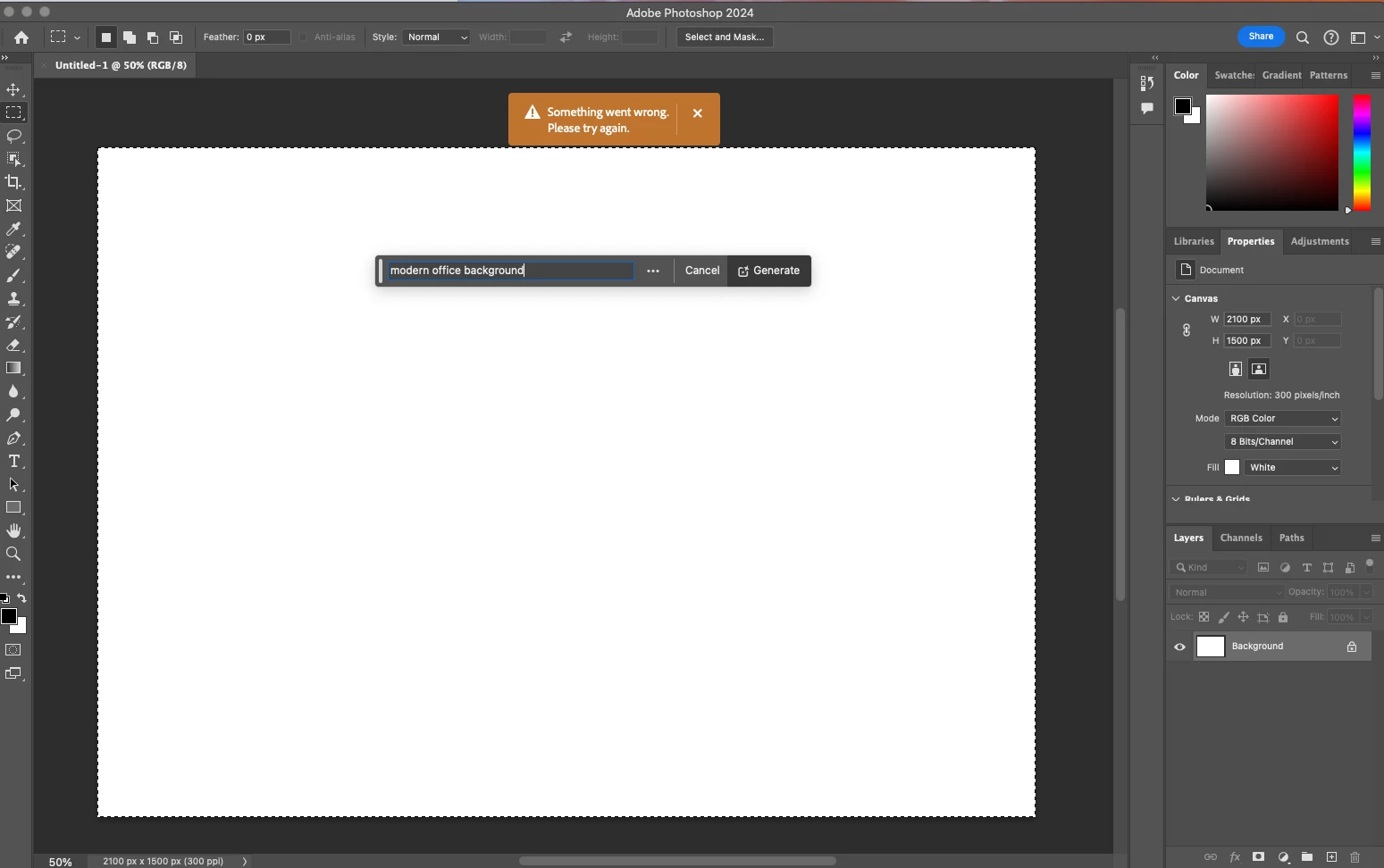
P: Photoshop 25.9.0 Generative fill not working (something went wrong, please try again)

  • May 23, 2024
  • 63 replies
  • 49228 views

Every time I try Generative expand or fill the progress bar pops up, gets 1/3rd of the way through then it errors out with a message that says "Something went wrong, please try again"

I've unintalled and reinstalled photoshop, and this issue still persists. How can I fix this so that genertive fill will work again? I rely on this tool heavily to fix images so they work for publications and i need this to be fixed.
 

63 replies

Participant
May 24, 2024

Same problem here, in both adobe and lightroom classic. It started in LRC with the new tool even before the PS update.

Participant
May 24, 2024

Hi will this be fixed soon?

Same thing happening 

Started about 10 minutes ago 

Participant
May 24, 2024

Same here - was wondering if it was just me.


alexGim
Participant
May 24, 2024

Same issue here in New Zealand.
Impossible to use generative fill anymore, I always get  "Something went wrong"

Participant
May 24, 2024

having the exact same issue jus this morning

pink375
Participant
May 24, 2024

I don't know what's going on, but someone needs to hit control+z on whatever they did to make this function disappear.  I'm so close to being done for the day. Ughhhh.

ayleenc10117041
Participant
May 24, 2024

Was able to get Firefly to work which fortunately did the trick for the generate I needed, but still.... Been waiting for support for 1/2 hour - still no one has connected

Participant
May 24, 2024

어제까지만 해도 잘 되던게 갑자기 오늘 아침에 실행할려고 하니까 안되기 시작했습니다 저만그런거 아닌거같은데 이거 왜이러나요 삭제 재설치 이미 해봤습니다.


superIngo54229292
Participant
May 24, 2024


Hey  community,


Until today at noon everything was wonderful, everything worked perfectly, but suddenly the generative fill doesn't want to work anymore?!?!!!?!??

I have been working on a project for a good week now. I haven't changed anything in the settings or anything else. PS has been open the whole time as I've been working all the time and I have the latest version of PS CC installed.

The error behaves in such a way that it starts as usual with a loading bar and then an error message appears that I should try again.... and again, and again.

Then I saved all files, reopened PS but nothing helped. I have also tried other files and there is the same problem.


Actiually I am working on a  Mac from 2019:
3.6 GHz 8-Core Intel Core i9
Radeon Pro 580X 8 GB
128 GB 2667 MHz DDR4
Sonoma Version 14.4.1 (23E224)

Many thanks and best regards from Aaron 🍦


PS: I have already searched for this problem, but all others have only one problem that it does not work at all, but with me it is so that it suddenly no longer wants!!!!

Participant
May 24, 2024

It looks like a lot of people are having the same issue. It seems to be something with the update or on Adobe's end

BEFound501c3
Participant
May 24, 2024

Same, I think it's a global issue. We may just have to wait until they fix it, it might have to do with their new PS beta release.

Triin Nigul
Participant
May 24, 2024

Me and my boss have the same issue, different adobe accounts. 
Help Adobe! We need this fixed asap! 
we love the generative fill!! 😄

Participant
May 24, 2024

Das Tool - Generative Füllung - arbeitet nicht. Ich bekomme immer nur die Fehlermeldung "Ein Fehler ist aufgetreten. Bitte versuchen sie es erneut". Was kann ich tun?


ayleenc10117041
Participant
May 24, 2024

Same prob