


Participant
May 23, 2024
Question

P: Photoshop 25.9.0 Generative fill not working (something went wrong, please try again)

  • May 23, 2024
  • 63 replies
  • 49228 views

Every time I try Generative expand or fill the progress bar pops up, gets 1/3rd of the way through then it errors out with a message that says "Something went wrong, please try again"

I've unintalled and reinstalled photoshop, and this issue still persists. How can I fix this so that genertive fill will work again? I rely on this tool heavily to fix images so they work for publications and i need this to be fixed.
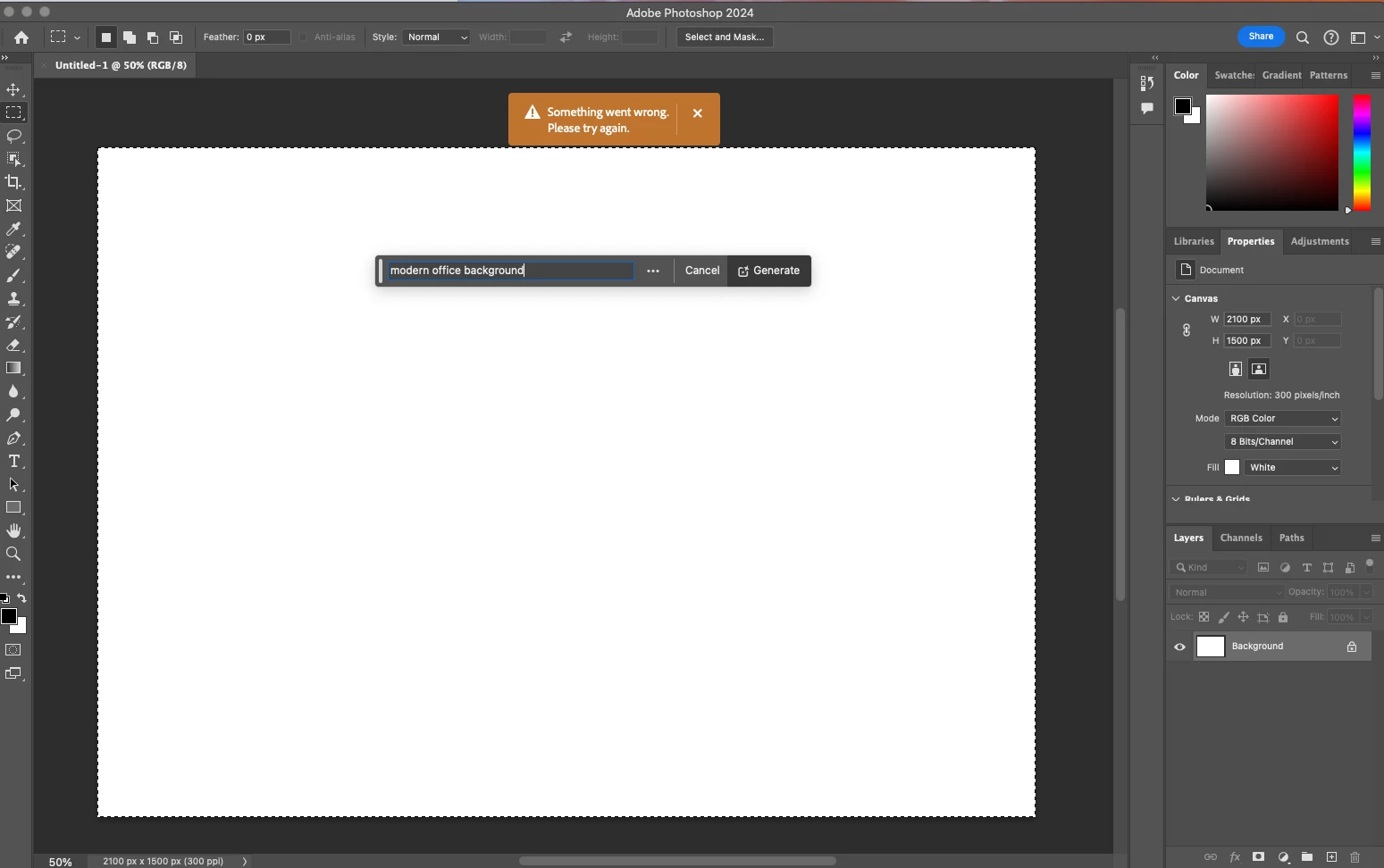
 

63 replies

Participating Frequently
May 23, 2024

I have the same issue. Updated Photoshop, checked firewall settings, rebooted the PC... nothing worked.

Participant
May 23, 2024

I am having exactly the same issue after updating Photoshop to v25.9. Gernerative AI worked fine this morning before upgrading but now getting the "Something went wrong. Please try again error.." As others have noted I have reinstalled PS, rebooted, checked firewall settings, etc. Error still happening.

Micah Snacks
Inspiring
May 23, 2024

Same. Please help Adobe!

Participant
May 23, 2024

Hi Guys, 
I am experiencing this issue for a while now on multiple machines.
Generative Fill is ridiculously slow. It takes up to 5 minutes for one single generation (sometimes even longer if it works at all). I tried multiple machines and wifi networks, tried lan connection and even different operating systems (mac & windows). But the result is the same - it takes ages to generate anything. Even the smallest areas take a huge amount of time. 

I've come across many reports of this but there is no solution for it... And yes, I still do have creadtis. Almost 800 are left...

It stays like this for ages...

Participant
May 23, 2024

Same here. Pretty slow, if it works at all. Fill, expand ... nothing works well anmore. Former versions worked great and mostly fast. Any solutions?

Michael J McDonald
Known Participant
May 23, 2024

I have upgraded to 25.9.0 without and problems. However, Generative Fiill bar shows Import Image, but not Generate Image as an option. I've unistalled and reinstalled PS, but no change. Any thoughts appreciated.

Ged_Traynor
Community Expert
Community Expert
May 23, 2024

@Michael J McDonald you need to make a selection for the option to show

divinityrose
Participating Frequently
May 23, 2024

I have already tried that and it does not work. it just shows the icons to the left of hte generative fill button and not the generative fill option.