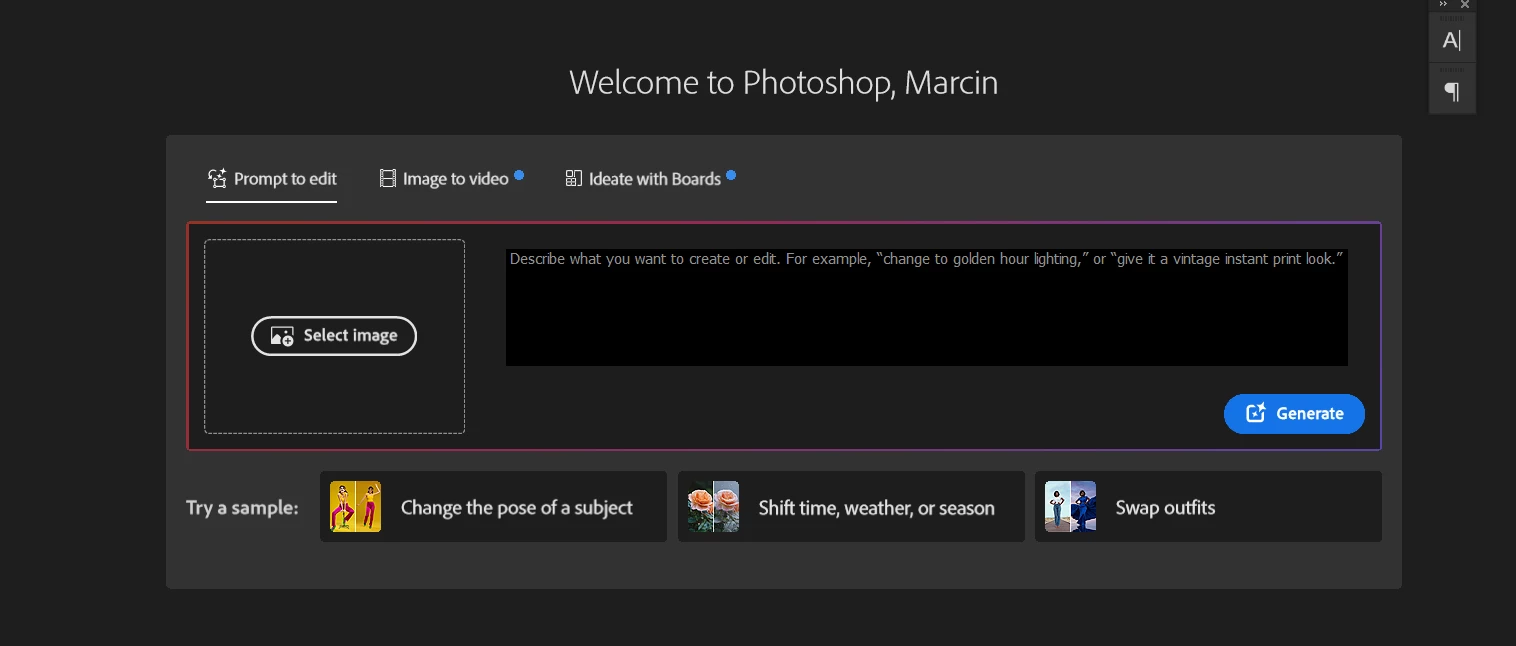
How to disable/hide this thing in home screen of photoshop?
Pinned Reply By Anshul_Saini
Hi Everyone,
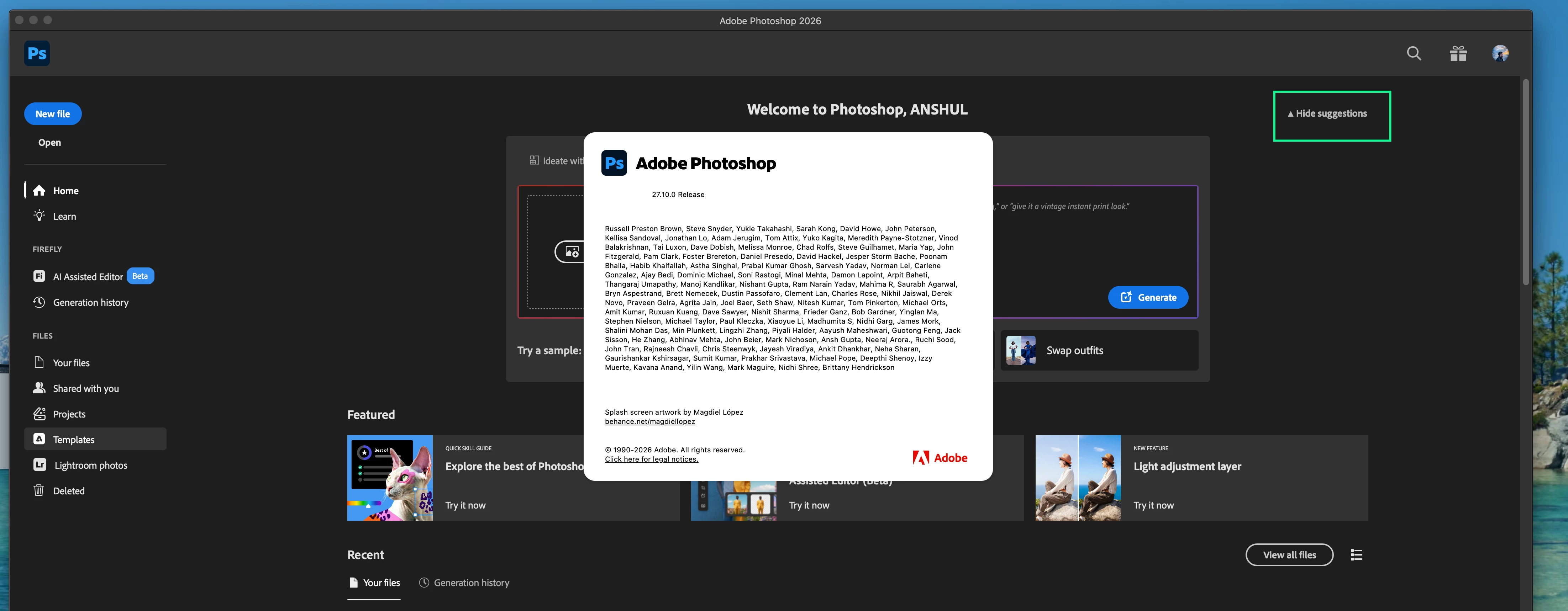
Thank you again for all the feedback and patience on this. Please update to 27.10 and check the Home Screen again.
After updating, look for the “Hide suggestions” option on the Home Screen. Please toggle it and confirm whether it hides this modal and gives you the Home Screen experience you were looking for, with your recent documents more readily accessible.
If you do not see the Hide Suggestions option in Photoshop 27.10, or if using it does not hide the modal discussed in this thread, please let us know and, if possible, share a screenshot of your Home Screen and copy & paste your System info from PS Help > System info here.
Thank you again for all the feedback and patience on this. Please update to 27.10 and check the Home Screen again.
After updating, look for the “Hide suggestions” option on the Home Screen. Please toggle it and confirm whether it hides this modal and gives you the Home Screen experience you were looking for, with your recent documents more readily accessible.
If you do not see the Hide Suggestions option in Photoshop 27.10, or if using it does not hide the modal discussed in this thread, please let us know and, if possible, share a screenshot of your Home Screen and copy & paste your System info from PS Help > System info here.
As a function of a copy of this response I received in an email, I checked. As described the ability to hide or show “suggestions” does work. Will give credit and thanks to Adobe for addressing this issue in response to a lot of criticism. However, I still have to wonder why the ability to allow users to choose which approach they prefer was not incorporated originally? Regardless, the response is a step in the right direction for Adobe. Hope they will place more emphasis on user perspectives as they continue to develop their software.
Agree this is a home screen I despise. Does anyone know how to revert back to Photoshop as it was about two months ago? I seriously want to dump the new Bridge and Photoshop.
Yeah please add an option to disable this, it’s awful!! I want to see my own working files, not this AI slop stuff or some other random Featured stuff! These take half of the screen :/
This is absolutely ridiculous. I use PS as a tool. Pushing my work off the screen to display ads I care nothing about is a sure way to make me look for PS alternatives. Fix this!!!





 AdChoices