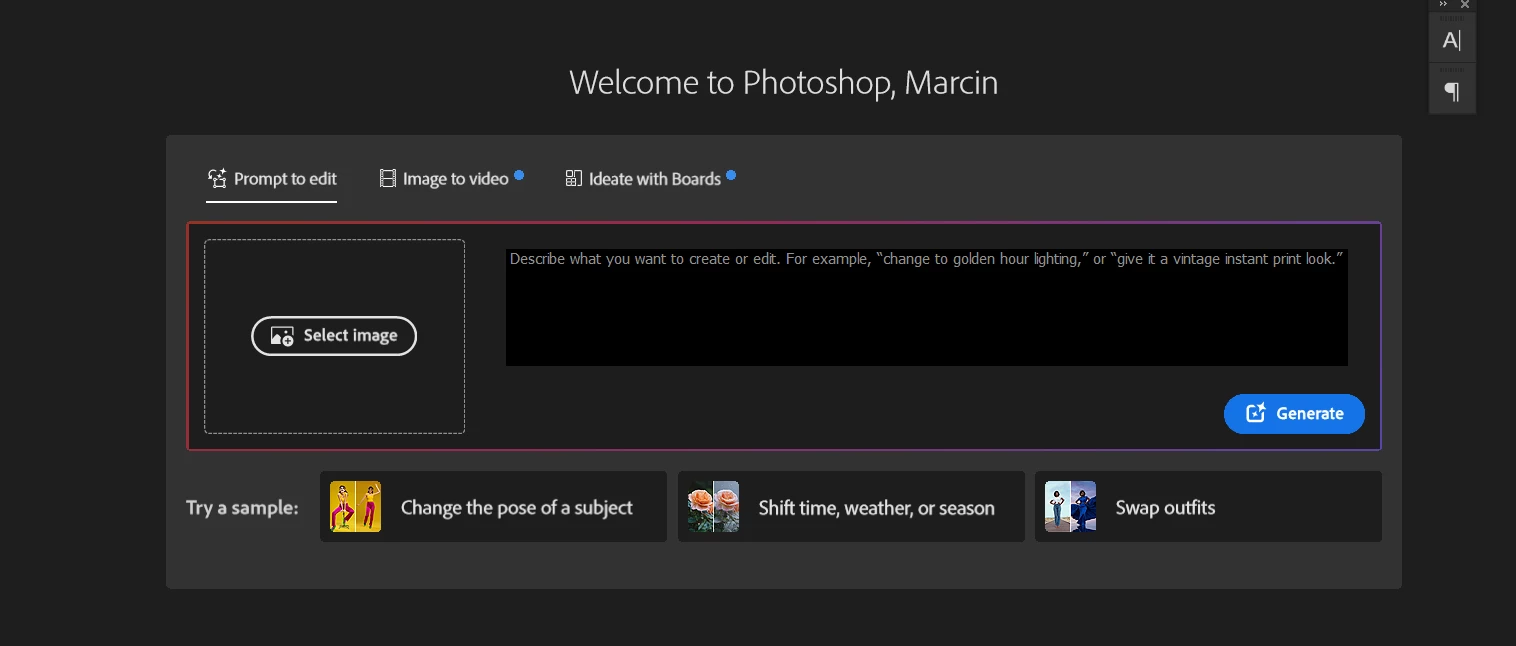
How to disable/hide this thing in home screen of photoshop?
Pinned Reply By Anshul_Saini
Hi Everyone,
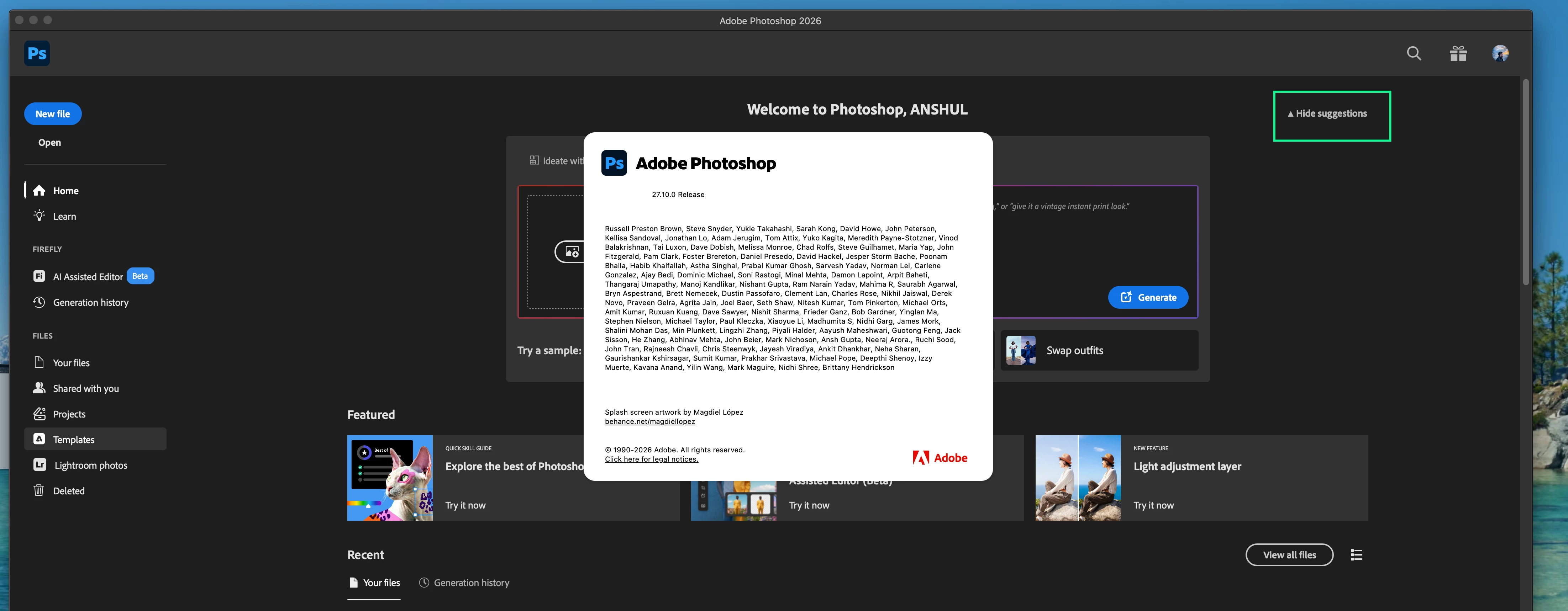
Thank you again for all the feedback and patience on this. Please update to 27.10 and check the Home Screen again.
After updating, look for the “Hide suggestions” option on the Home Screen. Please toggle it and confirm whether it hides this modal and gives you the Home Screen experience you were looking for, with your recent documents more readily accessible.
If you do not see the Hide Suggestions option in Photoshop 27.10, or if using it does not hide the modal discussed in this thread, please let us know and, if possible, share a screenshot of your Home Screen and copy & paste your System info from PS Help > System info here.
The new AI section on the homescreen takes up half of my screen. I only want to see my recent documents (like it was a couple of days ago). Currently I feel it necessary to turn off the home screen completely.
To avoid seeing this abomination that Adobe is calling a “new Home Screen Experience”, uncheck the auto show home screen in the Settings → General area.
This is a genuinely horrendous change. We’re already having gen AI forced down our throats enough without having this in our face every time, and then also having to scroll down to find our documents.
I’m hanging on by a thread already, so I’ll likely be cancelling my sub if this isn’t changed.
@Anshul_Saini wrote: Your feedback matters! If you'd prefer an option to hide or minimize this section of the Home Screen. We'd love to hear that feedback.
Count me in as needing the ability to hide this new Home Screen.
I’ll miss seeing previews of my Recents list, but have now disabled the Home Screen in Preferences.
Thank you for reaching out about the updated Home Screen in Photoshop. What's happening is that with the Photoshop version 27.8 (June 2026) update, the product team introduced a redesigned Home Screen experience.
We understand that not everyone wants to interact with the Home Screen in the same way. Currently, there is no Preferences setting to hide or disable this.
The existing preference under Edit > Preferences > General > "Auto Show the Home Screen" controls whether the Home Screen appears at all when no documents are open. Still, it does not control the content shown within the Home Screen itself. The new tabbed creative experience is part of the Home Screen content and doesn't have a separate on/off switch at this time.
This new experience is being rolled out gradually. Some users may see it while others don't; this is intentional as we monitor feedback and performance. If you're not seeing it, your account may not be in the current rollout group yet.
Your feedback matters! If you'd prefer an option to hide or minimize this section of the Home Screen. We'd love to hear that feedback. I can report this directly to the Photoshop product team on your behalf.
We appreciate you taking the time to share your experience.
Just adding my +1 that the new home screen provides a very frustrating user experience. I have zero desire to use any generative AI tools whatsoever and do not appreciate being shown a large “Prompt to edit” tab upon opening Photoshop, with no way to hide or collapse the section. I would like the ability to hide the “new tabbed creative experience” and Featured sections altogether, or at least return the ability to collapse these extra sections.
Ever since the Home Screen was first introduced, the thumbnails in the Recent section have been a very nice, visual way to bounce between files. Pushing them down the page to the point where only one row is visible, with the text cut off, is just needless friction. I’ll be disabling Auto Show the Home Screen and returning to good ol’ File > Open Recent, I guess.
I only see it in the release version (it’s not in the beta version). I can’t see from your screen shot, but I have a Hide Suggestions button that turns it off.





 AdChoices