sbn85
Inspiring
June 17, 2026

P: PS v27.8 new home screen

  • June 17, 2026
  • 65 replies
  • 753 views

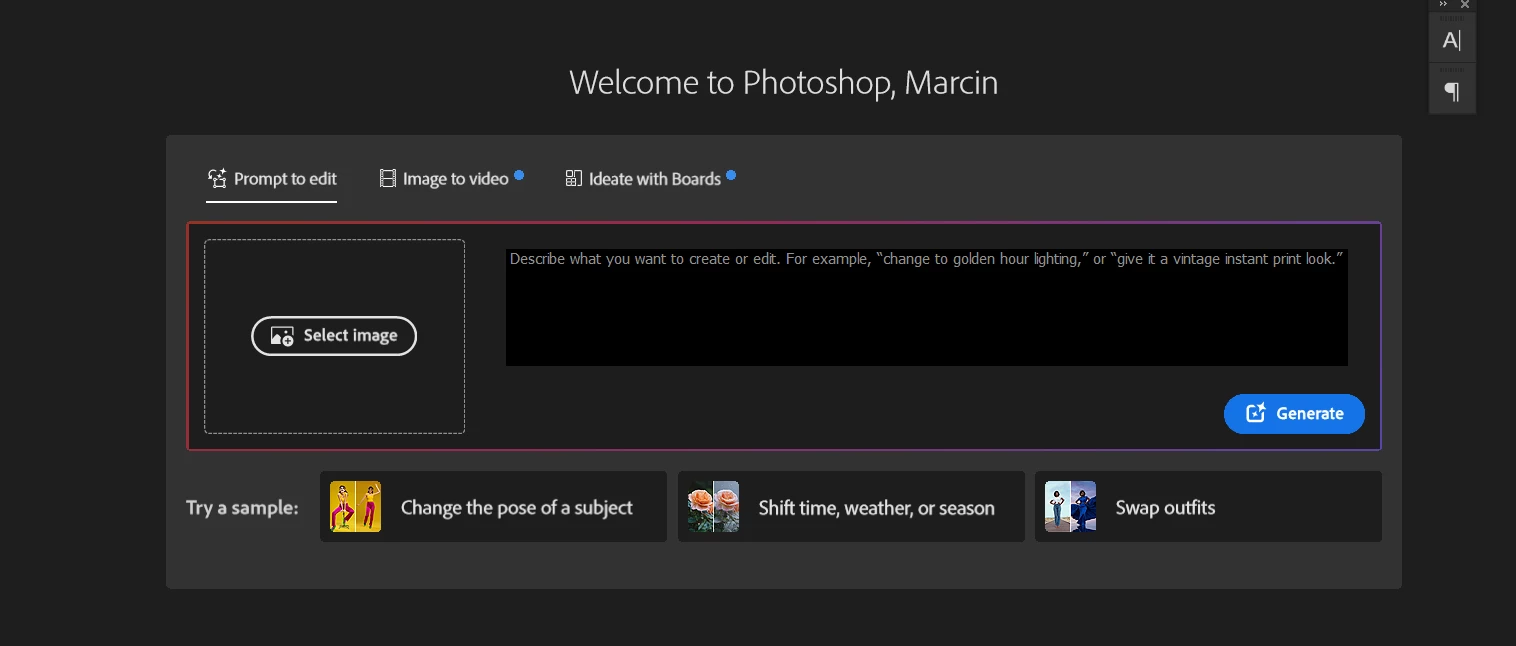
How to disable/hide this thing in home screen of photoshop?


    Pinned Reply By Anshul_Saini

    Hi Everyone,

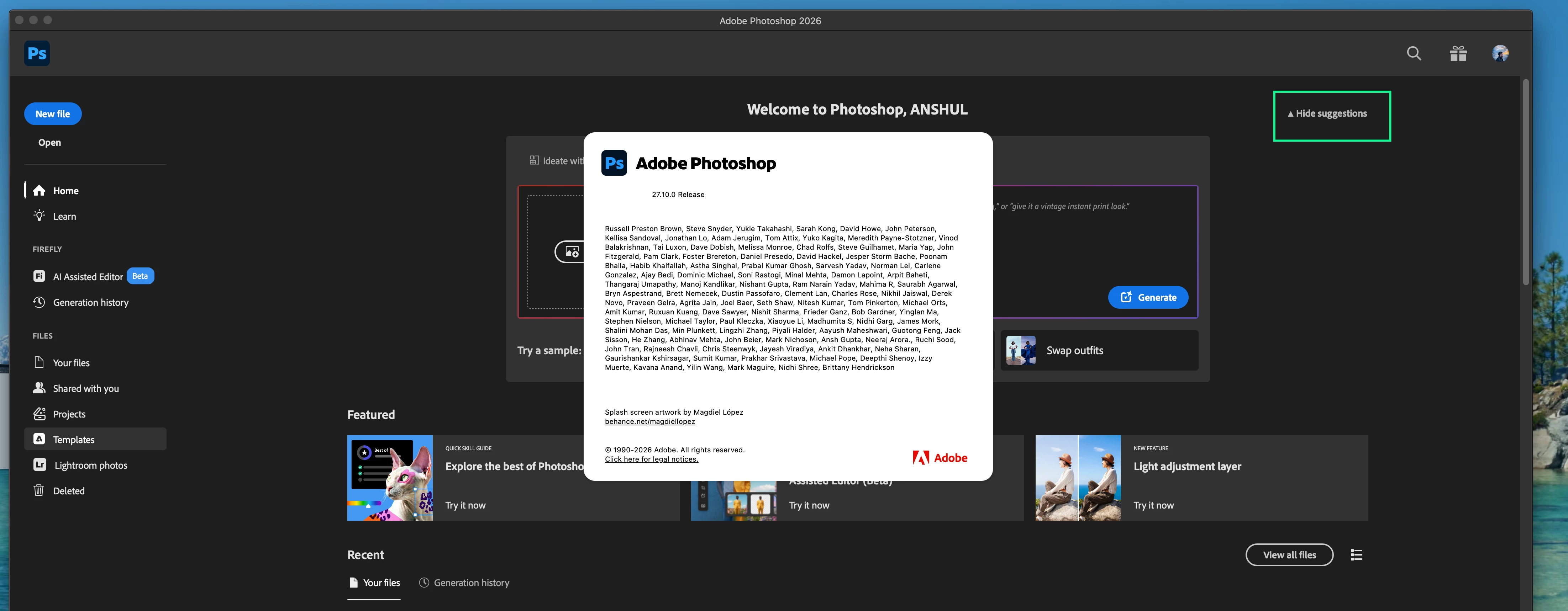
    Thank you again for all the feedback and patience on this. Please update to 27.10 and check the Home Screen again.

    After updating, look for the “Hide suggestions” option on the Home Screen. Please toggle it and confirm whether it hides this modal and gives you the Home Screen experience you were looking for, with your recent documents more readily accessible.
     

    If you do not see the Hide Suggestions option in Photoshop 27.10, or if using it does not hide the modal discussed in this thread, please let us know and, if possible, share a screenshot of your Home Screen and copy & paste your System info from PS Help > System info here.

    Thanks again for the feedback and your patience.

    Best,
    Anshul Saini

    65 replies

    davescm
    Community Expert
    Community Expert
    June 18, 2026

    Have you tried disabling the home screen altogether - Preferences > General > then uncheck ‘ Auto show the home screen’. 


    You can still see list of recent files in File > Open Recent.

    Dave

    Participating Frequently
    June 18, 2026

    Yes, this works, but I think many users (myself included) quite linke the thumbnails for a quick overview. Of course this can be solved by naming, but this doesn’t always work when you are in the def_def_final stretch.

    My main issue is that you used to be able to hide/collapse the AI panel in previous versions. An option which has now been removed.

    D Fosse
    Community Expert
    Community Expert
    June 22, 2026

    OK, that’s fair enough, but I’ve pointed out many times how dangerous it can be to rely on the home screen for any type of file management. That’s really not what it’s for. Those links are not live links and they break for nothing - which, I assume, could be particularly catastrophic on the edge of an important deadline.


    It’s a convenience feature; not a management feature.


    Not trying to tell you how to do your job ;-) - just a fair warning. I’ve always had the whole thing turned off.

    Ged_Traynor
    Community Expert
    Community Expert
    June 18, 2026

    @RG631971 you’re not alone, and there’s currently no way to disable it


    RG631971
    Known Participant
    June 18, 2026

    Updated Photoshop and now when the program opens the first thing I see is a huge Firefly prompt and a number of "featured" stuff from Adobe. No interest in any of it. Is there any way to get back to simply having my recent files displayed?  I know Adobe is heavily invested in selling credits but why does that necessitate further alienating so many users?


    Participating Frequently
    July 23, 2026

    I hate the new screen full of stuff that I have no use or interest in. I think I may dump Photoshop as soon as I find another editing app. 

    Participating Frequently
    June 18, 2026

    Previous versions were able to hide this element, seems AI needs to be pushed more to bring in the bucks.

    Ged_Traynor
    Community Expert
    Community Expert
    June 18, 2026

    @Nathan30553855xfmk you can upvote this thread


    RG631971
    Known Participant
    June 18, 2026

    PS v27.8 new home screen sucks.

    Trevor.Dennis
    Community Expert
    Community Expert
    June 18, 2026

    Hide Suggestions


    Participating Frequently
    June 18, 2026

    This isn’t available any more on my version. (27 release, MacOS Tahoe). Same with removing the Featured bar. Used to there in previous versions.

    Nathan30553855xfmk
    Participant
    June 18, 2026

    I use my home screen to quickly navigate to recent files. However, now with this nonsense, I cannot do that. I want: 

    A: The ability to turn this off via preferences. 
    B: A dedicated Recent page that does not have anything else on it. 

    Legend
    June 17, 2026

    “Permanent” revert:

    Settings>General>check Use Legacy “New Document” Interface

    Temporary/on-the-fly:

    Click the toggle.

    With the new, irritating interface open, click the Ps icon.

    With the old interface open, click the ‘house’ icon to get the new interface back.


    Larry
    sbn85
    sbn85Author
    Inspiring
    June 17, 2026

    did it suppose to remove it ?

    jane-e
    Community Expert
    Community Expert
    June 17, 2026

    I’ve upvoted the original post. I also want a way to disable it.


    Jane


    Ged_Traynor
    Community Expert
    Community Expert
    June 17, 2026

    @Kapture benoit you’re not the only one that doesn’t like it