
Photoshop 2019 won't open .jpg files
As stated, I can't open 90% of my .jpg files with Photoshop, regardless of whether I drag the file in, open it through the menu, or try to open it with Photoshop from the folder. I receive a helpfully vague error message stating that there is a program error.
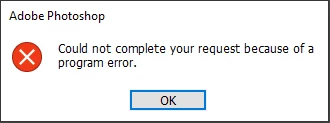
I just got this computer two weeks ago and this is one of the only things I've put on there, so I figured the app was up to date, but I reinstalled anyway. I've restarted my computer multiple times. I've tried downloading the Camera Raw plug-in as suggested on other posts with no result. I've tried purging my cache and clearing my preferences. Most suggestions on the forums are either years old (circa 2013) or Mac specific (I'm running windows 10).
With any advice given, please be as descriptive as possible on how to do it.
 AdChoices