Known Participant
October 2, 2023
Answered

Photoshop 2024 [v25.1] - Color Sliders don't work [Color picker issue -merged]

  • October 2, 2023
  • 142 replies
  • 50828 views

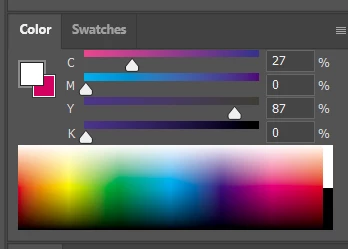
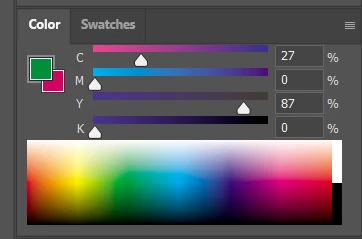
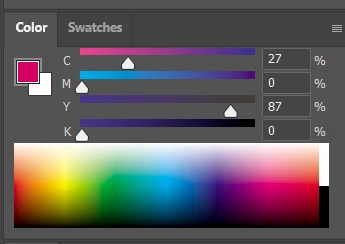
Color Sliders in my new Photoshop 2024 don't work at all - they don't change when i pick a color from the Spectrum or when i change Foreground/Bacground color with X key.

I reset Preferences, reinstaled PS and nothing works. Any ideas?

Photoshop 25.1.0, Windows 10.


This topic has been closed for replies.
Correct answer Kevin Stohlmeyer

@robzartworx there is a phased roll out for update 25.2 happening globally.

If you are in a managed environment (Enterprise/Teams/Edu) you may have to reach out to your plan admin to allow access to new updates within 30 days of release.

142 replies

robzartworx
Participating Frequently
November 28, 2023

That's a pity 

Inspiring
November 28, 2023

I don't think so unfortunately. 😞

Inspiring
November 28, 2023

As you can see, you can choose a color with the eyedropper tool, and it shows up in the box to the left of the color sliders, near the "swatches" tab. If you click that box, you can manipulate that color however you need to, much like you can using the color wheel. Again, it's more tedious, but it works in a pinch.

robzartworx
Participating Frequently
November 28, 2023

If you colour pick from the little squares under the tool bar it comes up as a box, sorry I don't know the correct terminology, but since the colour wheel is not updating I'm wondering if there is a way to keep the "box" on the screen?

Niviere
Participating Frequently
November 28, 2023

What do you mean?

robzartworx
Participating Frequently
November 28, 2023

Is there a way to keep the box on your screen? 

Inspiring
November 28, 2023

There are a lot of comments at this point about this, so this may be redundant. I did find a workaround, however. Although the color wheel doesn't update when you pick a color, it does show up in a box nearby. You can click on that box and manipulate the color that way. I've found this a somewhat tedious but sufficient alternative.

silk-m
Community Expert
Community Expert
November 28, 2023

Photoshop ver. 25.2 has been released. Updating to this version will fix it.

--Susumu Iwasaki
jeromea13244388
Inspiring
November 28, 2023

I was happy to update to the latest version after I noticed critical bugs with brush texture in Photoshop 2023, until I noticed this new bug... It's almost comical how each update messes with the core elements of the software.

Known Participant
November 27, 2023

Mine was working well, until it wasn't. I can't remember if I had tried to use the shortcut key for default color, or had clicked on the black or white rectangle, but it was one of those points where I realized that the sliders had stopped updating.  Restart/reboots didn't fix it 😛 I'm on a mac though. If you do anything and it triggers the slider disassociating I hope you let us know and they can fix the code.