Known Participant
October 2, 2023
Answered

Photoshop 2024 [v25.1] - Color Sliders don't work [Color picker issue -merged]

  • October 2, 2023
  • 142 replies
  • 50828 views

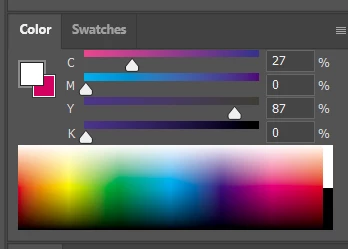
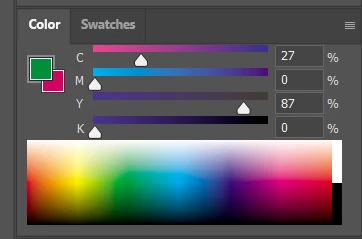
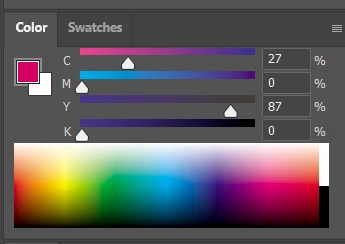
Color Sliders in my new Photoshop 2024 don't work at all - they don't change when i pick a color from the Spectrum or when i change Foreground/Bacground color with X key.

I reset Preferences, reinstaled PS and nothing works. Any ideas?

Photoshop 25.1.0, Windows 10.


This topic has been closed for replies.
Correct answer Kevin Stohlmeyer

@robzartworx there is a phased roll out for update 25.2 happening globally.

If you are in a managed environment (Enterprise/Teams/Edu) you may have to reach out to your plan admin to allow access to new updates within 30 days of release.

142 replies

Participant
November 27, 2023

Same here. I noticed it with the latest version of Photoshop (25.1.0 release) on Windows 10. 

Yes it's annoying, I solved it downgrading the app. 😕😕

mjmdvm
Inspiring
November 24, 2023

Right now the easiest fix is to go back to version 25. The problem is supposedly fixed in version 25.2 beta, but I'm waiting for the stable release.

To go back: Open Creative Cloud and pick APPS. Click on the 3 grey dots to the right of the Photoshop icon and select OTHER VERSIONS. Then Install.

StopTheMadness
Participant
November 24, 2023

A month later and still no fix. We pay good money for the license and a CORE FUNCTION is broken more than a month. How about stop developing the AI garbage and FIX YOUR SOFTWARE. The q-q workaround is fine for now but whats going ON!? Variable fonts are also still broken!

Participant
November 24, 2023

Same issue, very frustrating. 

Participant
November 23, 2023

Started having the same issues yesterday with v25.1. If I revert to an earlier version of Photoshop the eyedropper automatically updates the Color Wheel, Hue, etc. I've also seen some YouTubers complaining about the same issue. This is core functionality and someone at Adobe needs to prioritize this, it is murdering my workflow.

acopsone
Participant
November 23, 2023

Same here...
I tried to reinstall PS -  didn't work. This is realy annoying..

Niviere
Participating Frequently
November 23, 2023

Photoshop please


This issue is significantly disrupting my workflow, making it challenging to concentrate on my work. Kindly address and resolve this matter, please.

Participant
November 23, 2023

same issue that I have . happy to see im not the only one . my solution was to use earlier version . but i have then a lot of crashes . so went back to 25.1 and it does not work again 😞 come on photoshop . s otto


TaniaGomesArt
Participating Frequently
November 23, 2023

I have the exact same issue and I have the 25.1, so it's not the beta. The stupid thing is that it was working on this same version not very long ago, so (cursing removed).

I second what was said before - Maybe you should focus way less in this AI nonesence that I have no use for tbh, and put much more effort in not screwing up with basic functions that affect our workflow a lot!!! 

Niviere
Participating Frequently
November 22, 2023

yes this pls help