Known Participant
October 2, 2023
Answered

Photoshop 2024 [v25.1] - Color Sliders don't work [Color picker issue -merged]

  • October 2, 2023
  • 142 replies
  • 50830 views

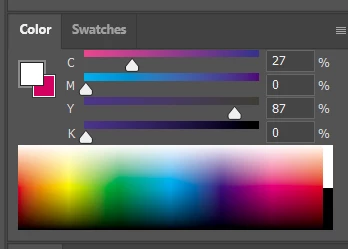
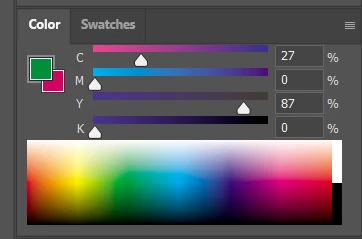
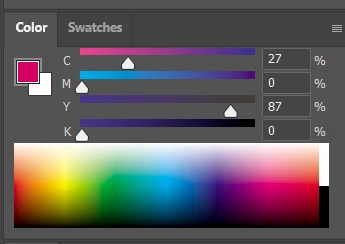
Color Sliders in my new Photoshop 2024 don't work at all - they don't change when i pick a color from the Spectrum or when i change Foreground/Bacground color with X key.

I reset Preferences, reinstaled PS and nothing works. Any ideas?

Photoshop 25.1.0, Windows 10.


This topic has been closed for replies.
Correct answer Kevin Stohlmeyer

@robzartworx there is a phased roll out for update 25.2 happening globally.

If you are in a managed environment (Enterprise/Teams/Edu) you may have to reach out to your plan admin to allow access to new updates within 30 days of release.

142 replies

Legend
November 21, 2023

For the Color Wheel at least (does not work for the Hue Cube), when a foreground color has been chosen, click the small Set foreground color box to open the Color Picker dialog, then click Cancel. Also not ideal.


An update to fix this in the public or stable version has been delayed for far too long.

jakeM17166197
Known Participant
November 21, 2023

Now if only we can find some method to make the color wheel or hue cube reflect the current color... But this does help somewhat. 

Participant
November 21, 2023

Edit: Skip the X part I mentioned. Just using Q works.


Select a single colour, unclick the mouse and then press Q twice to show the slider values.


Participant
November 21, 2023

For now, you can select a single colour and then press X Q Q to show the slider values. Not ideal but it works.

Inspiring
November 21, 2023

They still collect money without missing a penny, but if they make mistakes, they make users wait and waste time, effort, and even money.

Participant
November 20, 2023

Same problem here on both Mac and Windows. One more vote for getting this fixed ASAP. 

Participant
November 20, 2023

Same here - 25.1 - dynamic color sliders not functioning - - really makes simple jobs a pain in the ***. Please fix.

mjmdvm
Inspiring
November 20, 2023
Right now the only fix is to go back to version 25.0. Open Creative Cloud and select "Apps". Click on the 3 small dots to the right and select "other versions". Then install.

Word is the problem has been fixed in version 25.2 Beta. But I'm waiting for the stable release
Participant
November 20, 2023

Hi I'm experiencing a difficulty where when i use the eyedropper tool to extract a color and it works except for the fact that the color picker screen isn't changing aswell. is this a bug or is there a way to solve this?


as you can see the color that I want to get which is blue is working fine as shown on the top left of this image. but the color picker isn't changing to blue but still remaining in this tan chocolate screen

Ged_Traynor
Community Expert
Community Expert
November 20, 2023

@Fadil5EAF it's a well documented bug in version 25.1, which will hopefully be fixed in version 25.2

https://community.adobe.com/t5/photoshop-ecosystem-bugs/photoshop-2024-v25-1-color-sliders-don-t-wor...

robzartworx
Participating Frequently
November 20, 2023

Same issue for me.. urgh I'm on a Mac. Driving me crazy