Known Participant
October 2, 2023
Answered

Photoshop 2024 [v25.1] - Color Sliders don't work [Color picker issue -merged]

  • October 2, 2023
  • 142 replies
  • 50830 views

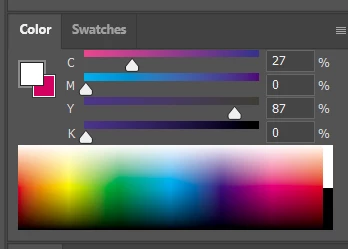
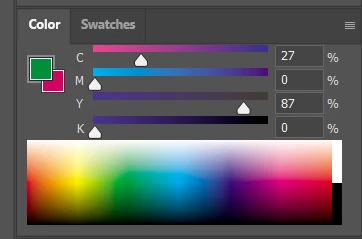
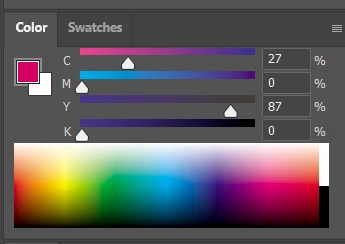
Color Sliders in my new Photoshop 2024 don't work at all - they don't change when i pick a color from the Spectrum or when i change Foreground/Bacground color with X key.

I reset Preferences, reinstaled PS and nothing works. Any ideas?

Photoshop 25.1.0, Windows 10.


This topic has been closed for replies.
Correct answer Kevin Stohlmeyer

@robzartworx there is a phased roll out for update 25.2 happening globally.

If you are in a managed environment (Enterprise/Teams/Edu) you may have to reach out to your plan admin to allow access to new updates within 30 days of release.

142 replies

mjmdvm
Inspiring
November 17, 2023

Paulo Haab:


Olá;. Por favor, perdoe os erros. Estou usando o Google tradutor.


No momento, a única correção é voltar para a versão 25. Abra a Creative Cloud e acesse APLICATIVOS. Clique nos 3 pontos à direita e escolha OUTRAS VERSÕES Instale a versão 25.


O problema foi corrigido na versão 25.2 Beta. Mas talvez seja melhor esperar até que o lançamento final saia.

Paulo Haab
Participant
November 17, 2023

Bom dia, amigos! Tudo bom?


Após a última atualização (v25.1.0), o seletor de cores (pequeno círculo que indica a cor selecionada) no cubo matiz não sincroniza mais com a cor que está de fato definida.


Assim, fica difícil fazer micro ajustes na cor do pincel, por exemplo, pois a cor que eu estou usando não é a cor que o seletor está mostrando.


Gravei um vídeo para ilustrar melhor:

https://youtu.be/G53hnAvnu-Y


Como posso resolver?

Ged_Traynor
Community Expert
Community Expert
November 17, 2023
Participant
November 16, 2023

Yup! This ia bug. Don't know why Photoshop hasn't fixed it THROUGH their last bug update. ONLY way to fix this is to use an earlier version of photoshop that doesnt have the AI tool, which sucks because I use both the color picker for my digital art AND the AI stuff for photo edeiting. 

jane-e
Community Expert
Community Expert
November 16, 2023


@mjmdvm wrote: I HOPE this will be fixed in version 25.2 but I'm not holding my breath. 


It's been fixed in the Beta, so theoretically the fix will make it into the next dot release of the released version.


Jane

mjmdvm
Inspiring
November 16, 2023

It's frustrating, but you don't need to suffer through it. You can go back to version 25 and the problem will be gone. Open Creative Cloud-> go to Apps-> click on the 3 dots to the left of Photoshop and select "other versions" and install version 25.

I HOPE this will be fixed in vbersion 25.2 but I'm not holding my breath. 

Participant
November 16, 2023

This is what we get for keeping the software we pay for up-to-date. I can't get on with this broken, and it's apparently been broken for months. Good to know how seriously Adobe take people's jobs.
I'm getting a refund for this month, this is unacceptable.

Participant
November 16, 2023

*kicks feet paitently* same problem, very infuriating 🙂


Participant
November 15, 2023

Using the latest version of Photoshop (25.1.0) HSB sliders do not update when the Eye Dropper is used. I cannot sample an area of my artwork and get Hue Saturation, or Brightness info. The foreground color does update, but the HSB sliders do not adjust accordingly.  My students are having the same problem. I do not have this problem on my home computer with an older version of Photoshop. 

Participating Frequently
November 14, 2023
Si, eso es lo que estaba haciendo pero yo soy ilustradora y eso era
realmente una total pérdida de tiempo y de mis nervios hahah...lo he
solucionado volviendo a la versión anterior como me comentaron en este
hilo...gracias por su respuesta!!!
Participant
November 14, 2023

Not a proper fix, but this workaround works for me. Once you color pick a new color, switch to grayscale in the color slider in the navigator and back to color wheel and that sets it to the color you picked.