
Answered
photoshop and illustrator showing the wrong color of cmyk value
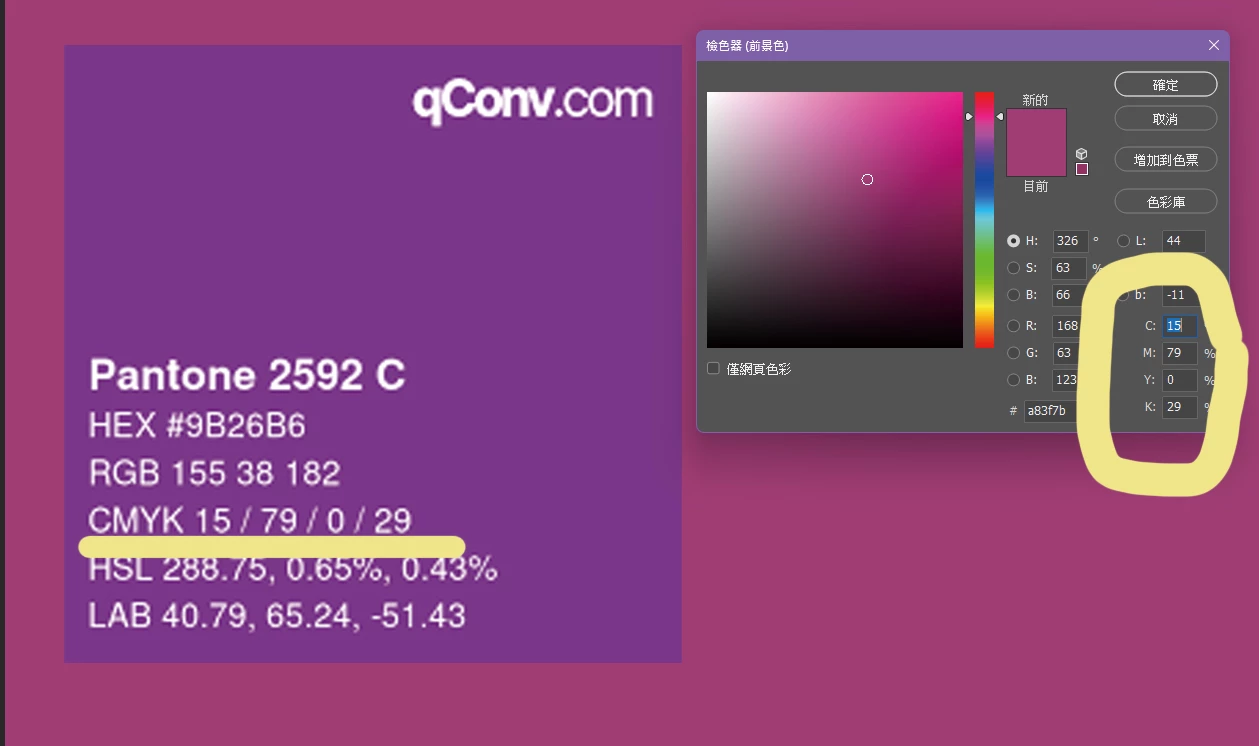
in the photoshop and illustrator, when i follow the suggestion and type CMYK value, the result is totally different to the correct color.
how can i fix this?

in the photoshop and illustrator, when i follow the suggestion and type CMYK value, the result is totally different to the correct color.
how can i fix this?
There is no such thing as a generic CMYK. Any "conversion table" that claims there is, is based on misunderstanding and ignorance.
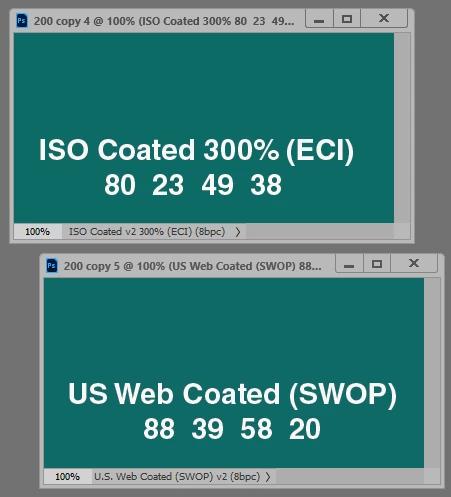
Numbers refer to specific color spaces, and different color spaces yield different numbers for the same visual color. US Web Coated (SWOP) will give you different numbers than ISO Coated 300% (ECI), and so on. Without specifying the color space, numbers are undefined and meaningless.
A CMYK profile characterizes a certain offset print process, using certain inks on certain paper stock, on an offset press calibrated to a certain standard. These standards vary around the world.
In short - not "CMYK", but which specific CMYK profile. You need to know which profile applies in your case.
Already have an account? Login
Enter your E-mail address. We'll send you an e-mail with instructions to reset your password.


 AdChoices