
Inspiring
August 15, 2024
Beantwortet

Photoshop crashes on using enhance feature in camera raw.

  • August 15, 2024
  • 4 Antworten
  • 1378 Ansichten

Hi all.

Just updated to camera raw 16.5. If I open a dng file and right click> enhance, Photoshop crashes. I'm using win10 home. This is the first time I've used the enhance feature, so not sure if the error would happen on previous versions. Thanks in advance.
Beste Antwort von Ged_Traynor

@paul190453 I can confirm that ACR version 16.5 crashes on my system using the enhance feature, Windows 11, Photoshop 25.11 with an RTX 3090, I wonder if Adobe pulled the update, checked for updates in the Creative Cloud app and version 16.5 is not showing now as an option.

Resetting ACR preferences didn't help

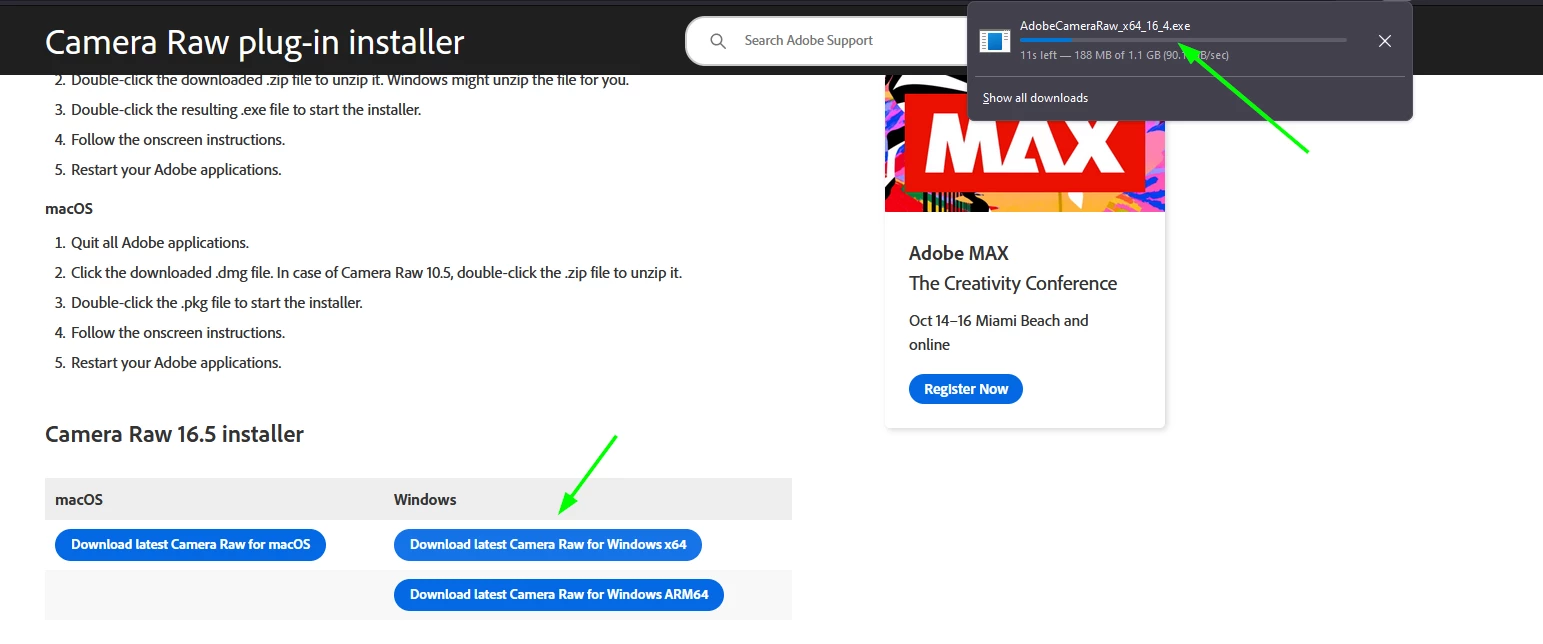
The download link seems to download version 16.4 instead of 16.5, so was able to revert back to version 16.4

4 Antworten

D Fosse
Community Expert
Community Expert
August 22, 2024

ChatGPT

Ged_Traynor
Community Expert
Community Expert
August 23, 2024

@D Fosse not sure what you mean

Ged_Traynor
Community Expert
Community Expert
August 22, 2024

@paul190453 there was an update to ACR today that fixed the issue for me, version 16.5.1

Ged_Traynor
Community Expert
Community Expert
August 15, 2024

@paul190453 I can confirm that ACR version 16.5 crashes on my system using the enhance feature, Windows 11, Photoshop 25.11 with an RTX 3090, I wonder if Adobe pulled the update, checked for updates in the Creative Cloud app and version 16.5 is not showing now as an option.

Resetting ACR preferences didn't help

The download link seems to download version 16.4 instead of 16.5, so was able to revert back to version 16.4

Inspiring
August 15, 2024

Hi Ged. Did 16.4 fix the issue for you?

Cheers.

Ged_Traynor
Community Expert
Community Expert
August 15, 2024

@paul190453 yes it did, just download the installer and run it, it will overwrite the current installed version

D Fosse
Community Expert
Community Expert
August 15, 2024

This runs entirely in your graphics processor (GPU), and that's what is crashing.


Please post the full Help > System Info so we can see your GPU configuration.

Inspiring
August 15, 2024

Hi. Thank you for thye quick reply. Opening Photoshop>Help>system info as requested: (file attached)