Participant
Sep 30, 2026 2:17 PM UTC
Answered

Photoshop exporting issues

What is going on?!?!?!?!

Adobe, please fix these issues!


We are having exporting issues for both jpeg and pngs.

When exporting jpegs, the box with additional information is not populating and to initiate the export, we’ve discovered we have to manually hit the ‘enter’ button. They are randomly not following the color mode set within the file.

When exporting pngs, we are having issues with what should be a transparent png including a white background.


These are basic functionalities that should not have issues.

    justlearn
    justlearnCorrect answer
    Community Expert
    Oct 1, 2026 9:17 AM UTC

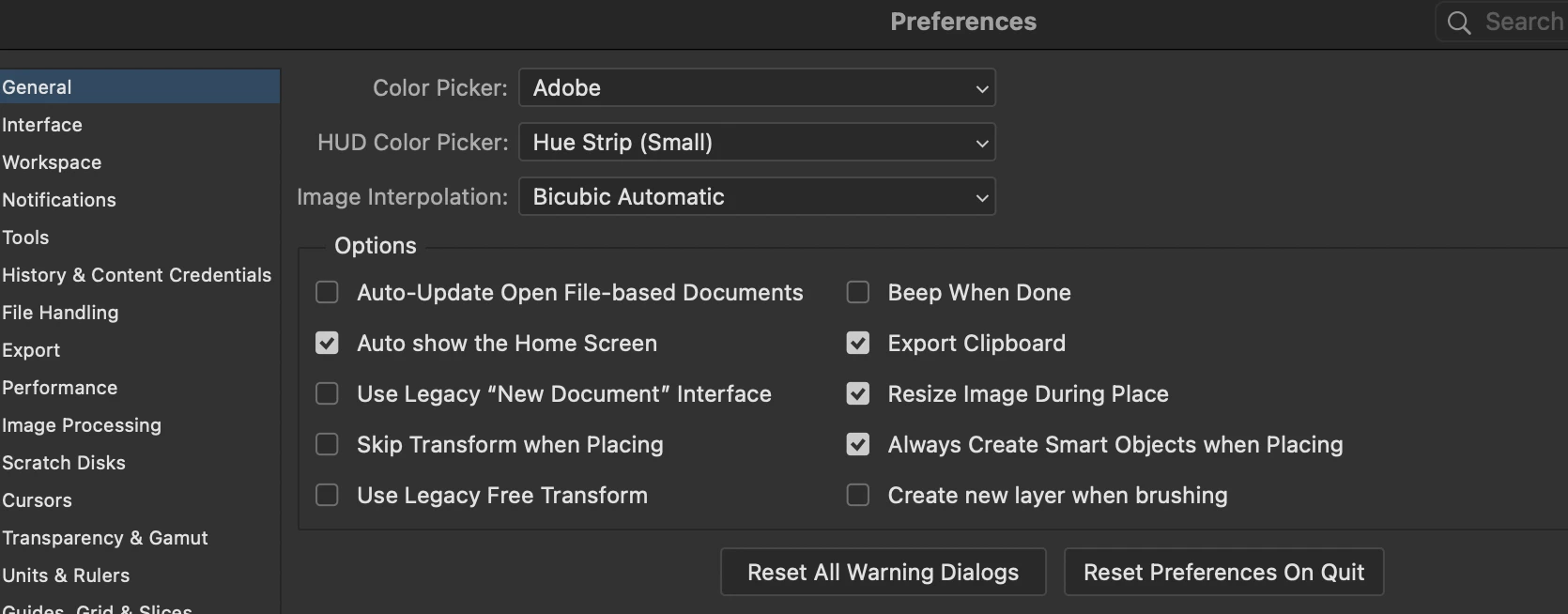
    ​@amy.hanlon Sounds like you preferences are corrupted. I have no issues and not able to replicate your scenarios; Resetting Photoshop’s preferences is the quickest way to clear up all three of these export glitches at once. Command K (MAC) or Control K (PC) 

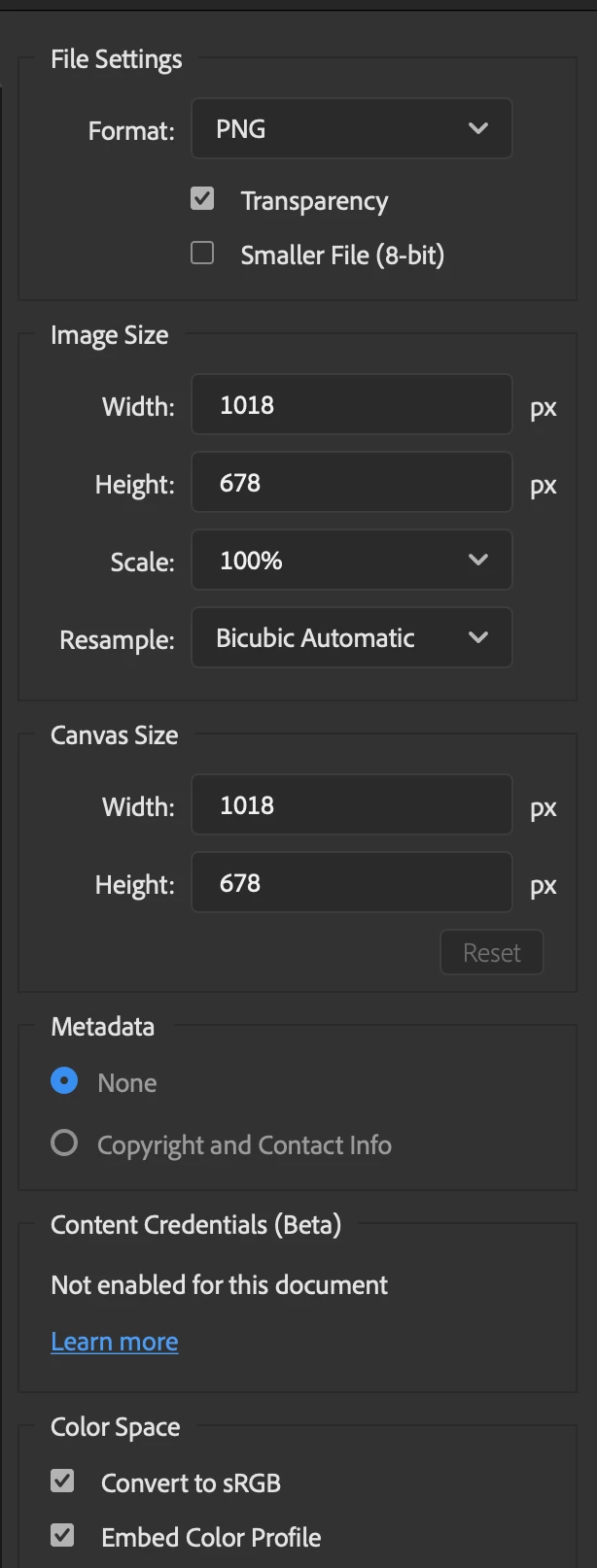
    Once Photoshop preferences are factory resets and reopens with clean defaults, make sure these two settings are checked on your first export. In the Export As dialog (File > Export > Export As): Convert to sRGB and Embed Color Profile are checked for JPEGs and Transparency is checked for PNGs.


    m

    2 replies

    justlearn
    Community Expert
    justlearnCommunity ExpertCorrect answer
    Community Expert
    Oct 1, 2026 9:17 AM UTC

    ​@amy.hanlon Sounds like you preferences are corrupted. I have no issues and not able to replicate your scenarios; Resetting Photoshop’s preferences is the quickest way to clear up all three of these export glitches at once. Command K (MAC) or Control K (PC) 

    Once Photoshop preferences are factory resets and reopens with clean defaults, make sure these two settings are checked on your first export. In the Export As dialog (File > Export > Export As): Convert to sRGB and Embed Color Profile are checked for JPEGs and Transparency is checked for PNGs.


    Translate
    m
    kglad
    Community Expert
    Community Expert
    Sep 30, 2026 2:25 PM UTC

    post this in the ps forum, https://community.adobe.com/p/photoshop 


    and change your title slightly to avoid a duplicate post error.

    Translate