


Participant
January 24, 2017
Answered

Photoshop layers. Context menu rolled up. Type tool lag issue.

  • January 24, 2017
  • 1 reply
  • 1196 views

Hello everyone!

Once again I'm back to this forums with another Photoshop issues.

Few months ago I've spent countless hours trying to solve my lagging pen tool issue on Win machine. Without any luck. I was really glad when I've realized that problem disappeared in 2017 version.

But, one problem disappeared, another one occurred...

I've switched to a Mac (the newest MacBook Pro) with hope that everything will work better and in a more reliable way. I was in a mistake.

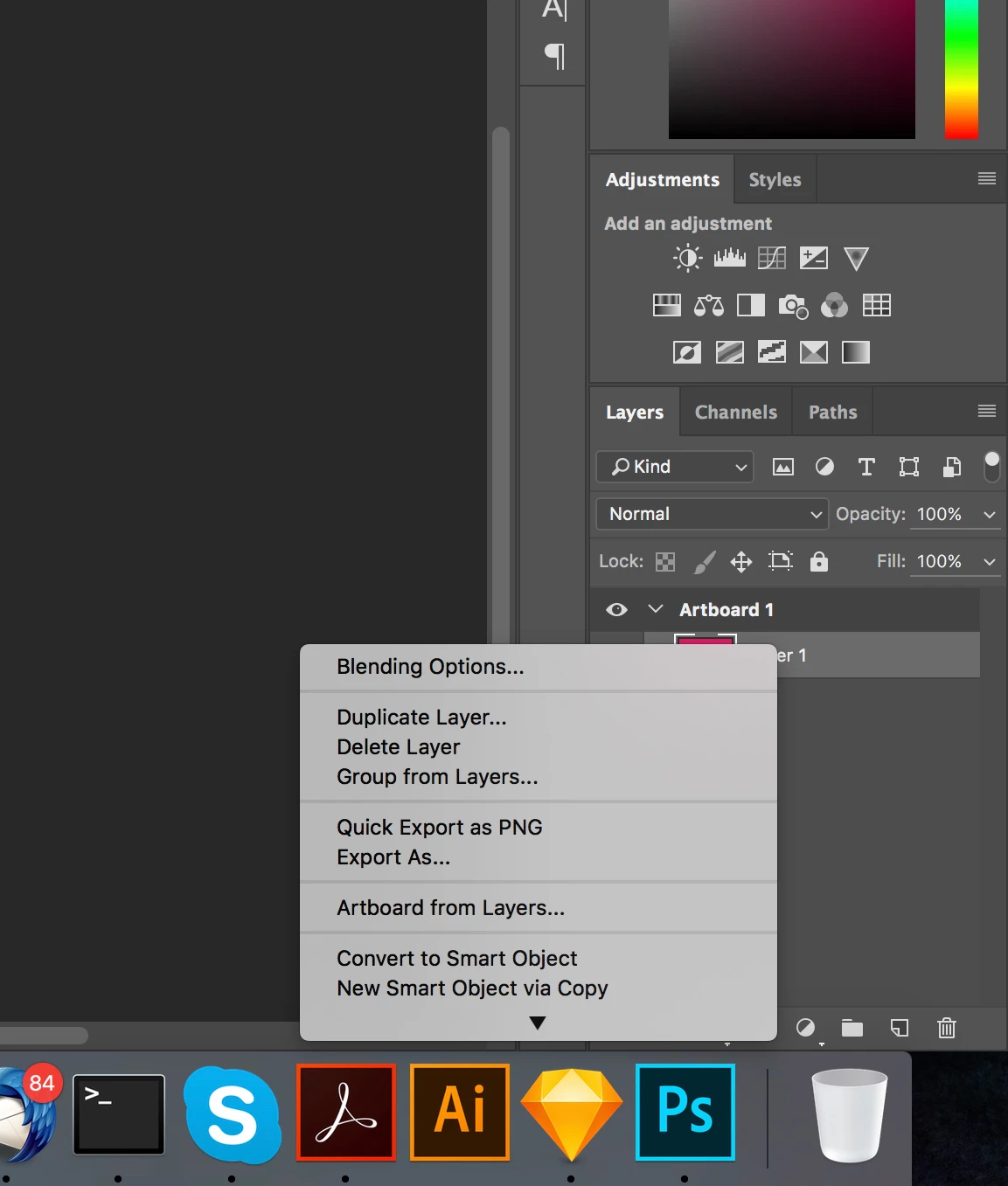
1st issue. This is what happens when I right click on a Smart Object. Menu is rolled up. See screenshot.
When layer is rasterized, everything's fine:
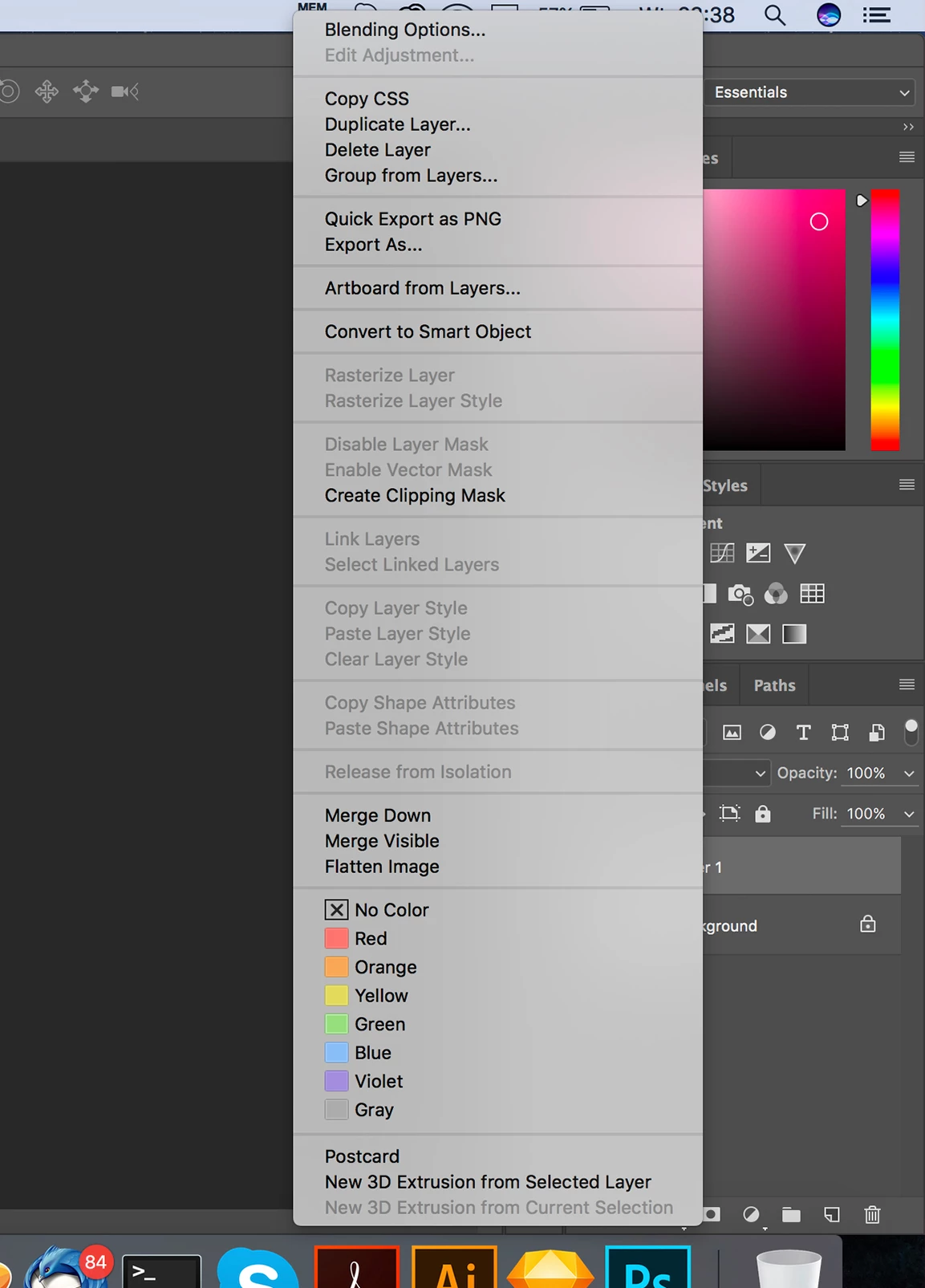
Can anyone help me to solve this issue?

2nd issue. Terrible text field performance in 2017 version (screenshots come from 2015.5 which is still better than 2017). Please see video:

Photoshop CC 2017 - Type Tool Slow issue - YouTube

It comes from another user - I've found it in another thread (I'm not alone with this problem). I've called another designer and he has exactly the same problem.

My question is, why these problems didn't occur in previous version of Photoshop? I've never had any issues with CS5, CS6.

CC is a never ending problem solving!

Thanks!

This topic has been closed for replies.
Correct answer Mohit Goyal

Hi,

Please update Photoshop to its latest update for CC 2017.1, which includes the fix for Photoshop CC 2017: TypeTool Slow | Photoshop Family Customer Community

Refer: Photoshop CC 2017.1 (April 2017) Update Now Available

Regards,

Mohit

1 reply

Sahil.Chawla
Adobe Employee
Adobe Employee
March 22, 2017

Hi Pawelm,

The first issue is an expected behavior by photoshop because it is as per design.

The second issue is a known issue, I request you to follow the link mentioned below and cast your vote on this issue by clicking on me too so that our engineering team is made aware of this ongoing issue.

Photoshop CC 2017: TypeTool Slow | Photoshop Family Customer Community

Regards,

Sahil

Mohit Goyal
Community Manager
Mohit GoyalCommunity ManagerCorrect answer
Community Manager
April 6, 2017

Hi,

Please update Photoshop to its latest update for CC 2017.1, which includes the fix for Photoshop CC 2017: TypeTool Slow | Photoshop Family Customer Community

Refer: Photoshop CC 2017.1 (April 2017) Update Now Available

Regards,

Mohit

Participant
April 6, 2017

I'm sorry to inform but new version hasn't fixed this problem at all. I'm going back to 2015...