

marcf45797253
Participant
March 22, 2019
Answered

Photoshop oil paint color change

  • March 22, 2019
  • 2 replies
  • 616 views

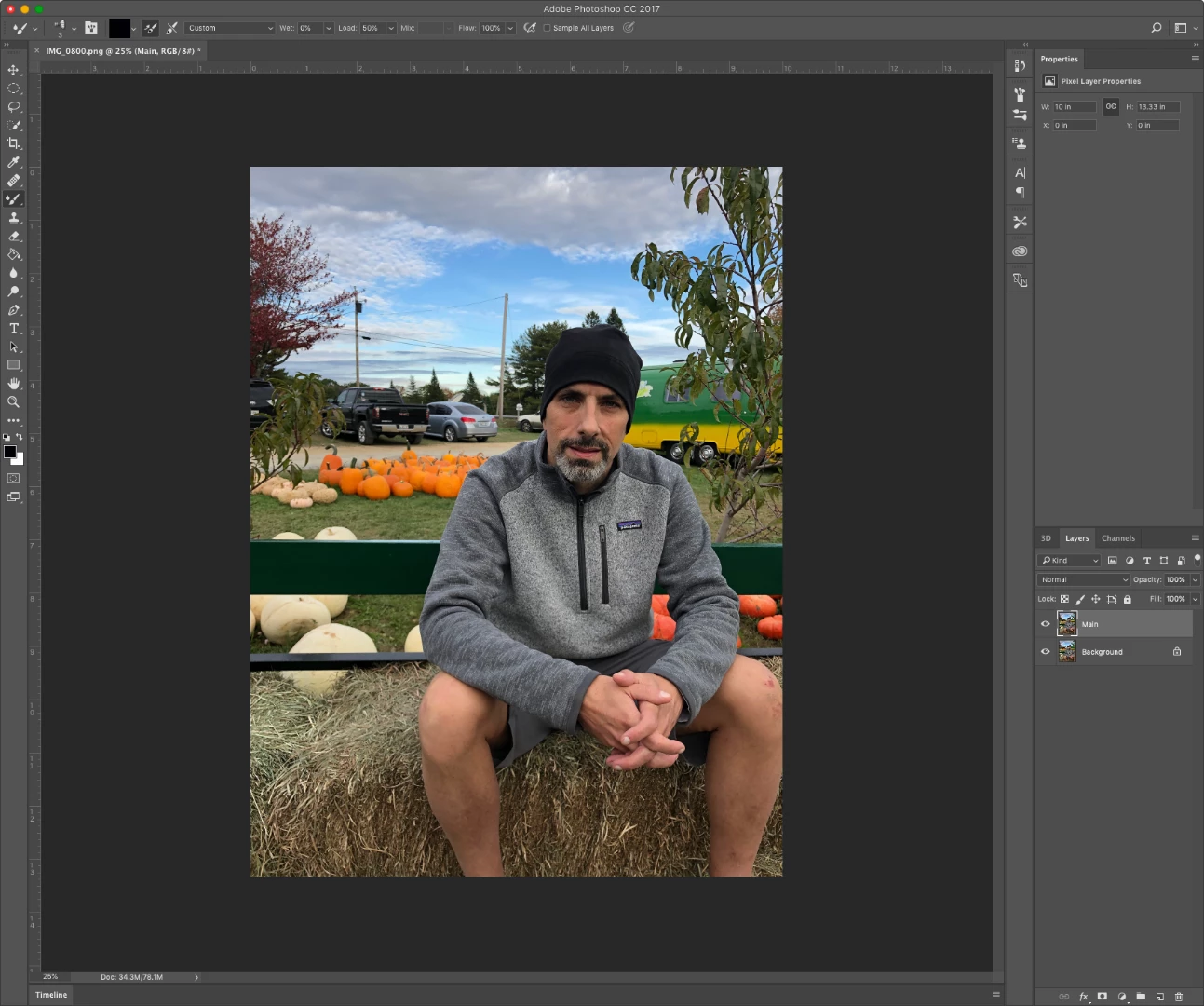
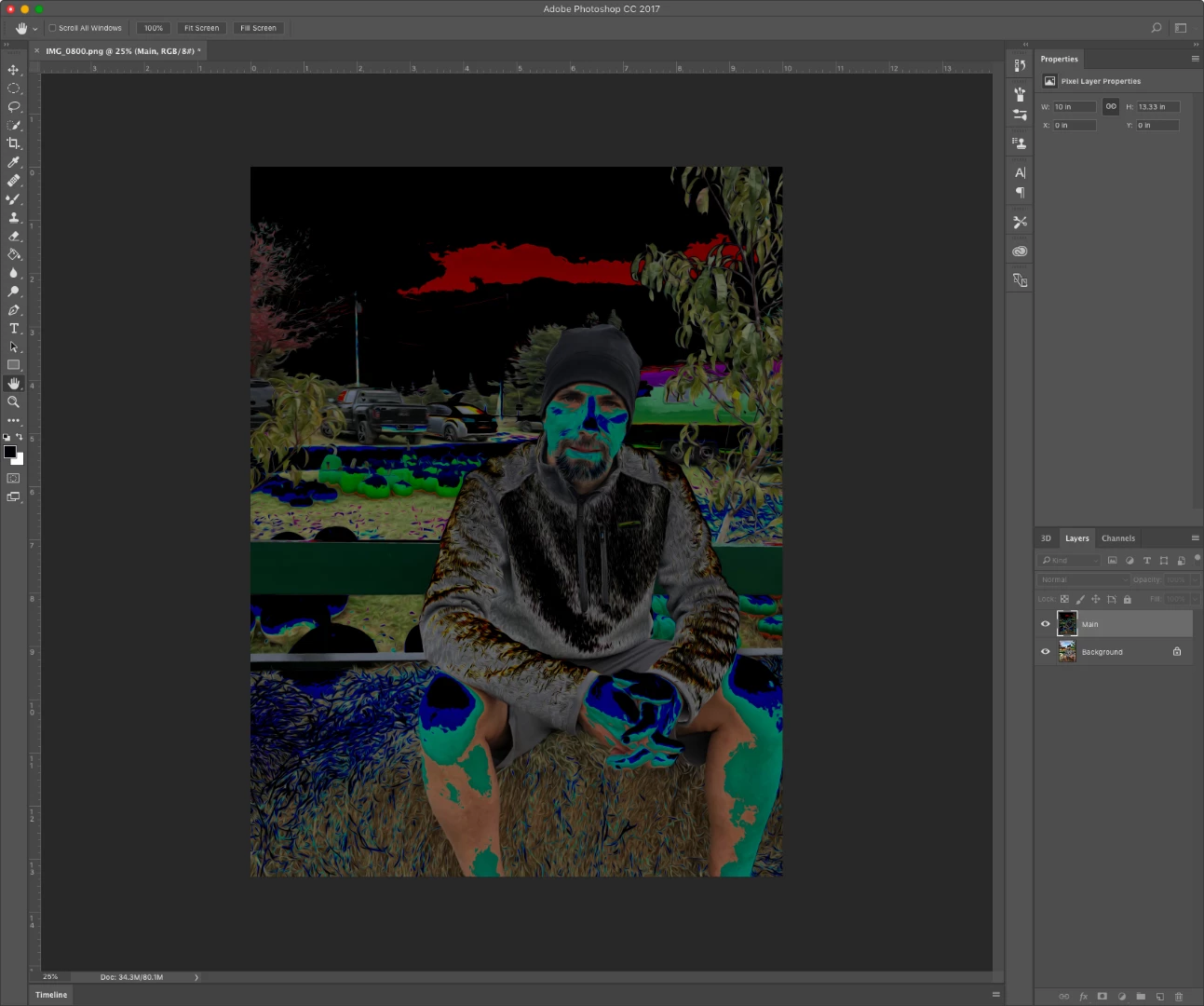
When I try to use the oil paint filter it comes back with a crazy color change.  Can someone help out?  Thank you.
    This topic has been closed for replies.
    Correct answer marcf45797253

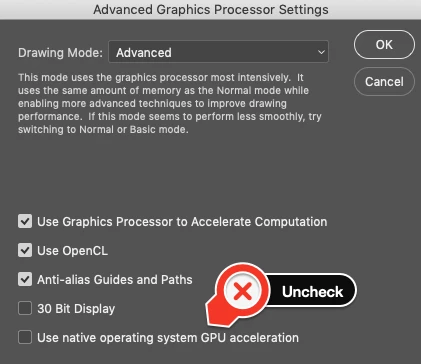
    Trial and error, I figured it out.  Use the Graphics Processor, but DO NOT check "Use native operating system GPU acceleration" under Advanced Settings. 
    2 replies

    JJMack
    Community Expert
    Community Expert
    March 22, 2019

    Perhaps its a Mac or configuration issue I do not see a problem like that one my Windows  machine.  Nor can I say I particularly like what I see on my Windows machine

    JJMack
    sharp_hands16B8
    Community Expert
    Community Expert
    March 22, 2019

    I'm not having a problem with it on my mac either. There's no custom config for the mac in regards to this.

    Chuck Uebele
    Community Expert
    Community Expert
    March 22, 2019

    What version of PS are you using? You might want to try turning off "Use Graphic Processor" in the preferences or check use legacy compositing in the preferences as well. Resetting preferences might also work.

    marcf45797253
    Participant
    March 23, 2019

    Thank you Chuck.  I am using PS 20.0.4, most recent version, on a 2016 MacBook Pro.  Here is my hardware data:

    If I uncheck "Use Graphic Processor" in the preferences my Oil Painting option gets greyed out.  I have also reset my preferences, but still no luck.

    marcf45797253
    marcf45797253AuthorCorrect answer
    Participant
    March 23, 2019

    Trial and error, I figured it out.  Use the Graphics Processor, but DO NOT check "Use native operating system GPU acceleration" under Advanced Settings.
