
Participant
September 28, 2023
Question

Photoshop will not close, and will not open files after I open it.

  • September 28, 2023
  • 12 replies
  • 3227 views

I have recently had an issue ever since I installed a new graphics card, the GeForceRTX3080.  Whenever I open Photoshop, I can use it normally for the first time, but the second time I open it, it refuses to open any files, and it won't close. I get the following message whenever I try either.
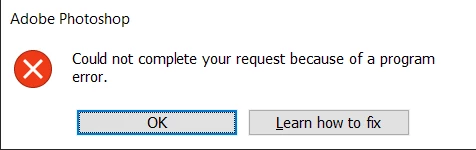
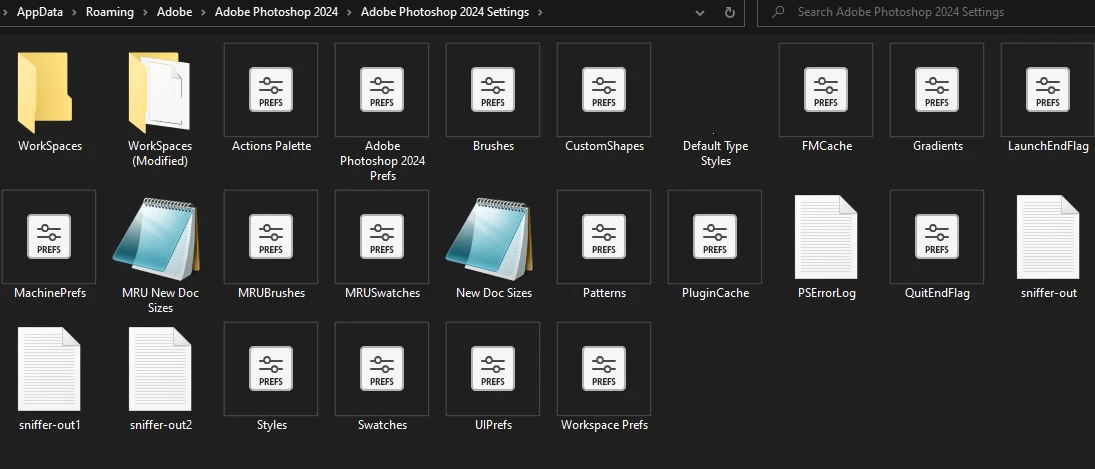
The only temporary solution that I could find to this, is to delete all of my preferences files from the Adobe Photoshop 2024 folder, even if I hadn't made any adjustments or additions to my preferences. Only then will it work for that 1 time, and I have to constantly delete all of the preference files whenever I want to open it and use it a second time in a row. I feel as if the issue could be either my new graphics card (which works fine in every other capacity), or Photoshop corrupting my preferences every time.
 

I have tried restarting my computer, updating drivers, uninstalling and reinstalling every new and old version of photoshop. (I have only had partial success with this method because the versions where this issue goes away, Photoshop itself becomes extremely laggy, all the lines made by brushes are pixelated and it's basically unusable) Please help, I don't know if I'm missing something super obvious here.

12 replies

Participant
January 15, 2024

Having this exact problem. Downgraded to v22.2 just to make photoshop usable. It's a shame I can't really use current versions of my subscription.

Kygetsu
Participant
December 18, 2023

Two months later this is still an issue.  

I start every day of work unable to just open files off the bat.  I need to go into preferences, uncheck "Use GPU", open a file, close the file, check "Use GPU", and I'm able to work again.  It's a minor inconvenience, but one I shouldn't need to deal with daily for a product I'm paying for.

Deltanine
Participant
November 9, 2023

I tried to block the app from firewall to see if its the creative cloud sync is making the preferences corrupted but still got the problem

Deltanine
Participant
November 9, 2023

Any know fix for this? Adobe remote my pc hours ago and fixed it unfortunately it resets my preferences, and shortly after restoring my preferences one by one the problem comes back

Participant
November 6, 2023

same here, constantly crashing. Ridiculous the amount of work time I'm giving up + downgrading to earlier versions

Known Participant
November 1, 2023

Also experiencing the same issue on latest studio drivers (as of this post) on a geforce RTX 2080.

I've tried everything.

klm4of611799491
Participant
October 25, 2023

I am running on the Studio driver.

J E L
Community Expert
Community Expert
October 25, 2023

@klm4of611799491, are you also getting the “program error” message, as @Ethan0D4B shows in their original post on September 28? I'm using the NVIDIA GeForce RTX 3060 card without any problems running Photoshop 25.0.0 Release on Windows 10. Can you confirm if you downloaded the Studio—not the Gaming—driver? Photoshop prefers the Studio version.

klm4of611799491
Participant
October 25, 2023

This is ridiculous!  I've seen so many messages from people having the same problem yet Adobe does nothing to fix it!  I contacted Adobe and was told to take certain steps which I had already gone through several times.  I had even reset my preferences multiple times.  The fix worked, but when I closed and opened Photoshop again, I had the same problem.  I explained this to the him and he said "well, we're here 24/7, contact us any time".  Very helpful.  This needs to be addressed! 

Participant
October 24, 2023

Having the same issue but did not replace my graphics card. Also tried Kygetsu's suggestion but it didn't work