
Hosun
Inspiring
September 23, 2023
Answered

Reference Point

  • September 23, 2023
  • 2 replies
  • 983 views

Hi,


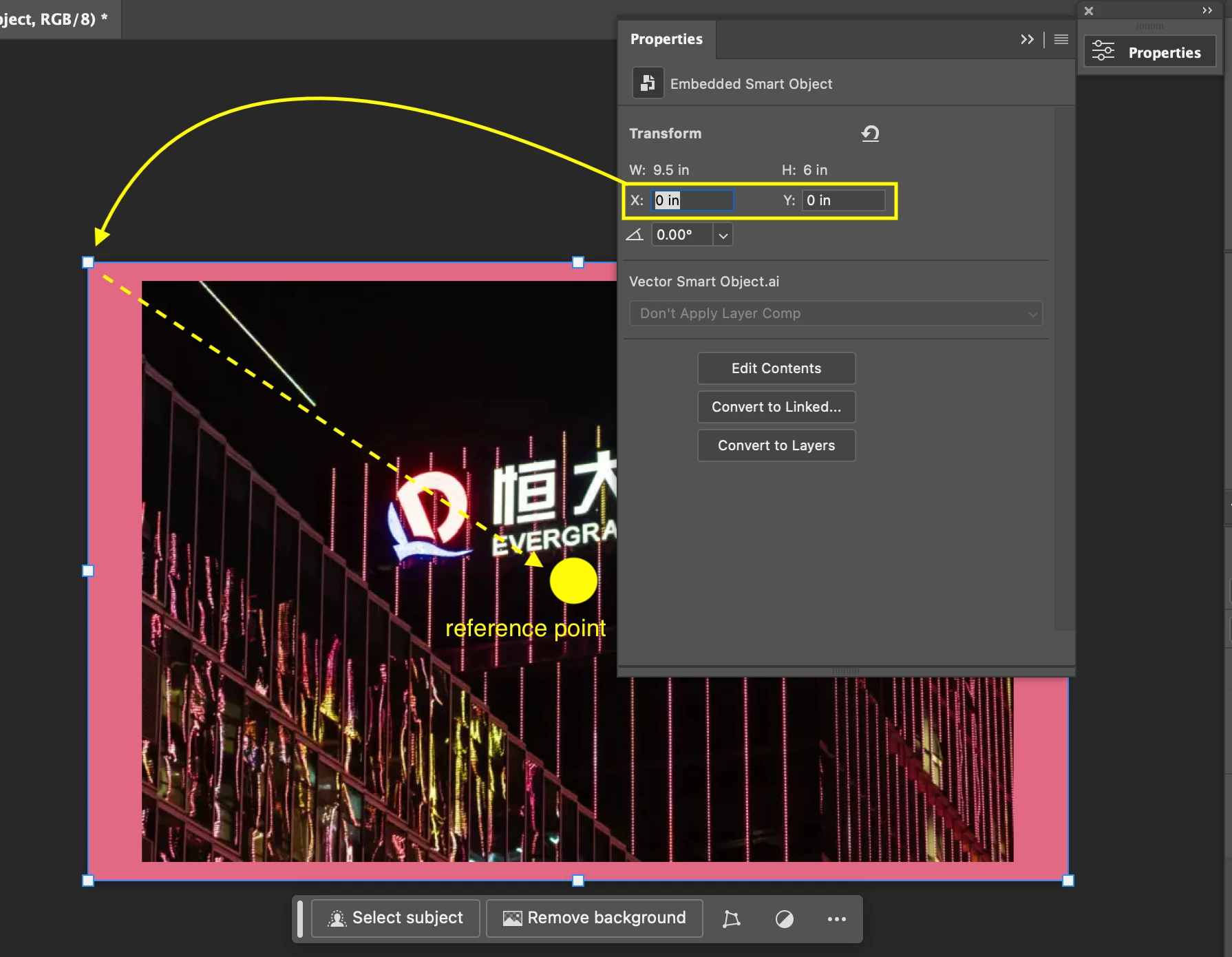
In Properties, there is X: 0 in Y: 0 in.

Its reference point is upper-left corner. 

Is there anyway to move the reference point to the center of the canvass?


Hosun
 

This topic has been closed for replies.
Correct answer Conrad_C

Yes, it has been a standard feature in Photoshop for many years that you can manually override the current unit of measure by typing its abbreviation into a value field in panels. So for example, if the field says “345 px”, you can enter “2 in” to enter the new value in inches.


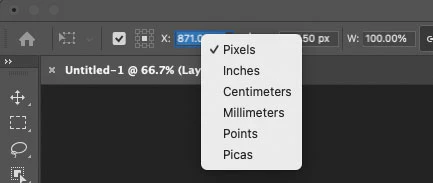
Two other ways: If the rulers are displayed, you can right-click or double-click a ruler to change the units for the document; or you can right-click a field to change units as shown below.


Also remember that you can do math in the fields. If the X field says “345 px” and you want to move it 24 px, you can click after the 345 and add “+10” so that the field says “345+10” which Photoshop will apply as 355 px.

2 replies

PECourtejoie
Community Expert
Community Expert
December 13, 2023

Hi, @Hosun and @Conrad_C I made a feature request to facilitate moving the anchor point, so that it snaps to guides, or maybe the center, via smart guides: https://community.adobe.com/t5/photoshop-ecosystem-ideas/snap-to-guides-or-objects-when-moving-reference-point/idi-p/14293608

Hosun
HosunAuthor
Inspiring
July 30, 2024

I'm very sorry for a very late response.


Hosun

Conrad_C
Community Expert
Community Expert
September 23, 2023

Not in the Properties panel for Smart Objects, but if you apply it and choose Edit > Free Transform, you can then change the reference point in the options bar. (It should probably be in both, but it isn’t.)


Hosun
HosunAuthor
Inspiring
September 23, 2023

Thank you very much for your reply.


In the green box in your screenshot, the measurement unit is px.

If I want to change it into inch, can I just type it in the options box?


Hosun

Conrad_C
Community Expert
Conrad_CCommunity ExpertCorrect answer
Community Expert
September 23, 2023

Yes, it has been a standard feature in Photoshop for many years that you can manually override the current unit of measure by typing its abbreviation into a value field in panels. So for example, if the field says “345 px”, you can enter “2 in” to enter the new value in inches.


Two other ways: If the rulers are displayed, you can right-click or double-click a ruler to change the units for the document; or you can right-click a field to change units as shown below.


Also remember that you can do math in the fields. If the X field says “345 px” and you want to move it 24 px, you can click after the 345 and add “+10” so that the field says “345+10” which Photoshop will apply as 355 px.
