


Tom Goodman
Inspiring
October 13, 2021
Answered

Refine Edge Bug

  • October 13, 2021
  • 12 replies
  • 489 views

Using PS Ver 25.1.1


Lately, whenever I use the Refine Edge tool I am getting strange and random streaking lines and hard edges well outside the edge I am editing.  See picture
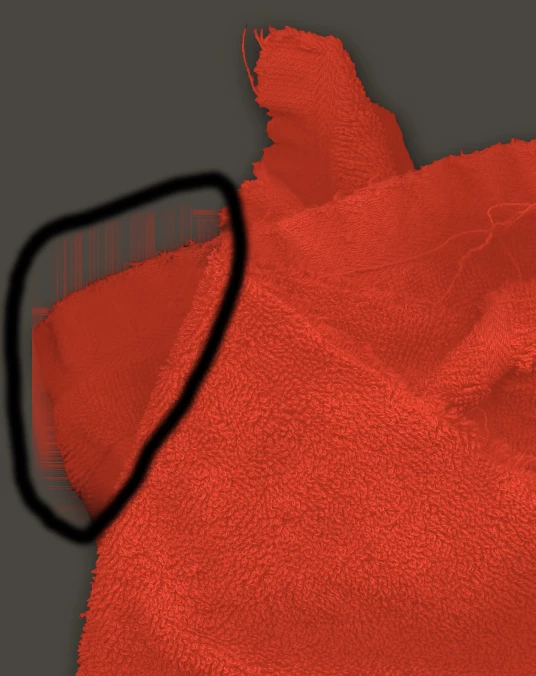

This topic has been closed for replies.
Correct answer Tom Goodman

The issues is resolved.  There is NO bug.  I was forgetting to sample all layers.  Thanks to all of the Adobe team members for your help.

12 replies

Tom Goodman
Inspiring
October 14, 2021

Thank you for your reply. I will follow your advice. I can add some more
information to the phenomenon: this "flaw" does not appear in every file I
edit. I am not sure what distinguishes the affected files as they are
saved as tiffs as are all files I edit. I will reply to either this thread
and to the Ps team if necessary.

(PII removed by moderator, please remember to remove your email auto-signature)

PECourtejoie
Community Expert
Community Expert
October 14, 2021

Hello, Please try to check "Deactivate Native Canvas" in the menu Edit/Preferences/Technology preview (Pc) or Photoshop/Preferences/Technology preview (Mac), then restart Photoshop.
This is not a fix, but rather a way to check if the issue appears only with the new technology, and should be reported to the Ps team.