Participant
April 11, 2023
Answered

Remove Metadata

  • April 11, 2023
  • 3 replies
  • 13297 views

How to download an Image without any Metadata?

Correct answer Stephen Marsh

You can try using "export as" instread (file>export as") as the save for web is an old option.

In the save for web you'll have two options
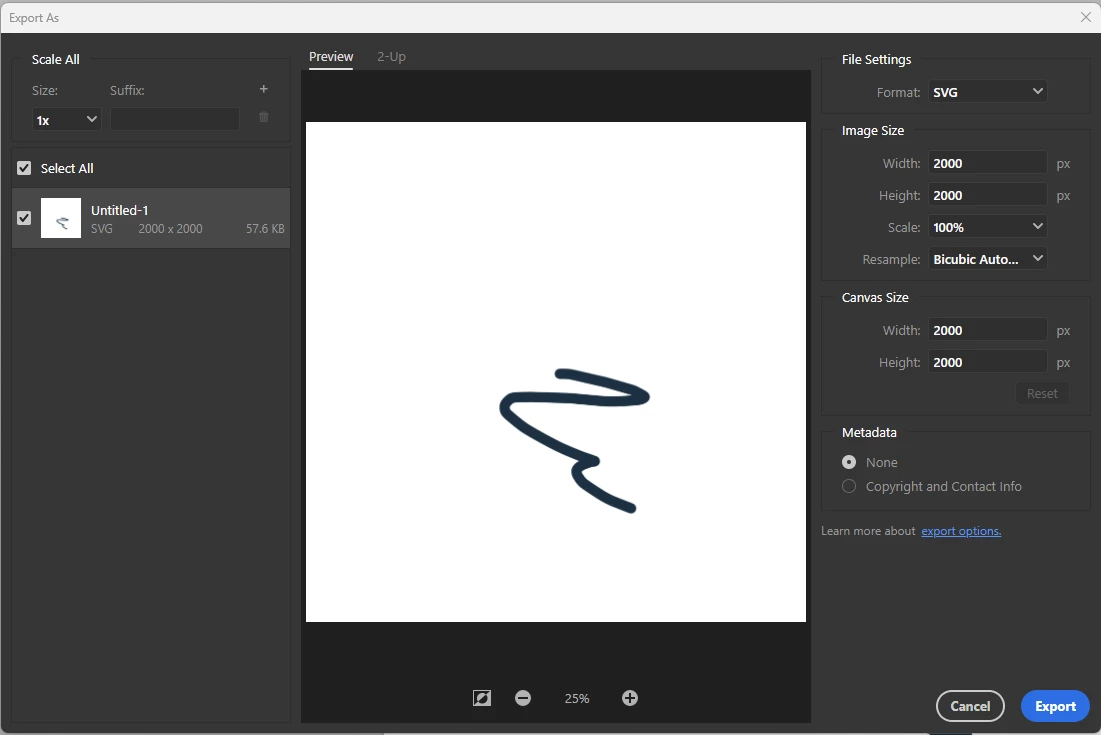
 

none and copyright info

You can also strip everything going to file info (file>file info)
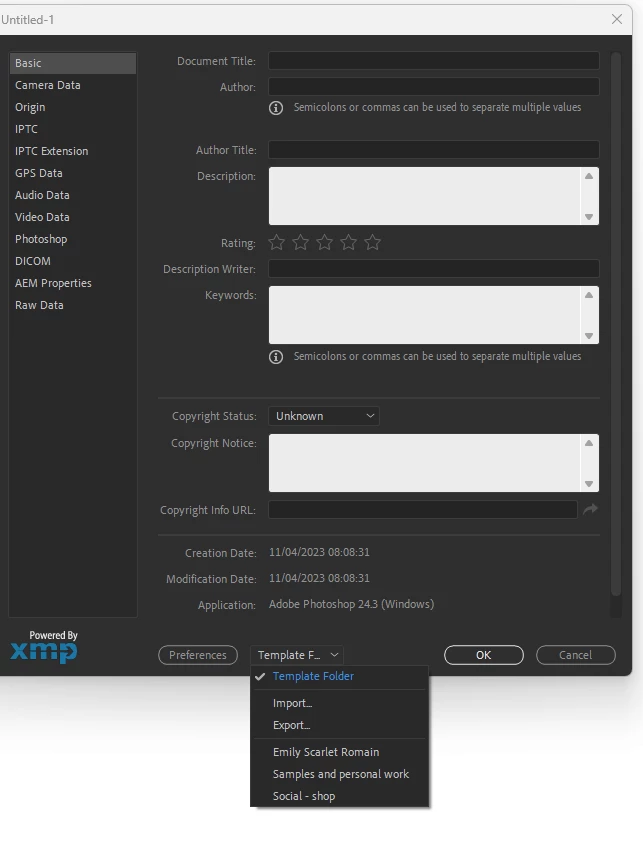
 

you'll probably have something written in there (camera data etc)
But you can save a completely empty one (from say a new document) and load that saved "blank one" into your files.

You can do that for multiple files in Adobe Brisge (select multiple files and right click to find "file info, and load the new blank template from here)

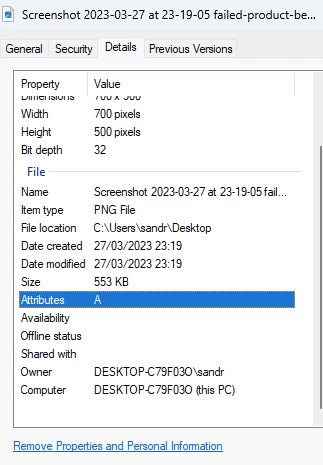
I don't know on mac computer but on windows you can go to files> properties.
select the file and right click properties (or ALT+enter) and click on the "remove properties" in blue at the bottom


there are third party solutions like this one: (disclaimer, I haven't tested it)

https://exiftool.org/

and doubtlessly many others


quote

there are third party solutions like this one: (disclaimer, I haven't tested it)

https://exiftool.org/


By @Imaginerie


My personal preference is to use ExifTool. Being command-line driven, it is not as accessible for many:


exiftool -all= -CommonIFD0= --icc_profile:all FILEorFOLDERpathHERE


Or


exiftool -all= -CommonIFD0= -Adobe:All= --icc_profile:all FILEorFOLDERpathHERE


These command line codes will retain the ICC profile.

3 replies

Participant
July 23, 2024

Thanks for sharing this problem. I had the same question because When I edit pictures on photoshop and then save it has the old metadata but after implementing this guide I can now upload the pictures with no metadata on my website.

Imaginerie
Community Expert
Community Expert
July 24, 2024

Unless you have a valid reason to remove all metadata, as a creator I would really advise against it.
At the very least you can still retain your name and copyright.
I have been able to trace back photos of mine simply using Google and typing my own name. I saw images that were stolen from me (although I would suspect people aren't generally THAT stupid leaving the copyright mention when stealing images) and maybe more importantly, I have been able to see my work being showcased on the end client website or printed material, which is always nice to see.

Stephen Marsh
Community Expert
Community Expert
April 11, 2023

@Deepti.k – As metadata comes in many shapes and forms, the "best" way to remove the most metadata in Photoshop is to:


Select all layers, then use Layer > Duplicate > New Document...


This can be put into an action, or better yet, a script, for extra functionality:


Imaginerie
Community Expert
Community Expert
April 11, 2023

Do you mean you want to remove the metadata from an image in Photoshop, or directly download it without any metadata (I don't think the second option is possible but the first is!)
Let us know what you mean exactly?

Deepti.kAuthor
Participant
April 11, 2023

Remove the metadata so I can upload the images on the listing platform. While doing save for the web I tried to deactivate the metadata by selecting the option, but it's still not useful.

Imaginerie
Community Expert
Community Expert
April 11, 2023

You can try using "export as" instread (file>export as") as the save for web is an old option.

In the save for web you'll have two options


none and copyright info

You can also strip everything going to file info (file>file info)


you'll probably have something written in there (camera data etc)
But you can save a completely empty one (from say a new document) and load that saved "blank one" into your files.

You can do that for multiple files in Adobe Brisge (select multiple files and right click to find "file info, and load the new blank template from here)

I don't know on mac computer but on windows you can go to files> properties.
select the file and right click properties (or ALT+enter) and click on the "remove properties" in blue at the bottom


there are third party solutions like this one: (disclaimer, I haven't tested it)

https://exiftool.org/

and doubtlessly many others


