Magicremovetool
Participant
June 22, 2026
Question

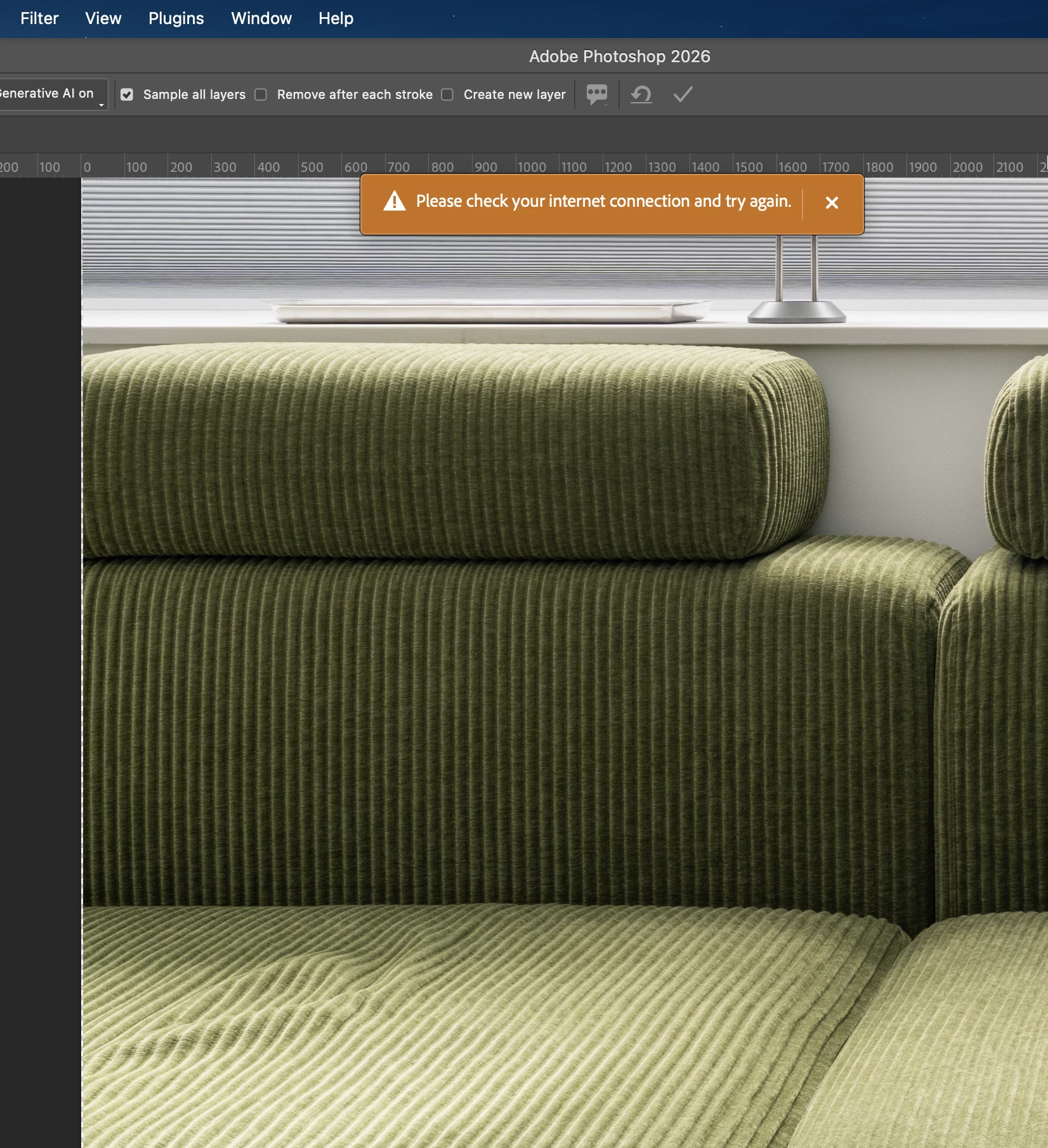
remove tool with network connection notice pop

  • June 22, 2026
  • 3 replies
  • 70 views

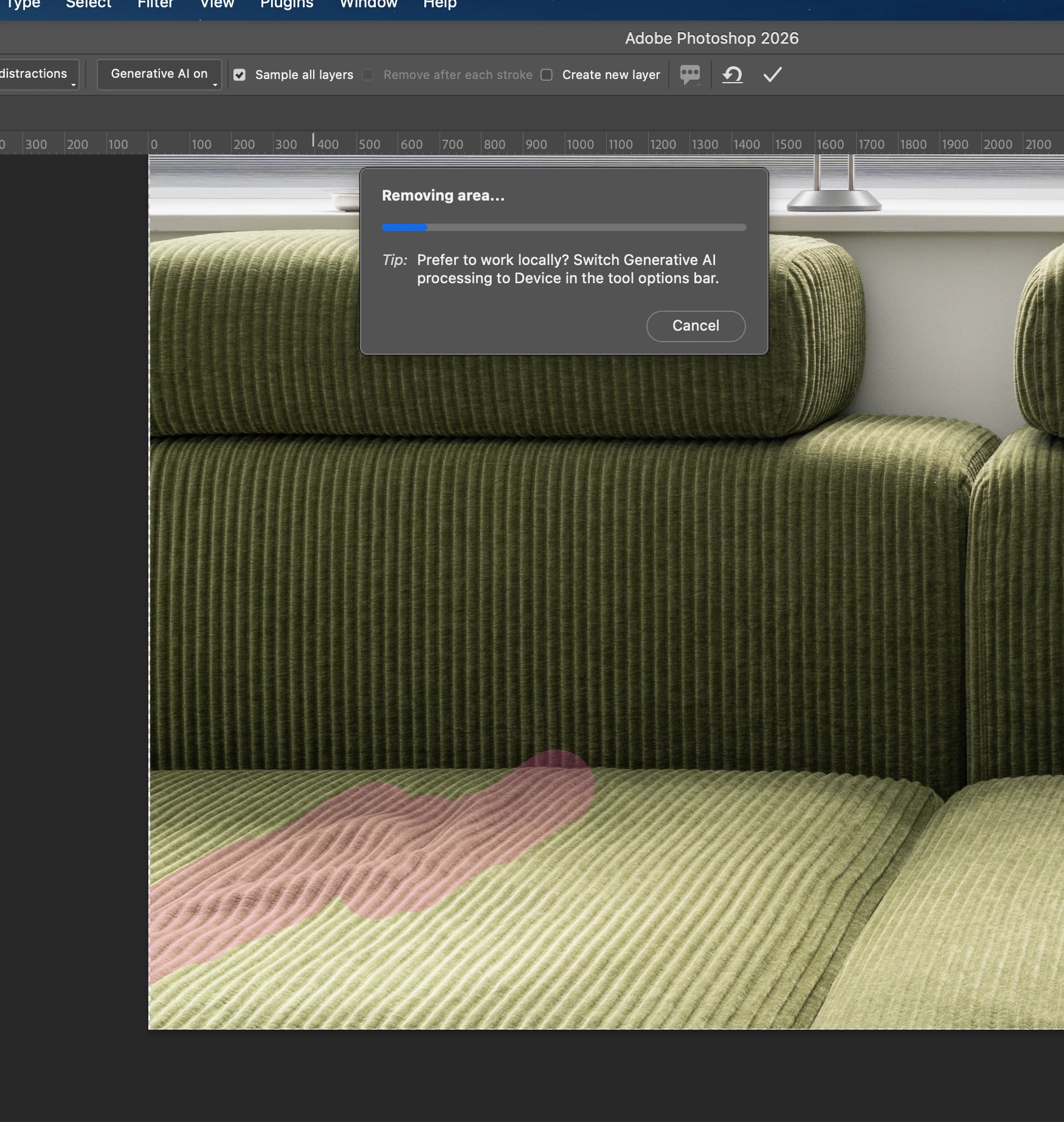
I'm encountering the same issue when using the remove tool with generative AI turned on.
No matter how big or small the area you want to remove is, the blue bar stalls for around 1-2 minutes, and then an orange box shows: 'Please check your internet connection and try again.'

However, when you turn the generative AI off, it works normally.

Does anyone else have the same problem?


Using Photoshop 27.8.0 on Apple M1 Max 64gb Ram.
 

    3 replies

    jesse_5311
    Participating Frequently
    June 23, 2026

    Yes, I've been seeing something very similar recently. The strange part is that Photoshop appears to have internet access, but the AI-powered removal process gets stuck for a while and then reports a connection error.

    In my case, standard editing tools continued to work normally, and the issue only affected features that rely on Adobe's online AI services. That made me think the problem wasn't my local internet connection but possibly a communication issue with Adobe's servers, account authentication, or something being blocked by security software.

    Have you tried testing other AI features, such as Generative Fill? It would be interesting to know whether the problem is limited to the Remove Tool or affects all generative features.

    Dan Rodney
    Community Expert
    Community Expert
    June 23, 2026
    • Have you tried Cloud vs Device?
    • I assume you have internet and so that message is an unexpected error rather than actually not being able to access the internet?
    • Do other Gen AI features work?


    Adobe Certified Expert & Instructor at Noble Desktop | Web Developer, Designer, InDesign Scriptor
    Spas K.
    Community Expert
    Community Expert
    June 22, 2026

    When did that start happening? Does it happen with Generative Fill as well? 

    Magicremovetool
    Participant
    June 23, 2026

    This has been happening since I was using Photoshop 27.3, or maybe even earlier versions. At first, I thought it might be because the selected area was too small or vague. Then I updated Photoshop to the latest version, and also updated my Mac to the latest 26.5.1 (25F80). It has actually gotten worse; it can't even process large objects at the moment...

    Generative Fill, however, is working perfectly and quickly.

    Spas K.
    Community Expert
    Community Expert
    June 23, 2026

    I see. I haven't seen it on my machine, but I'm on Windows. I fail to reproduce it right now. It seems the same issue is described here.

    It's likely some intermittent infrastructure problem, I think the Fill and Remove tools use different versions of Firefly and hence the difference in behavior. You can upvote the bug thread I linked and also post your system info there so it can be tracked in one place.