
January 26, 2012
Answered

Restoring a corrupted PSD file

  • January 26, 2012
  • 30 replies
  • 263536 views

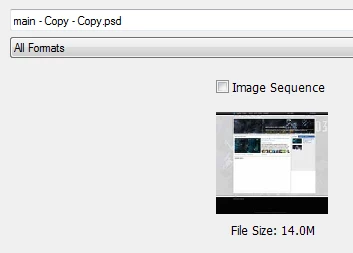
My computer crashed today while photoshop CS5.1 was saving/writing to a psd file. When I started my computer back up, and tried to open the file again, It only displayed 1 layer shown as a corrupted image (As Shown Below - the Red Image). When I click on the file in the "Open" window (The Gray Image Below), the psd shows up correctly in the Preview window but doesnt show correctly when opened. I have lost all of my layers, by the way I have worked on this psd for weeks and I need some way to recover it. I have tried "corrupted psd recovery programs", they did not work. I have tried forums - I found no answer. I have tried locating the .tmp file but it is no where to be found. Does photoshop have a cache or a history? maybe for previously saved versions of psd files? Or does Windows 7, 32 Bit have a file recovery method? I have tried a windows 7 recovery method but it only recovers files from previous restore points that may be weeks old. This is very important that I do my best to fix this psd file or at least recover some layers, I have put in too much time and effort.

Correct answer D Fosse

There are two kinds of people: Those who have experienced file corruption and take their precautions - and those who are about to.

30 replies

Participant
January 6, 2025

Another thing that can help in future is if you have your files save onto a cloud like google drive as it allows you to backtrack file versions - Just an alternative solution to avoiding this problem

Participant
January 4, 2025

This is really frustrating because I had just opened the file yesterday to check something and closed it again, no unexpected crash or anything, a very simple task of closing the program and boom, file corrupted

Anyway, in case it helps anyone, I was able to at least recover part of it by opening it in Adobe Illustrator. Krita and other programs or online tools didn't work for me.

Participant
December 13, 2022

get the same problem,how to fix it


Legend
December 13, 2022

Read back through the thread. If Photoshop's autorecover feature doesn't have a usable backup, you'll need to restore from one you made manually.

Participant
April 27, 2022

This thread started 10 years ago.. I have the exact same problem and my screen looks just like the one who posted.

I saved everything and all was good. I left the computer on but It made an update and restarted. Which wouldn't be a problem since I saved the file. Now when I try to open it´s corrupted.

I'm so disappointed at Adobe Photoshop. After an update, I can't use the graphics processor with Photoshop anymore. Now I can not rely on the save function.

PECourtejoie
Community Expert
Community Expert
December 14, 2022
quote

After an update, I can't use the graphics processor with Photoshop anymore. Now I can not rely on the save function.


By @Thell76

Hi, you can install a previous version from the Creative Cloud application: https://helpx.adobe.com/download-install/using/install-previous-version.html

PECourtejoie
Community Expert
Community Expert
December 14, 2022

Try also  to check "Deactivate Native Canvas" in the menu Edit/Preferences/Technology preview (Pc) or Photoshop/Preferences/Technology preview (Mac), then restart Photoshop.
This is not a fix, but rather a way to check if the issue appears only with the new technology, and should be reported to the Ps team.

July 22, 2020

Happened to me yesterday, it's the second time and I wasn't even saving the file when it happened. The autobackup recovery was useless. No matter how you look at it, it's obviously a problem with the way Photoshop deal with the files. Of course there's always a risk of losing files due to a power surge or system crash, but there are safer ways to handle potentially large files and recovery backups. The way it is, the risk of losing all your work when it happens is too big, unless you make manual backups every now and then, which is preposterous.

rayek.elfin
Legend
July 22, 2020

I would suggest some kind of automated backup and versioning app to prevent any file losses due to corrupted files from happening. I myself use DSynchronize (a free Windows utility) which mirrors two folders, and creates a new version each time I save my work. It does this automatically and in the background.


It has saved me from unduly frustrations and losing hours of work a number of times now.


Take control over your files and do not rely on design software's backup options. It's not only Photoshop that may corrupt files or projects in my experience. I learned the hard way.

Participant
February 18, 2019

Something similar just happened to me. After days of work on a piece of art for a client, when saving onto my Icloud Desktop, Photoshop froze. I had to restart the computer, but then could no longer open the old file. All that was left was a single icon that looks like an abstract piece of art that I can't open: it says "Could not complete your request because an unexpected end-of-file was encountered."  I had another version saved on Dropbox and it gave me the same error! Therefore I assume this is a Photoshop or Mac issue. So many hours of work gone down the drain. Please fix this problem!

D Fosse
Community Expert
Community Expert
February 18, 2019

court70107725  wrote

when saving onto my Icloud Desktop, Photoshop froze.

It always amazes me the risks people are willing to take. Saving directly to a cloud service? The surprise is that it hasn't happened before.

Participant
February 18, 2019

Icloud syncs your desktop. So there is supposed to always be a permanent file on your hard drive. Anyway, the same thing just happened when saving the file on my macbook hard drive. So it's not a cloud issue.

Legend
October 26, 2018

It’s not pointless if it helps people work in a planned way that won’t help them lose 3 day’s work. We have no magic for the optimistic or careless. Software and computers fail, best to expect it.

Participant
October 26, 2018

So the solution I gather from 3 pages of this forum is to go back in time and expect to lose 3 days work at any point and therefore make intermittent copies of a 2gb file.

This forum is pointless.

Noel Carboni
Legend
October 26, 2018

All modern Photoshop versions (not sure how many years back that feature goes) autosave backup copies for you in case Photoshop crashes.  Did that not help you recover the lost file?

-Noel

Legend
September 18, 2018

The solution is good and careful backups. Expect this sort of thing and plan for it.

Participant
September 18, 2018

i got  a same problem today.

please any one tell me the solution for it?

or can we restore the curated psd to orignal from

it any one has solution for it then reply me please.

D Fosse
Community Expert
D FosseCommunity ExpertCorrect answer
Community Expert
September 18, 2018

There are two kinds of people: Those who have experienced file corruption and take their precautions - and those who are about to.