


kevpatcole
Participant
December 13, 2020
Question

Select and Mask Not Working. Photoshop CC 2021 Beta

  • December 13, 2020
  • 2 replies
  • 2665 views

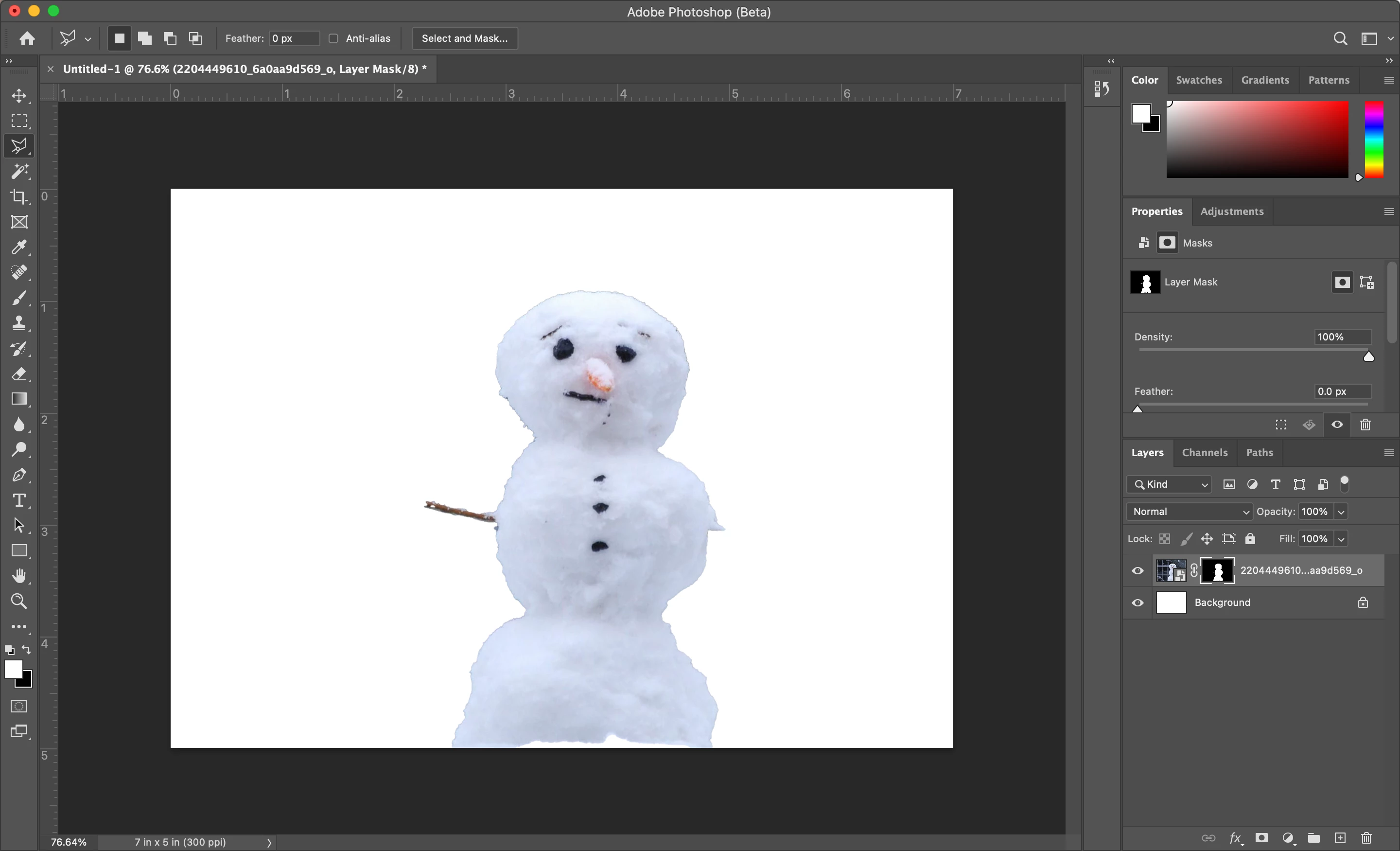
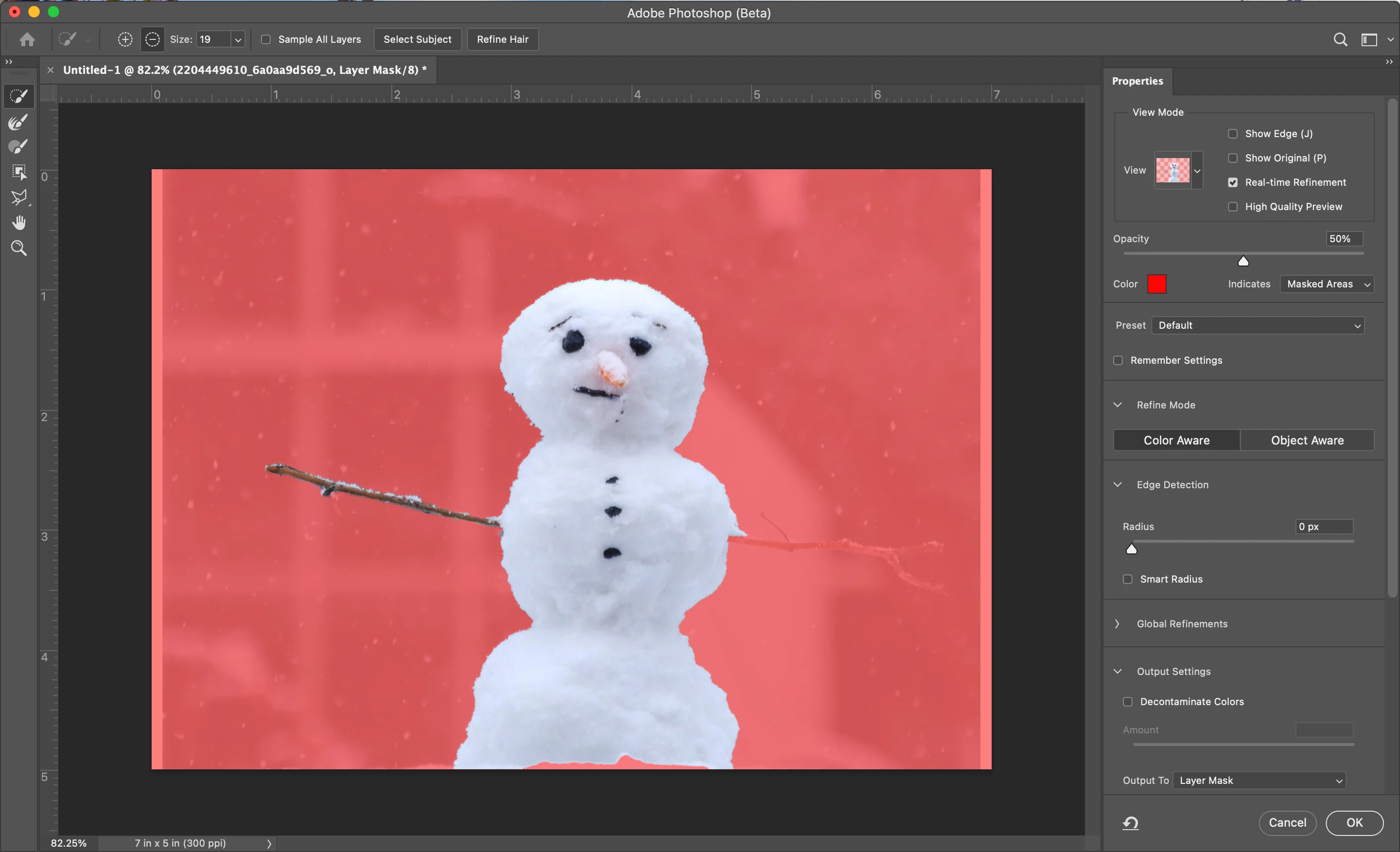
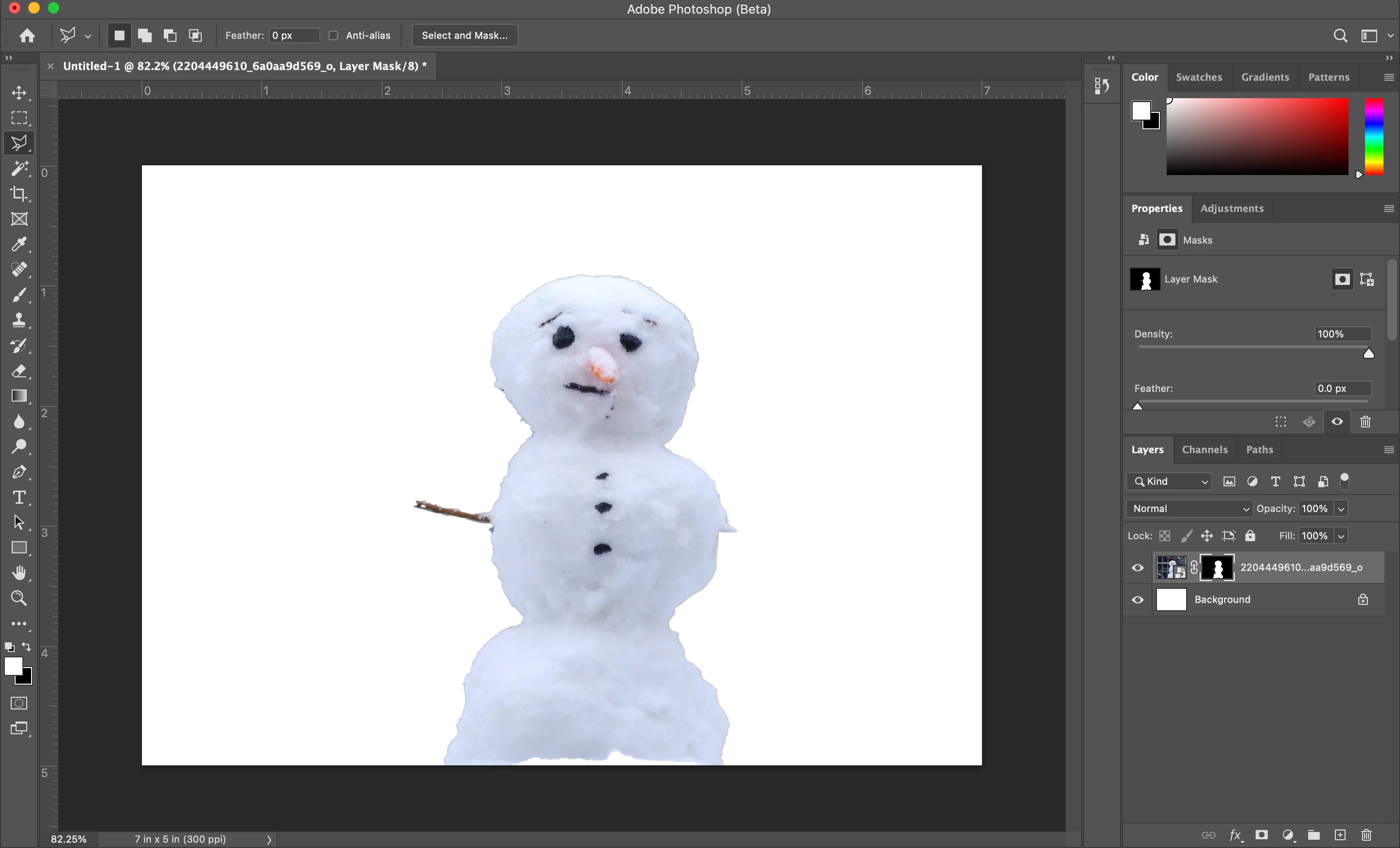
Using a new M1 MBP running the beta version of the app. When I edit the mask of a layer is seems to preview and work as expected but when I confirm the new mask (click "OK") the mask does not update properly.  Not sure if this is a beta bug or user error.  I've been able to work around by making a selection then hitting the layer mask button, but it'd be better if select and mask interfaceapplied changes properly.  See seasonly themed example below. 

Snowman with current mask missing arms:
Select and Mask interface with desired updates to mask:
Result after clicking OK:
 

Just tried intel based PS CC 2021 thru rosetta so I'm assuming it's a beta bug.

Correct me otherwise!

Thanks


This topic has been closed for replies.

2 replies

Participant
March 29, 2021

Hello, 

I had the same problem and I don't use Rosetta on my mac so I don't think the problem comes from here. 
Here what worked for me : I clicked on "Select & mask", and at the top right, there a little arrow going down, and here you can reset the settings of "select and mask". It all went back to normal for me after that.
 Hope it helps! 😉

Participant
April 21, 2021

I right clicked and rasterized the vector masked and it finally worked! I had read so many different forums, reset my preferences, updated my photoshop etc. and this is what worked for me. Hope this helps!

Participant
February 5, 2021

I am with you, I am using the new Mac book pro running the new silicon M1 chip. From what I can understand is since we are using a beta version I do not think the system can process, especially running through rosetta. I unfortunately can't even get it to select a subject. It always give me the message "Couldn’t find a subject to select. There might not be prominent objects in the image." I have even went to youtube and tried their tutorial images to make sure my images weren't the issue. I hope this updates, I look forward to utilizing this feature!

Participant
March 1, 2021

I'm having the same issues as well, on a new Mac Mini with the M1 chip as well. It's super annoying, as it worked perfectly in the previous version, and is now costing me a lot of time. Like the commenter above, every time I try it says it cannot find the subject. I also hope this gets fixed soon.