July 28, 2021
Answered

Shadows

  • July 28, 2021
  • 2 replies
  • 727 views

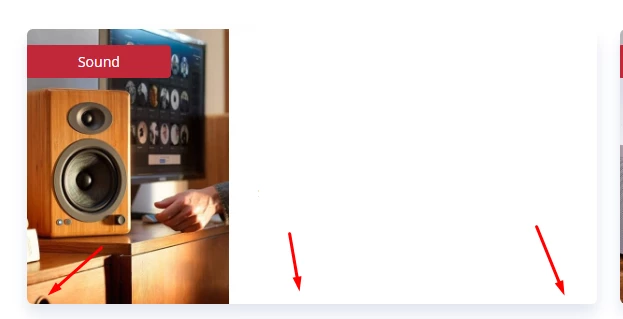
Hey everyone. I have just started to study Photoshop and I want to take the initiative in my work and show the management that I am learning and developing. We have a design on our site [Link removed by Moderator] and I asked about the designer who did this design - they told me that he was hired once. So I can volunteer to do a new design, but it takes a lot of learning. So that's the question. Different parts of the site are made as if they are voluminous - they have shadows. But I don't know how to do it. Can you tell me how to make it? Because here they are (images 1 and 2), but not here (image 3).

I will be immensely grateful to you!

 

This topic has been closed for replies.
Correct answer melissapiccone

Yes, most likely done in the code but you can use fx at the bottom of the layers panel to add a shadow in Photoshop.

2 replies

didiermazier
Community Expert
Community Expert
July 28, 2021
melissapiccone
Community Expert
melissapicconeCommunity ExpertCorrect answer
Community Expert
July 28, 2021

Yes, most likely done in the code but you can use fx at the bottom of the layers panel to add a shadow in Photoshop.

Melissa Piccone | Adobe Trainer | Online Courses Author | Fine Artist
July 29, 2021

Oh, thanks! I did it! Thanks a lot!🤗

KShinabery212
Community Expert
Community Expert
July 28, 2021

Could the drop shadow be part of the coding or template for the site?

Let's connect on LinkedIn. https://www.linkedin.com/in/kshinabery/
July 29, 2021

I do know a little about design (I would like to believe it), but I do not know about programming at all. Can you please see on our site if this is spelled out in the code?

didiermazier
Community Expert
Community Expert
July 29, 2021

Yes on the site there is a <div> for the shadow