
davescm
Community Expert
Community Expert
May 29, 2020
Question

Something for the weekend - Part 95 - Shine a light!

  • May 29, 2020
  • 14 replies
  • 4360 views

Hi

After last weekend's aircraft challenge I though we should get our feet back on the ground this week.


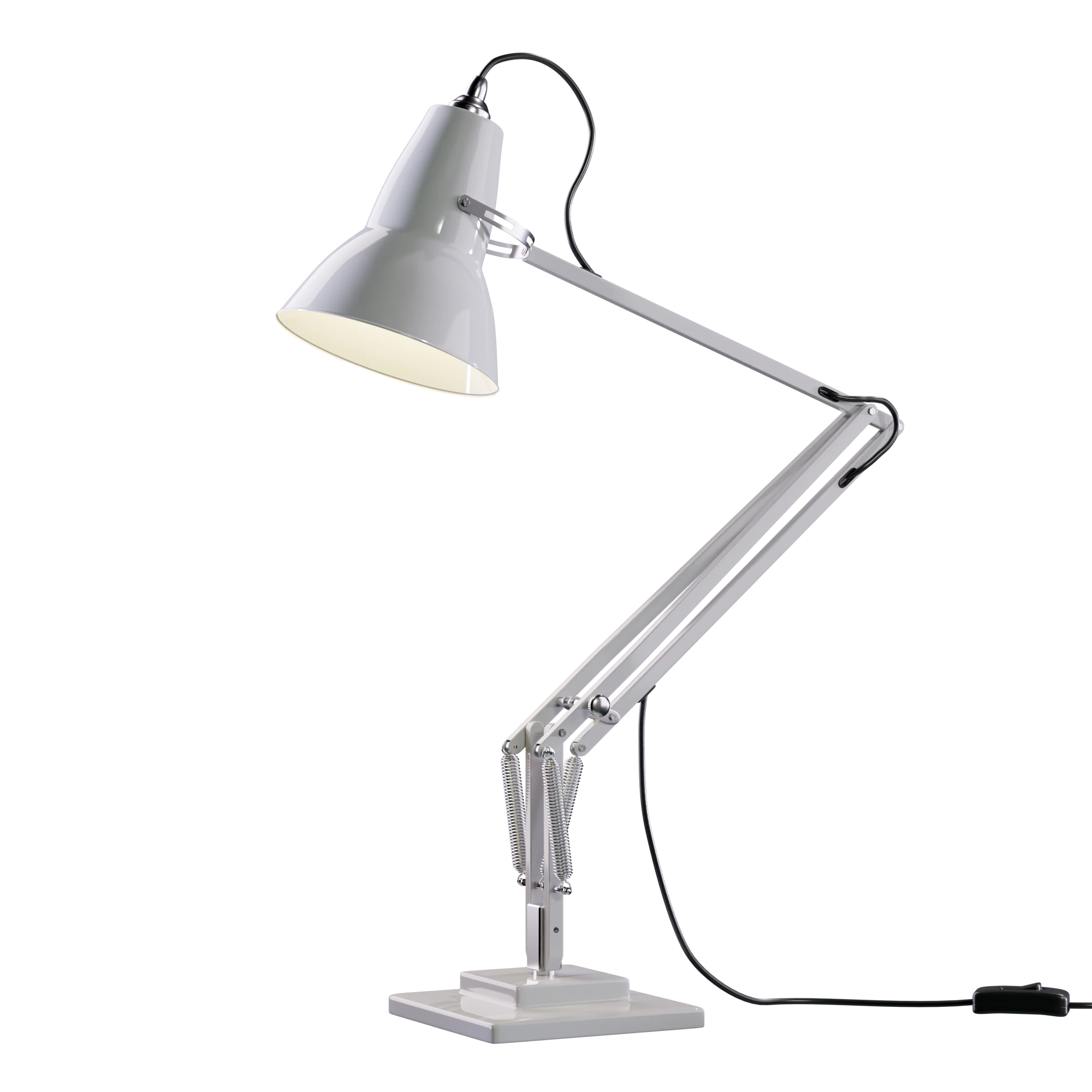
I wonder if when George Carwardine designed his task lamp back in 1932 he realised how long his designs would last. For this week's starting image, I have created a model, using Blender 3D, based loosely on the lamp he designed for home use, which was released in 1935 and is still sold today. Truly a classic.


So now you have the lamp, what will you do with it?


The “rules”:

  • Anything goes, as long as it meets the forum rules on decency, copyright etc.
  • Anyone, and everyone, is welcome to have a go, whether you are a complete beginner or a Photoshop expert.
  • There are no prizes apart from the chance to practice, show off, or bring a bit of humour and fun. Don't be shy, join in and have a go!

To download the image below in png format, so you don't even have to make a mask, and at 2000 x 2000 pixels with an embedded ICC colour profile (sRGB), hover over the image and click on the circle with the arrows at the top right. Then, when the image opens in its own window, right click and choose “Save Image As/Save Target As” (or similar depending on your browser)
Have fun


Dave

This topic has been closed for replies.

14 replies

Semaphoric
Community Expert
Community Expert
June 3, 2020

Not my entry, but this week's SFTW brought this to mind:Luxo Junior 

davescm
Community Expert
davescmCommunity ExpertAuthor
Community Expert
June 5, 2020

It is great how they give two lamps a human quality and manage to get expression and emotion from objects with no faces.


Dave

jane-e
Community Expert
Community Expert
June 3, 2020
davescm
Community Expert
davescmCommunity ExpertAuthor
Community Expert
June 3, 2020

Quite a gathering Jane. It was only when I looked carefully I spotted all of them inside the cell 🙂

Dave

kphotopage
Legend
June 1, 2020

Dave your 3D work is truly masterful!

That lamp is a classic. I still have that same lamp after all these decades.

K

davescm
Community Expert
davescmCommunity ExpertAuthor
Community Expert
June 1, 2020

Thank you and welcome to SFTW 🙂

Now that she has her lamp, will the lacemaker finally get her work finished ? 350 years is a long time 🙂


Dave

davescm
Community Expert
davescmCommunity ExpertAuthor
Community Expert
May 31, 2020


Dave

Jacob Bugge
Community Expert
Community Expert
May 31, 2020

I believe George Carwardine would have appreciated that one, Dave.


Jacob Bugge
Community Expert
Community Expert
May 31, 2020


RightClick for closer look.

davescm
Community Expert
davescmCommunity ExpertAuthor
Community Expert
May 31, 2020

Those aliens again 🙂


Dave

Rafael Aviles
Legend
May 31, 2020


Anyone for "light" ice cream?

jane-e
Community Expert
Community Expert
May 31, 2020

That's awesome, Rafael!

Rafael Aviles
Legend
May 31, 2020

Thank you kindly, Jane!

hans-g.
Legend
May 31, 2020

Tamara and I again, oh we are fighting! At first I didn't dare to present our result! As you can see we need your help to insert a working gif, a little bit of a white shimmer from the bulb and to bring the yellow shadows into all the other images of the timeline. Ok, here we are:


davescm
Community Expert
davescmCommunity ExpertAuthor
Community Expert
May 31, 2020

Hi Hans - your granddaughter has put her great imagination to work again 🙂


When making a gif, you don't need a layer for each frame. The wizard could be on one layer only, the same with the lamp, the same with the bulb.


You can then step through each frame and turn on/off visibility (using the eye icon)  of which layers you want to be visible in that frame. So the lamp and wizard would be turned on for all frames, The bulb layer would only be turned on in those layers where it shines.

That way it is easy to add e.g. a shadow to all frames just by creating it once on its own layer then stepping through those frames and turning it on.

Hopefully that helps


Dave

hans-g.
Legend
June 1, 2020

Hi Dave,

many thanks for your hints! Tami's interest is unbroken and what is now needed is to activate our concentrated skills and energy, as best it can be!

Tami (7) und Opa Hans-Günter (77) ;-)))

War Unicorn
Community Expert
Community Expert
May 30, 2020

There is no light here. Only darkness.

davescm
Community Expert
davescmCommunity ExpertAuthor
Community Expert
May 31, 2020

Another dark and mysterious image Warunicorn !

Dave

jane-e
Community Expert
Community Expert
May 30, 2020

This is a beautiful render image, Dave. Every detail is perfect! The transparency is much appreciated, thank you for that.

~ Jane

Photo credit: Davescm in Part 22

https://community.adobe.com/t5/photoshop/something-for-the-weekend-part-22-see-the-light/td-p/9938560?page=1


davescm
Community Expert
davescmCommunity ExpertAuthor
Community Expert
May 30, 2020

Thanks Jane, you get extra points for incorporating an old SFTW image 🙂

Dave

jane-e
Community Expert
Community Expert
May 31, 2020

Dave, did you happen to follow the link to Part 22 and notice the number of views? There are a “few” more than the current Part 95, and by “few”, I mean 1.5K!

~ Jane


May 30, 2020

Couldn't miss 2 weeks in a row 😄 . Hey, and you all thought the sun was made of hydrogen <LOL>. Hope you like...


davescm
Community Expert
davescmCommunity ExpertAuthor
Community Expert
May 30, 2020

Nice idea Glenn 🙂

Dave

May 31, 2020

Thanks Dave. I took this "photo" on the way back from "The Home World" once <hehehe>