


Question
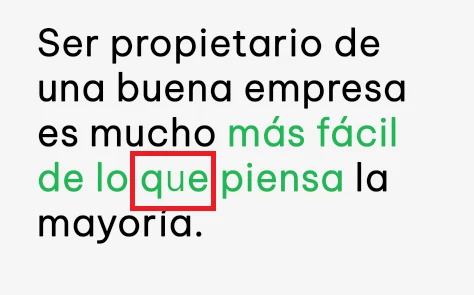
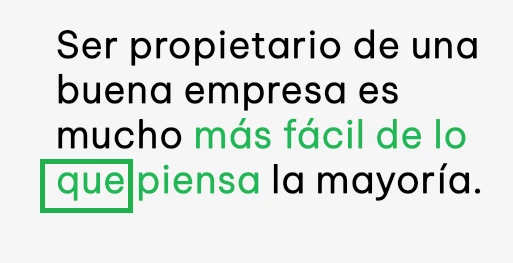
Specific characters showing in different font within text box
Hello,
I'm having a frustrating problem in which certain characters within a text box randomly showing in a different font. While the text box is selected, all characters look fine. However, as soon as I change the selection, one of the characters seemingly changes to another font. This is not just a display problem within Photoshop. When I export the image, the error is there.
I've found that it seems to be related to the position of the character within the text box. If I resize the text box enough, the error seems to fix itself. It's such a specific problem that I've had no luck searching online for existing solutions. Would really appreciate some help with this, it's driving me nuts! Thanks so much.
 AdChoices