Inspiring
February 24, 2022
Answered

Transparency and Opacity issues in Photoshop

  • February 24, 2022
  • 15 replies
  • 2820 views

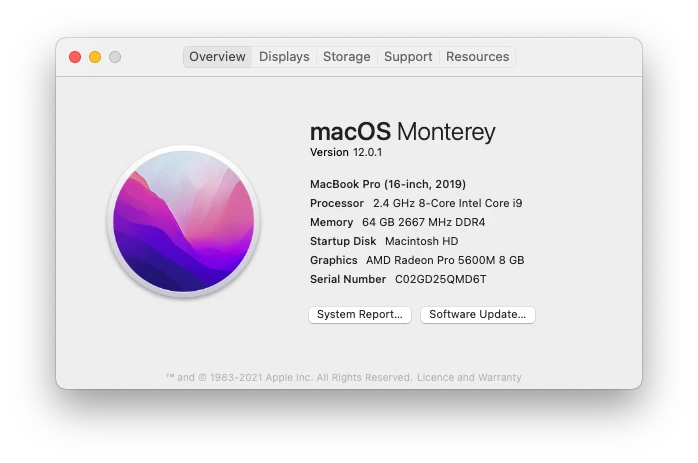
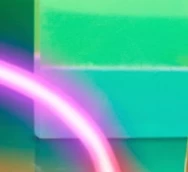
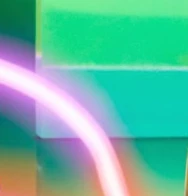
I'm having issues with any images that contains a transparant layer at a opacity or any adjustment layers with a opacity. It display and save out different from the same file from my colleagues.  My Photoshop is currently the latest version, as Creative Clouds keeps all my Adobe apps up-to-date and my Mac Pro laptop is less then 7 months old, again my system OS is the latest version.  I have checked and adjusted my settings and perferences in Photoshop to my colleagues, minus one or two short-keystrokes, but still display and save out differently to them.  I have attached an example and the spec of my Mac Pro.

Original:

How it display in my Photoshop:
  

This topic has been closed for replies.
Correct answer Wai-Ying23313175qfou

Hey @J453 @Earth Oliver I think we have resolved this now!

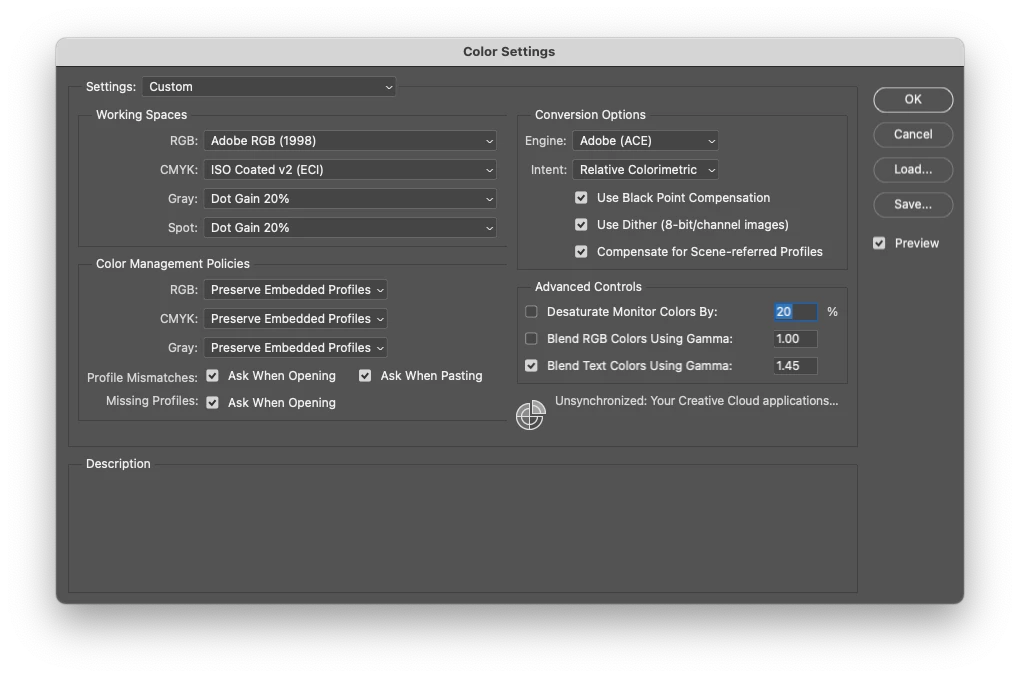
After @Earth Oliver wanting to see my Color Settings, I went away and double checked on our our internal team and our Freelancers settings as well.  We all now use this settings:

We conclude that PS default setting is to have Blend RGB Colors Using Gamma OFF, while I perfer to have this ON because colormetricly correct and more accurate, having this OFF is more compatible with all other versions of PS including on both Mac OS and Windows OS.  Some of our internal team had recently had their machine upgraded, hence why all the other Color settings are correct to mine except for the Blend RGB settings which revert back to the default OFF.

Thank-you both for your investigative work and taking the time to review this problem.

15 replies

Earth Oliver
Legend
March 3, 2022

@Wai-Ying23313175qfou Great to hear! I had a feeling something was different in the Color Settings. 

Wai-Ying23313175qfouAuthorCorrect answer
Inspiring
March 3, 2022

Hey @J453 @Earth Oliver I think we have resolved this now!

After @Earth Oliver wanting to see my Color Settings, I went away and double checked on our our internal team and our Freelancers settings as well.  We all now use this settings:

We conclude that PS default setting is to have Blend RGB Colors Using Gamma OFF, while I perfer to have this ON because colormetricly correct and more accurate, having this OFF is more compatible with all other versions of PS including on both Mac OS and Windows OS.  Some of our internal team had recently had their machine upgraded, hence why all the other Color settings are correct to mine except for the Blend RGB settings which revert back to the default OFF.

Thank-you both for your investigative work and taking the time to review this problem.

Inspiring
March 3, 2022

Also we are viewing in the Photoshop App

Inspiring
March 3, 2022

Hey @Earth Oliver here are my and my colleagues PS color settings, I ensure our team use the same settings in our Adobe Suite Apps to ensure the same outcome and consistance delivery of all our assets.

Thank-you.

Earth Oliver
Legend
March 2, 2022

@Wai-Ying23313175qfou Thanks, but i'm looking for the color settings window found in the Ps>Edit menu.

Also, where are you viewing the jpg saved out of Ps? Inside the app or are you using the Finder?

Legend
March 2, 2022

@Earth Oliver It's a limitation with the threads that use Upvotes. There's an open ticket to try and address it.

Inspiring
March 2, 2022

Hey @Earth Oliver I'm viewing the images in Photoshop and here is my display settings, I'm using my Eizo CG2730 as my main screen, as my colleagues.

Inspiring
March 2, 2022

Hey @Jeffrey Tranberry from the original image, that was a Jpeg my colleague flatten and saved out, when I open the PSD the color and saturation is not as rich and deep.  This is not the first time this has happen, on another image where some skin work has applied and the layer was at a opacity; instead of a subtle skin correcton, my photoshop see the layer at something close to 100% 

Earth Oliver
Legend
March 1, 2022

@J453 Can you all fix the threaded replies in these forums? Some threads allow it and others don't, and it's annoying needing to always use an @ . Thanks!

Earth Oliver
Legend
March 1, 2022

How are you comparing these images? And can you post a screenshot of your Color Settings prefs?