

Question
Updating Smart Objects breaks chosen 'As Transparent / As Alpha Channel' option
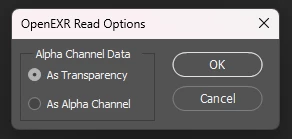
I create renders in V-Ray/Maya. I’ll have a PSD that is a stack of different render elements, all of which have had the ‘As Transparency / As Alpha Channel’ option specifically selected when I’m creating my composition.
Often, I’ll start compositing as soon as my render has started, rather than waiting for the final image. If I save out the render elements again whilst my render is running, or when it’s finished, when Photoshop automatically updates the smart objects it breaks what option I’ve chosen and will choose it’s own option - I think it goes by whatever I selected last.
Can Adobe please make it so that the render layers keep their chosen option when they are (automatically) updated?


 AdChoices