

ag123
Participant
January 30, 2026
Question

Use File → Export → Export As to batch-export multiple files in WebP format

  • January 30, 2026
  • 3 replies
  • 45 views

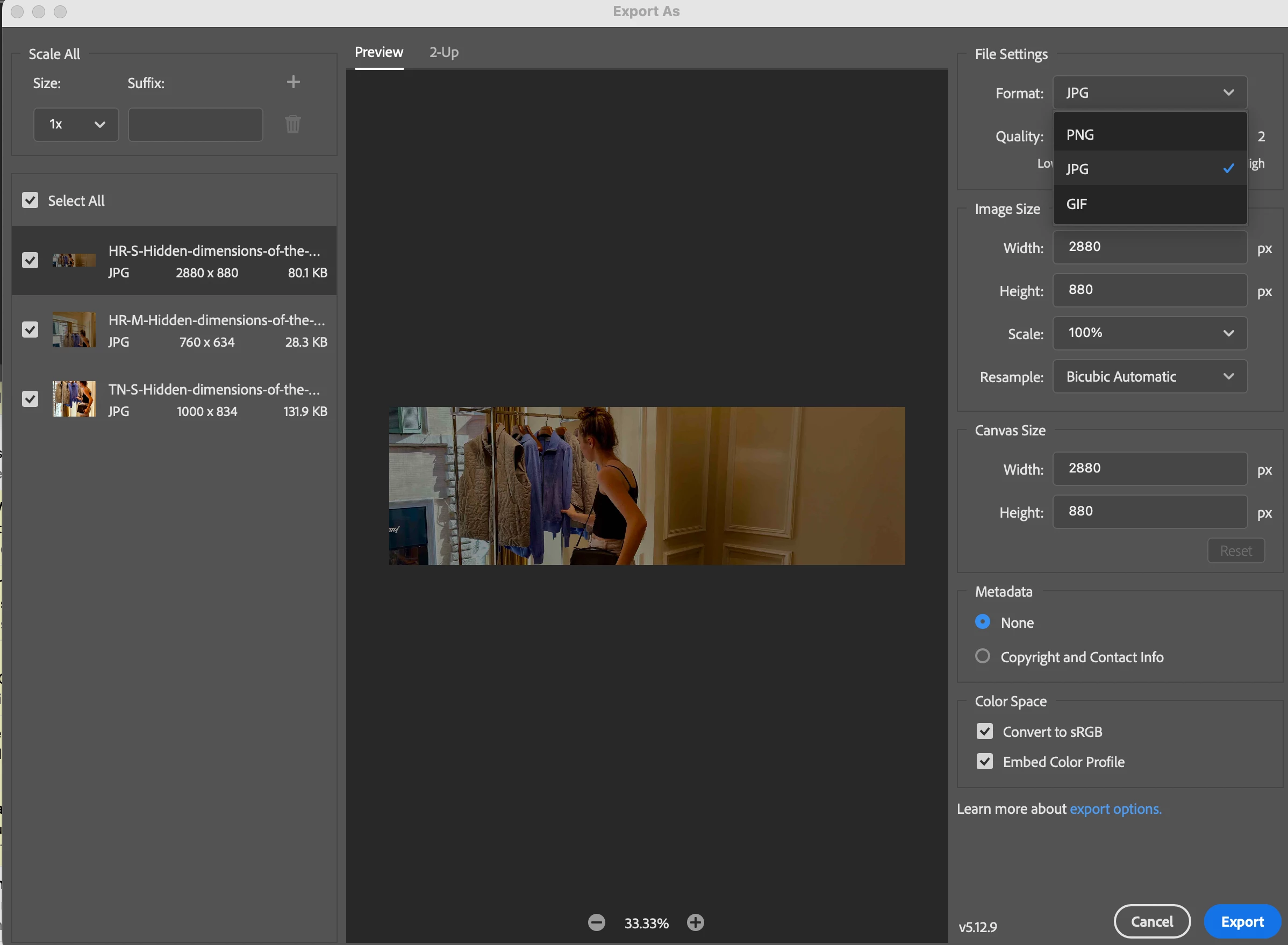
I’m trying to use File → Export → Export As… to batch-export multiple files in WebP format. In Photoshop version 27.2.0, the format dropdown only shows PNG, JPG, and GIF. How can I enable WebP as an export option without having to add a script?

Here is what I see: 
 

    3 replies

    Stephen Marsh
    Community Expert
    Community Expert
    January 31, 2026

    Without a script , you need to create an action, then run the action via the batch command.


    https://community.adobe.com/questions-712/export-many-files-at-once-in-webp-format-photoshop-1150574

    Genius
    January 30, 2026

    WebP is not available as an export option. You would have to use a script or another application.

    Peru Bob
    Community Expert
    Community Expert
    January 30, 2026

    Please ask this in the Photoshop forum:

    https://community.adobe.com/p/photoshop