
Inspiring
October 17, 2020
Answered

What is the location of Scripts folder on a Mac ?

  • October 17, 2020
  • 2 replies
  • 6564 views

In a previous post, was trying to put a Javascript file into the scripts Menu.


I was looking for a Scripts folder at `~/Library/Application Support/Adobe/Adobe Photoshop 2020/Presets`, but couldn't find it. Though the File > Scripts menu has scripts listed under it.


Photoshop Scripting support PDF does not give any hints about its location in Photoshop 2020 it only mentions about its location in `Photoshop CS5` 🤪
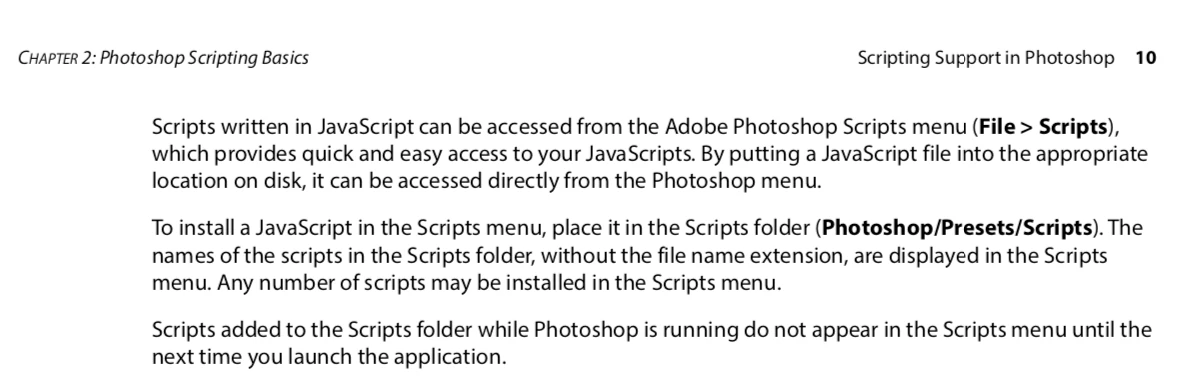


So where is this folder located in a Mac ?

This topic has been closed for replies.
Correct answer user620

Got it using Javascript 

Folder.appPackage.parent.toString() + "/Scripts/"


2 replies

Stephen Marsh
Community Expert
Community Expert
October 19, 2020

I didn't know about the code you used, so I personally would have used something like:


app.path + '/Presets/Scripts'


However one then has to deal with the %20 characters for word spaces:


app.path.toString().replace(/%20/g, ' ') + '/Presets/Scripts'


So the following would be better:


app.path.fsName + '/Presets/Scripts'


user620Author
Inspiring
October 19, 2020

I think '%20' happens if you concatenate a '\r' character instead of a '\n' for the Unix based OSes


user620AuthorCorrect answer
Inspiring
October 17, 2020

Got it using Javascript 

Folder.appPackage.parent.toString() + "/Scripts/"