Participant
January 5, 2025
Answered

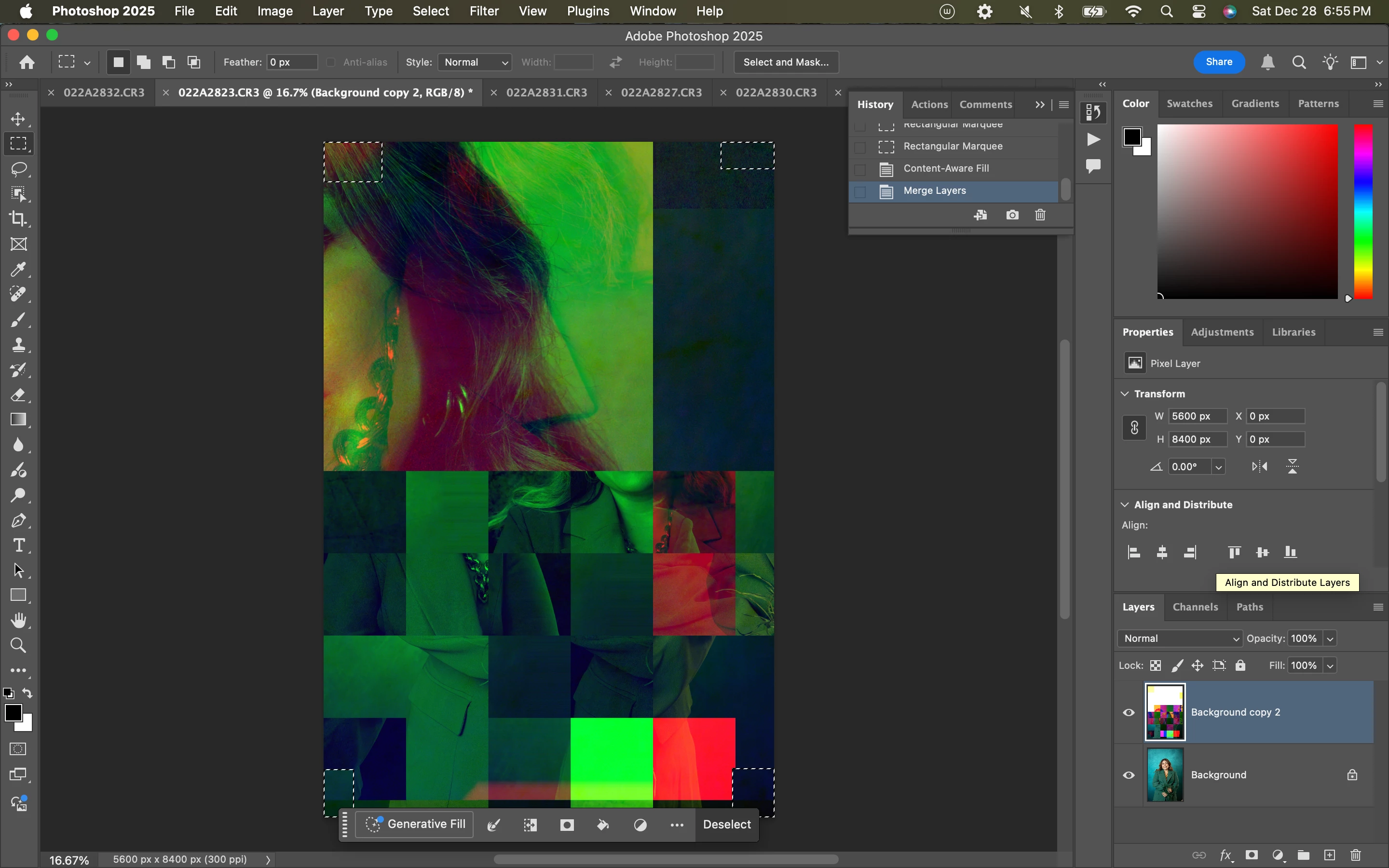
When I merge layers I have this issue
  • January 5, 2025
  • 4 replies
  • 422 views

Correct answer c.pfaffenbichler

This just serves to verify @Stephen Marsh ’s suspicion: 

Does turning off »Use Graphics Processor« in the Performance Preferences (Photoshop > Preferences > Performance > Graphic Processor Settings) and restarting Photoshop have any bearing on the issue? 


If it makes a difference then procedd according to his advice. 

4 replies

Stephen Marsh
Community Expert
Community Expert
January 6, 2025
quote

How can I disable those things? And how I can check to update the drives?


By @nataliamcp


As you are on a Mac, click the Apple menu and choose System Settings > General > Software Update (this may vary on the OS version).


As for Photoshop, @c.pfaffenbichler mentioned where the GPU settings are.


Photoshop menu > Settings/Preferences > Performance: Graphics Processor Settings (at the upper right of the window, "Use Graphics Processor" and/or options in the advanced settings). You should only change one item at a time and then restart Photoshop to isolate any offending setting.


The Native Canvas option depends on your version of Photoshop (Settings/Preferences > Technology Previews: Deactivate Native Canvas).


Good luck!


P.S. Bug reports really need to have specific basic info provided.


Participant
January 18, 2025

Thank you! For some reason I thought you were talking about something else when you said updating drivers. I think I fixed everything following what you guys said about the graphic processor settings. I haven't had an issue since.

Participant
January 5, 2025

How can I disable those things? And how I can check to update the drives?

c.pfaffenbichler
Community Expert
c.pfaffenbichlerCommunity ExpertCorrect answer
Community Expert
January 5, 2025

This just serves to verify @Stephen Marsh ’s suspicion: 

Does turning off »Use Graphics Processor« in the Performance Preferences (Photoshop > Preferences > Performance > Graphic Processor Settings) and restarting Photoshop have any bearing on the issue? 


If it makes a difference then procedd according to his advice. 

Stephen Marsh
Community Expert
Community Expert
January 5, 2025

It's GPU related.


Look at updating drivers. Look at GPU settings in Photoshop such as disabling native canvas or other settings.
