
Participant
August 16, 2024
Question

Elements 2024 "No faces found in photo" error

  • August 16, 2024
  • 1 reply
  • 156 views

Hey everyone, 

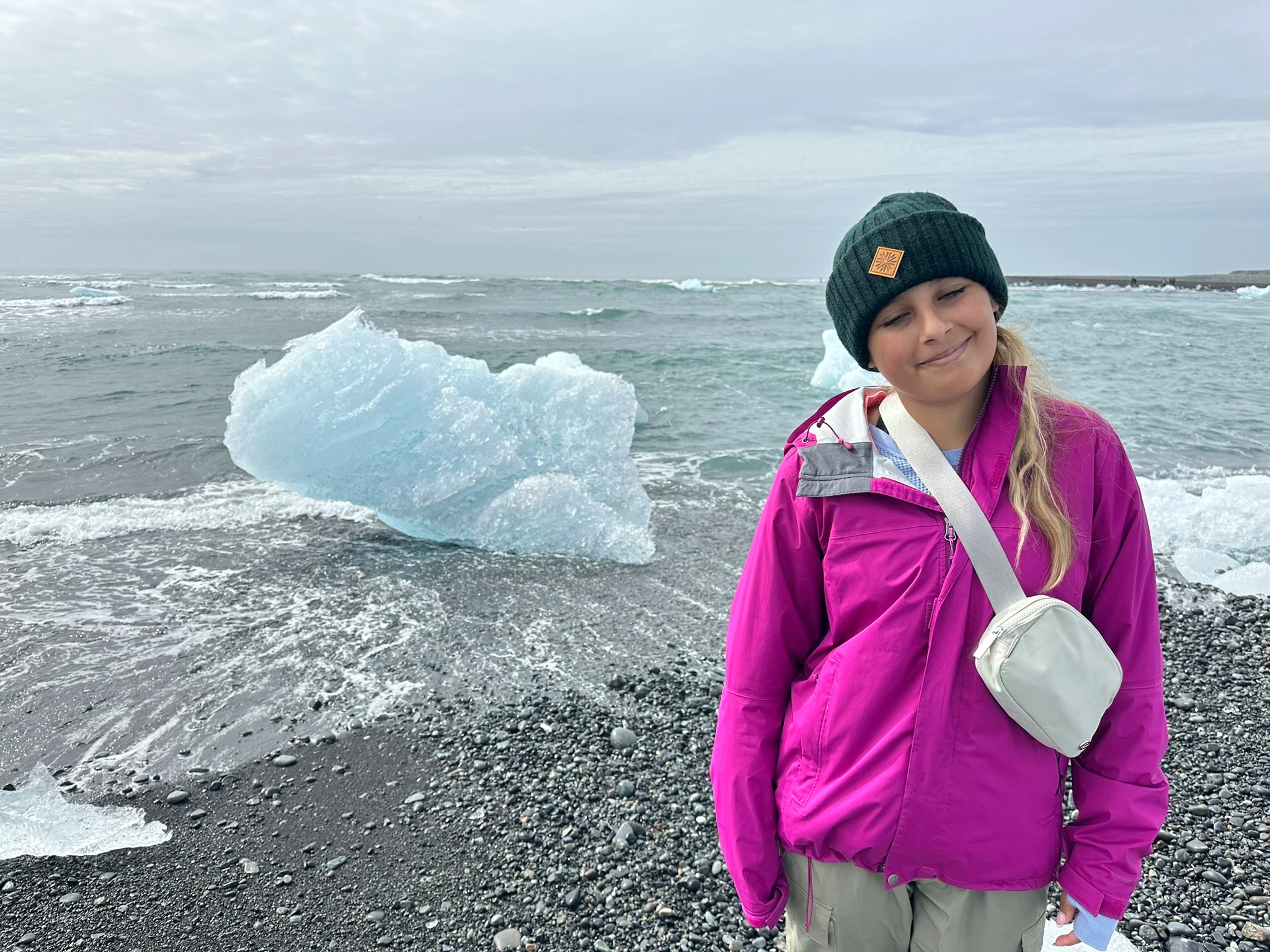
I'm trying to open some shut eyes in a photo of my daughter but keep getting an error stating "no faces found in photo".  I realize she's wearing a beanie, but is that really enough to throw the system off from being able to make this edit?  If so, that seems like a pretty big limitation, but are there any other ways to work around it and still edit the eyes open?
 

This topic has been closed for replies.

1 reply

Glenn 8675309
Legend
August 16, 2024

It's very frsutrating for a number of users, However, a solution was provided by Greg S five years ago.  

SOLUTION:  Untilt her head. 

Make the canvas bigger, just bigger so that when you rotate the image it doesn't get parts of it clipped off.   I use the crop tool to do it.  MAke the canvas bigger how you like to do it. 


2.  Rotate the image till her eyeballs are about level.


3.  do the guided edit It's best if you have an image of her with her eyes open, or just find any image with eyes that sort match.


This is the link to the coversation which pointed me in the right direction. The tool  works best with relatively level heads.

https://community.adobe.com/t5/photoshop-elements-discussions/elements-2020-quot-no-faces-found-in-the-selected-photo-quot/m-p/10816743#M50430