
arthurw78193468
Participant
June 14, 2024
Question

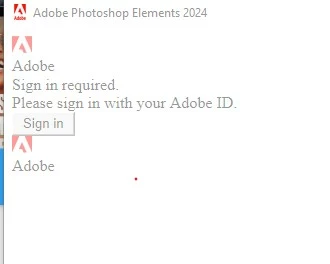
Installing Phooshop Elements 2024
  • June 14, 2024
  • 1 reply
  • 187 views

The above window opens whenever I try to run photo editor from:

Nothing is responsive.  If I close the window using x, the subsequent confirmation window is also unresponsive and impossible to close without windows taskmanager.

I am running windows 10 and have tried disabling antivirus security stuff.

Any suggestions please?

This topic has been closed for replies.

1 reply

Greg_S.
Community Expert
Community Expert
June 14, 2024

Try running the program from the PhotoshopElementsEditor.exe file in the following directory: C:\Program Files\Adobe\Photoshop Elements 2024.

Run the file as an Administrator and/or run the file in Compatibility Mode.


arthurw78193468
Participant
June 15, 2024

Thanks for this suggestion. Unfortunately nothing changes when I try what you suggest.

arthurw78193468
Participant
June 15, 2024