Participating Frequently
Mar 24, 2023 6:21 AM UTC
Question

Missing layers panel in Photoshop Elements

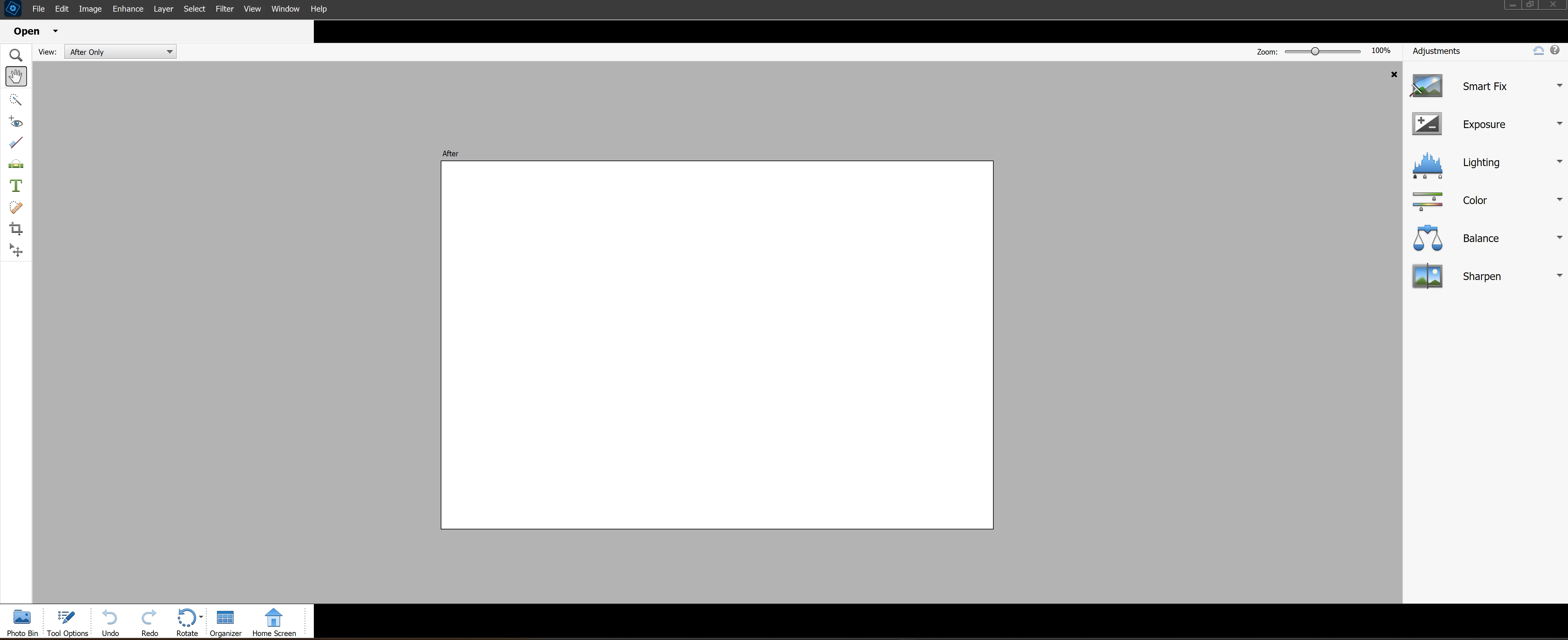
Hi.  I how do I get the layers panel to show?  It's greyed out in the Windows panel.  Of course, as soon as I post this, the program won't even work anymore.
This topic is closed to new replies. Start a new post to keep the conversation going.

6 replies

Glenn 8675309
Legend
Mar 24, 2023 11:42 AM UTC

You're not in expert mode.

Translate
Participating Frequently
Mar 25, 2023 4:24 AM UTC

Thaks, but look at my screenshot.  That's a not a choice.

Translate
MichelBParis
Legend
Mar 25, 2023 10:45 AM UTC

See that other conversation.

https://community.adobe.com/t5/photoshop-elements-discussions/part-of-upper-and-lower-panels-blacked-out/td-p/13660093


What's the size in pixels of your screen?

Translate
Ged_Traynor
Community Expert
Community Expert
Mar 24, 2023 10:01 AM UTC

Moved to the Photoshop Elements forum

Translate
c.pfaffenbichler
Community Expert
Community Expert
Mar 24, 2023 8:16 AM UTC

Please post Photoshop Elements-related questions on the Photoshop Elements Forum. 

Translate