Participant
April 13, 2024
Question

Photo Editor Won't Open

  • April 13, 2024
  • 3 replies
  • 862 views

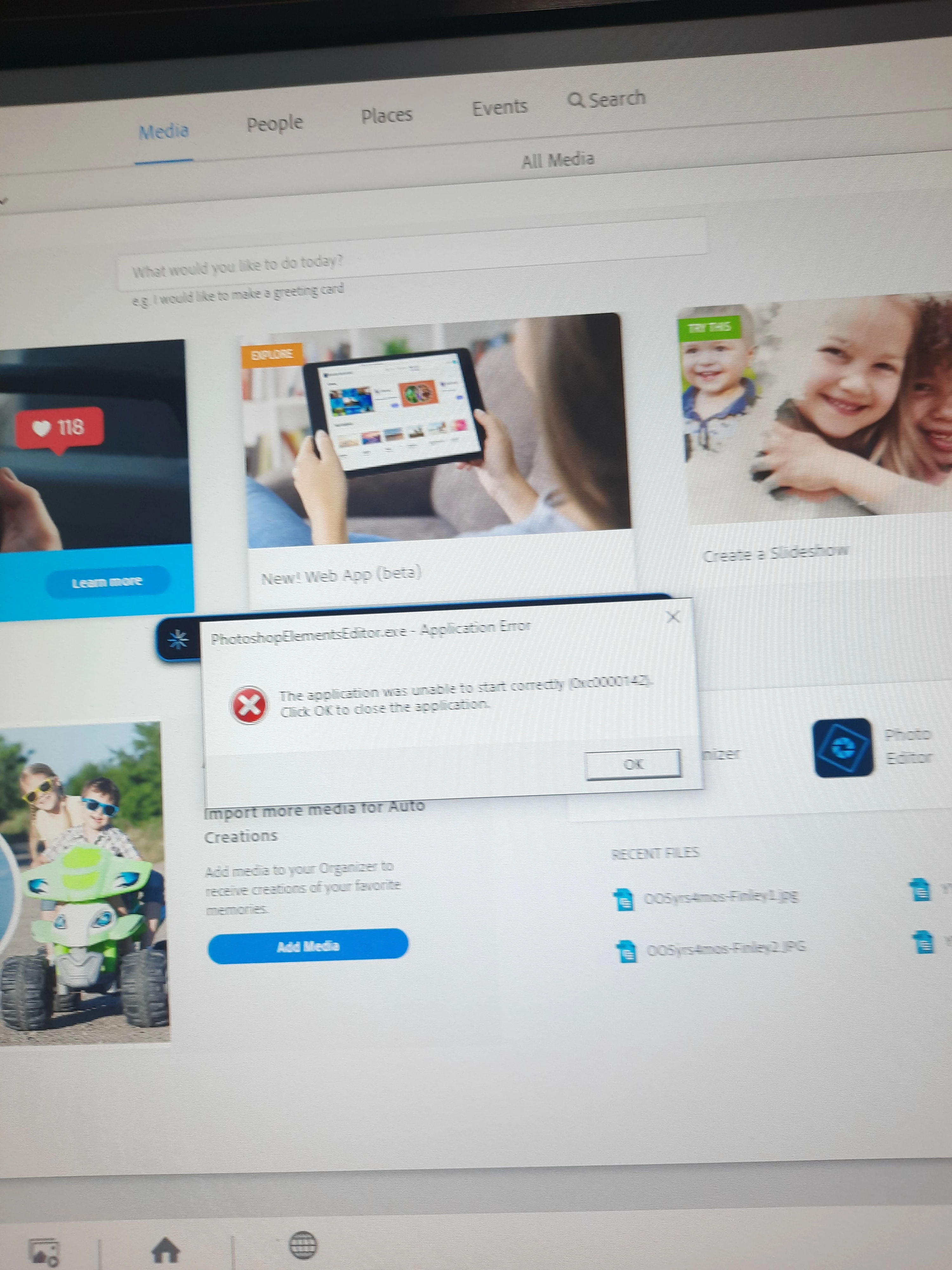
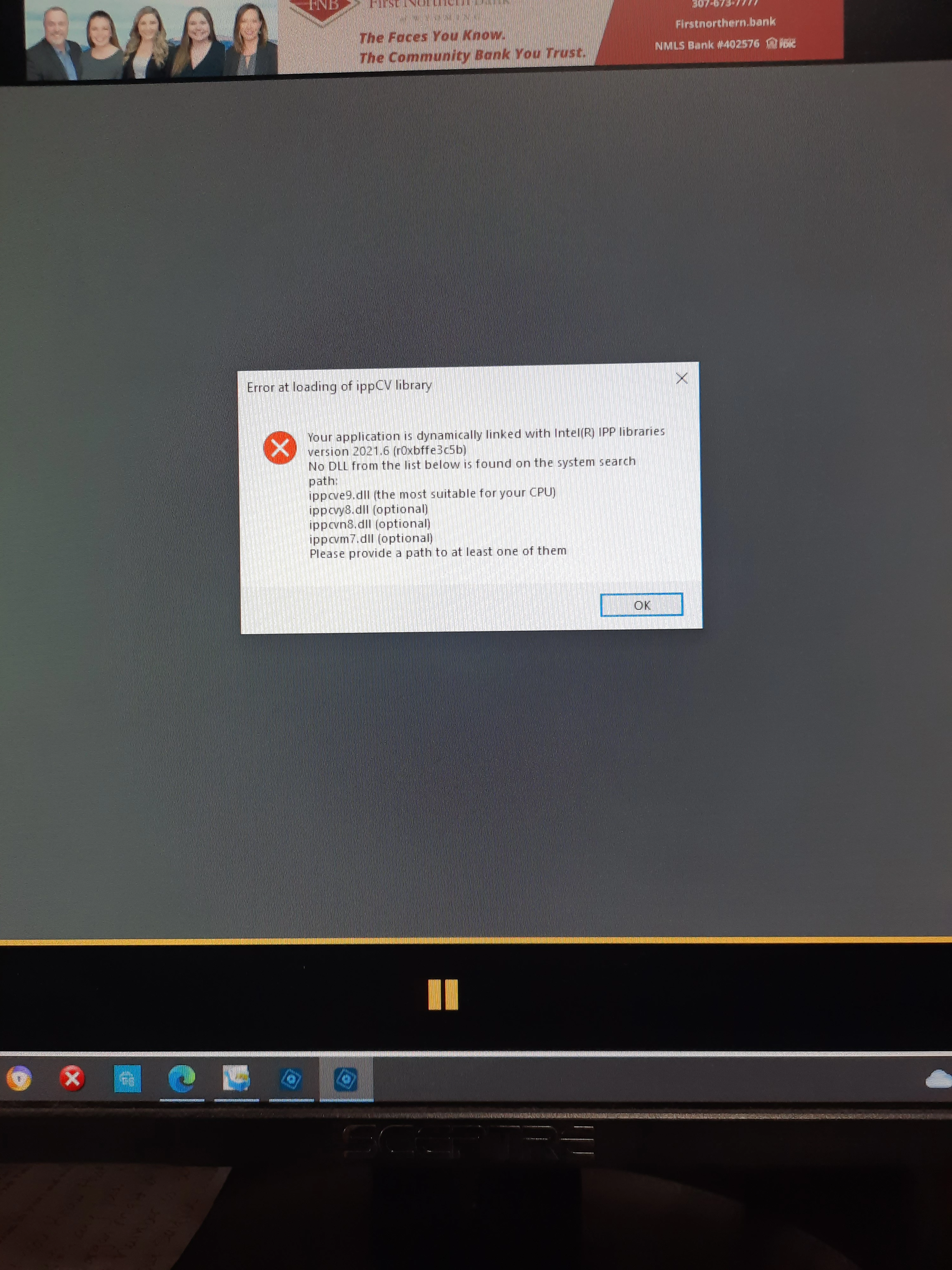
Suddenly, I cannot open the Photo Editor in my Adobe Photoshop 2024.  I attach the two messages I am receiving.  I see no way to “designate a DLL” like they say I’m supposed to. 
This topic has been closed for replies.

3 replies

Jeff Arola
Community Expert
Community Expert
April 13, 2024

This is a known bug with the Photoshop Elements 2024.2 update on the Windows side.


See this thread here for a temp solution until Adobe issues a new update:

https://community.adobe.com/t5/photoshop-elements-discussions/pe-2024-editor-wont-open/td-p/14543447

Participant
April 14, 2024

Thanksl.  I'll try that.  I spent 3 hours this morning on chat with a tech.  He uninstalled and then reinstalled Elements 2024 and finally got it to open.  I edited one photo but then I had to leave.  Before I could get back to editing, my Outlook Express froze and I had to restart the computer - which closed Elements down.  Now, when I tried to reopen, I got the same messages and it won't open AGAIN.  The tech told me to contact microsoft support and tell them it's a Microsoft configuration file error.  I just spent a fruitless hour trying to get to Microsoft support for this problem.  It's driving me crazy!


Peru Bob
Community Expert
Community Expert
April 13, 2024

Moved from the Download and Install forum to the Photoshop Elements forum.

Community Expert
April 13, 2024

Do you meet all of the system requirements for Photoshop Elements? I found this thread that suggests the error appears if your system does not meet the system requirements: https://community.adobe.com/t5/photoshop-ecosystem-bugs/p-error-at-loading-of-ippcv-library/idi-p/12420457


Here's the KB article:
https://helpx.adobe.com/photoshop/kb/known-issues.html#ErroratloadingofippCVlibrary