
Participant
March 20, 2023
Answered

Photoshop [Elements] won’t download

  • March 20, 2023
  • 2 replies
  • 664 views

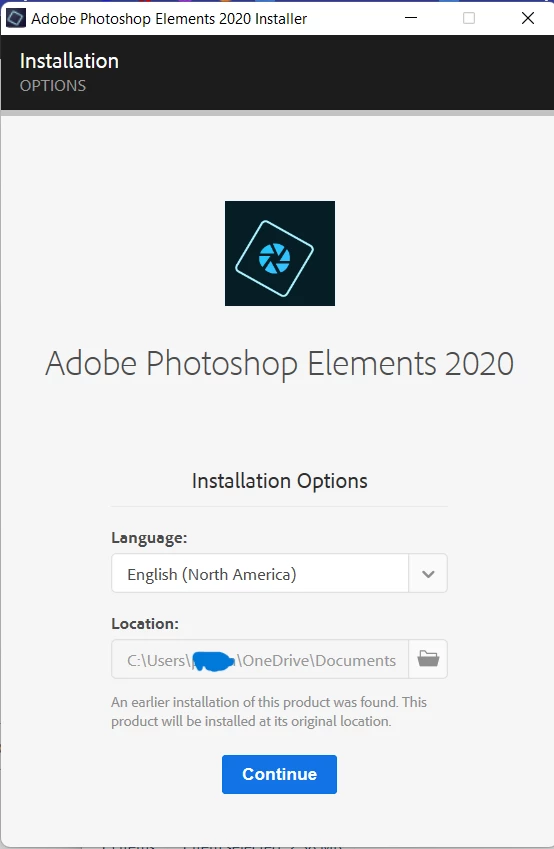
Hello, I've had Photoshop Elements for a while now and I keep having issues with it. It was fine at first but eventual I get an error of sorts. The first time Photoshop would take forever to load up, I'm taking up to an hour or more sometimes. I've had prblems with it running slow and now I kept getting multiple pop up every time I restarted my laptop telling me photoshop was having issues and I needed to delete and redownload Photoshop to fix them. I was reluctent to do this because Downloading the Program is a hassle that can take weeks to fix. It tells me an eirlier versoin was found on my laptop in a folder but that folder is empty. 


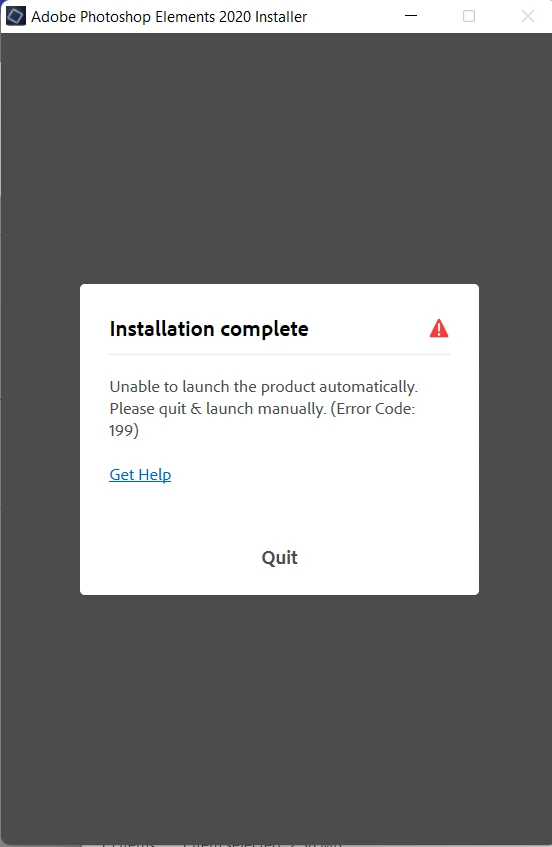
On top of this I deleted this folder in an attempt to stop it but it tells me it's there anyway. It then only get to like 1-4% download before it will tell me there was an issue and to look up code 199 but code 199 doesn't exist aparently cause the site they lead me too doesn't have anything for it. I don't know what to do, I rely on Photoshop so much in my life but I don't have the money to upgrade so I need this one to work. It's gotten to the poinnt I'v spent actuall hours at my desk trying to find any mention of the program in some back alley folder. If you have any advise please help, thank you.
 

This topic has been closed for replies.
Correct answer Onyx232010745ekh

Ok, I found a soluttion using this thread (https://community.adobe.com/t5/photoshop-elements-discussions/error-code-199-trying-to-reinstall-pse-2020/td-p/10921964) They said to check

1) C:\Program Files (x86)\Common Files\Adobe\Installers\Install.log

I didn't have /Install.log for some reason but I deleted the Adobe file and was able to re-download my program 🙂


2 replies

Onyx232010745ekhAuthorCorrect answer
Participant
March 20, 2023

Ok, I found a soluttion using this thread (https://community.adobe.com/t5/photoshop-elements-discussions/error-code-199-trying-to-reinstall-pse-2020/td-p/10921964) They said to check

1) C:\Program Files (x86)\Common Files\Adobe\Installers\Install.log

I didn't have /Install.log for some reason but I deleted the Adobe file and was able to re-download my program 🙂


jane-e
Community Expert
Community Expert
March 20, 2023


Hi @Onyx232010745ekh 

Since your question is about Photoshop Elements, I have moved this from the Photoshop forum where you posted.

~ Jane

Participant
March 20, 2023

Ok, thank you.

Glenn 8675309
Legend
March 20, 2023

You're trying to install it to the documents directory on your one drive.  You can't do that.

Install it in the default location and you won't have any problems.