@David363815122dz6 said: When I create a new catalog, Organizer immediately leaps into importing from folders I don't want. Can I prevent it from importing anything until I select the appropriate year and do a bulk import?
The Organizer doesn't do anything without your approval. I just tested creating a new catalog in EO 2022 and the first thing that happens is an import dialog pops up. You may not have noticed that there is a (very small) Skip button. Click this and nothing will be imported into your new catalog:
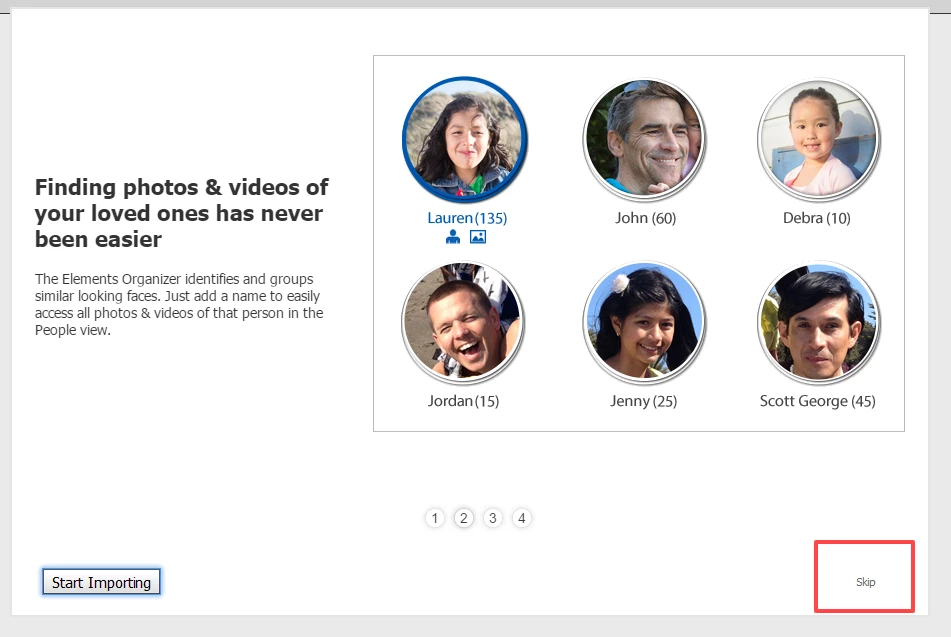
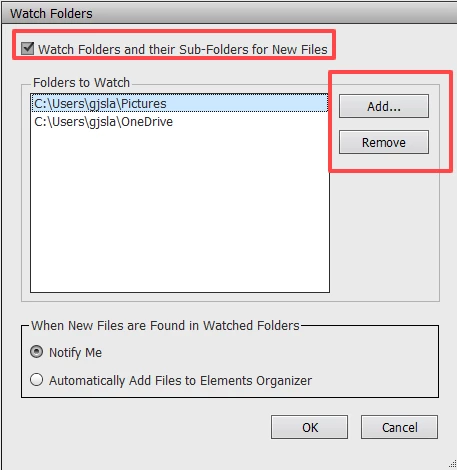
However, each new catalog will have default watched folders which depend on your OS. Windows defaults to the My Pictures folder and also the One Drive folder. If you go to File>Watch Folders, you can delete the default folders and add your own Year parent folder. If you keep the box checked to watch sub-folders, any files added to your month folders will also be watched.
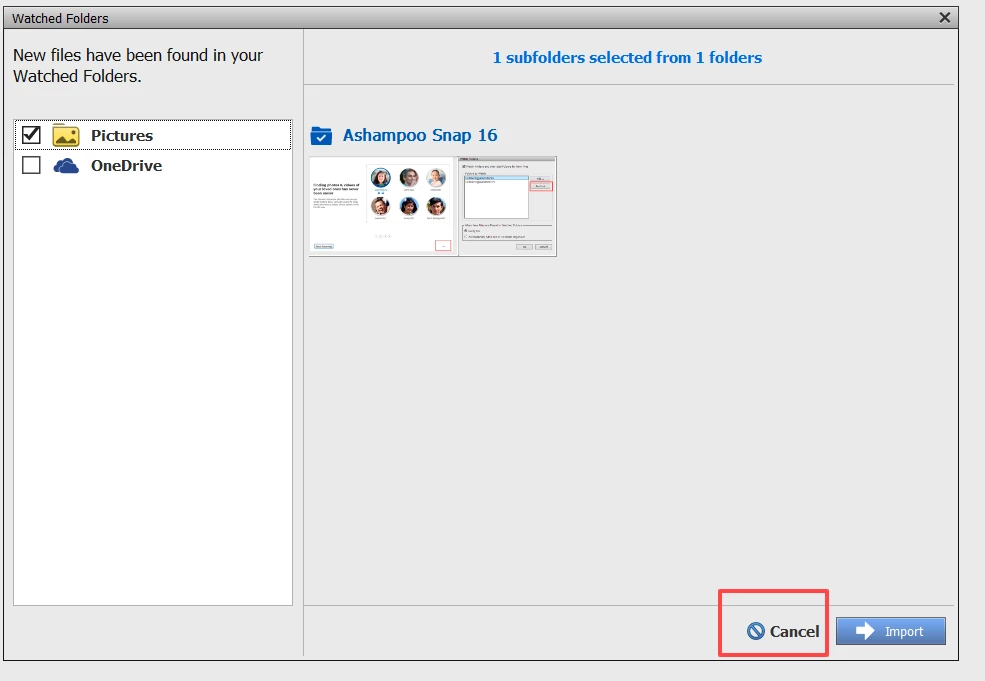
When the program finds new photos in your watched folders, a new dialog appears and you are given the option whether or not to import them into your catalog. If you don't want to add the files, simply click the Cancel button:
@David363815122dz6 said: Alternatively, can I create a single catalog with a folder for each year and subfolders for each month, since the files are already in that order? I tried doing that an it lumped all of the files for January from each year into a single January without indicating what year they were from.
Correct me if I am wrong, but I believe you are viewing the Organizer's My Folders panel in List View (which is the default). You need to view the folders panel in Tree View. Click on the Hamburger icon next to the My Folders heading and a pop-up will allow you to change the view:
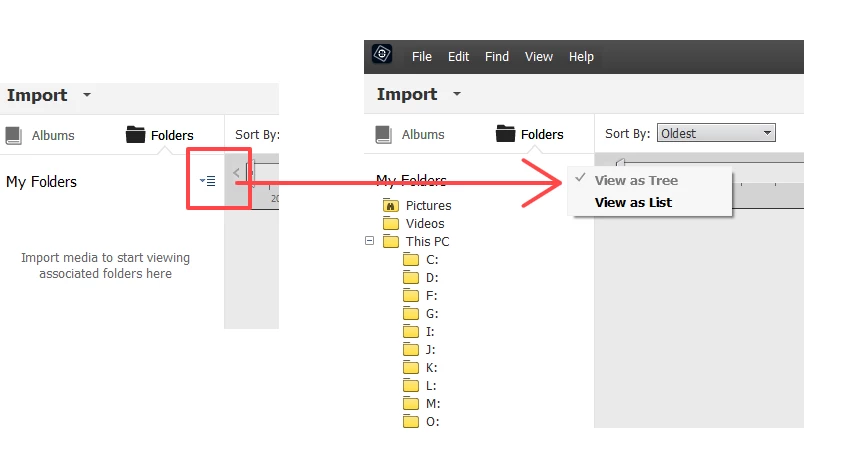
Perhaps once you change to Tree View, you will understand that, as Michel indicates, it is a very bad practice and totally unnecesary, to create multiple catalogs for each year of your photos. (In fact, it is not even necessary to store your files in a particular folder hierarchy - but that's another story.) The My Folders panel will replicate the folder organization of the OS. You can select a folder in the panel and only photos from that folder will be viewable in the grid. If you want to see all of the photos from a single year, simply use the Sort by: filter at the top of the grid to sort your photos in chronological order (Newest or Oldest first). You could also put all of your photos for a single year in an Album and filter your photos that way. There are many other advantages to using the Organizer.



 AdChoices