
Known Participant
December 26, 2022
Question

quiero conseguir los bordes difuminados es esta sombra

  • December 26, 2022
  • 4 replies
  • 528 views

hola tengo un zapato al que le he añadido una sombra. Ahora quiero difuminarla, pero aplico el filtro de desenfoque gausiano y obtengo esto:
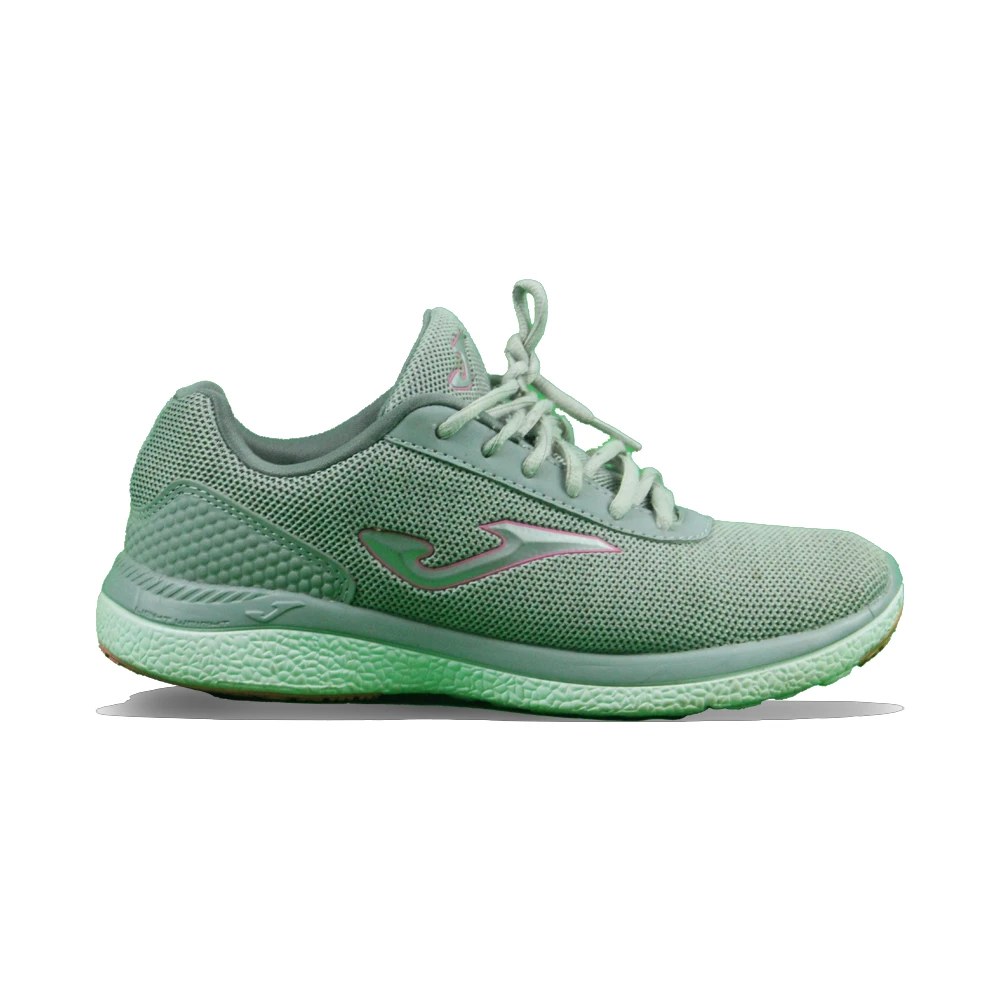
Y yo quiero que los bordes salgan mas difuminados y menos definidos, como en esta imagen:
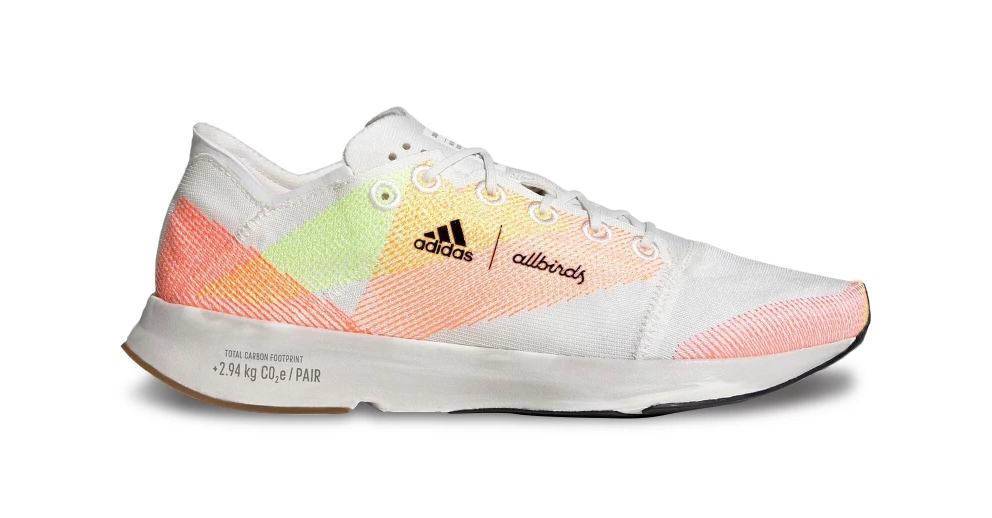
¿como puedo conseguir ese efecto en la sombra?

This topic has been closed for replies.

4 replies

Jeff Arola
Community Expert
Community Expert
December 27, 2022

The advantage to using photoshop cs4 is you can turn the shadow layer into a smart object and then be able to readjust the transform and blur filters without having to start all over. Double click on the Motion Blur or Gaussian Blur words to readjust.


https://helpx.adobe.com/photoshop/using/applying-smart-filters.html

Jeff Arola
Community Expert
Community Expert
December 26, 2022

In photoswhop elements i made the shadow by using a selection of the shoe, filling a layer behind the shoe with black.

Then Image>Transform>Free Transform to put the shadow below the bottom of the shoe. It looks like that's what you already did.


Then i applied Fil;ter>Blur>Gaussian Blur at around 7.6 and lowered the layer opacity to around 65%.

Then i applied a bit of Filter>Blur>Motion Blur at Angle 0 Distance 57


Known Participant
December 27, 2022

esta es la imagen que consigo siguiendo tus indicaciones:

Pero, no se por que, si añado una mascara de capa a la capa de la sombra, y luego la elimino si consigo la imagen tal y como la tienes tu. ¿que puede suceder?

Jeff Arola
Community Expert
Community Expert
December 27, 2022

You shouldn't need a layer mask on the Shadow layer.


Can you post a screenshot showing the shoe plus the layers panel?

Jeff Arola
Community Expert
Community Expert
December 26, 2022

I'm not exactly clear on what you want the shadow to look like.

Jeff Arola
Community Expert
Community Expert
December 26, 2022

Since you have photoshop cs4 you should ask in the Photoshop forum:

https://community.adobe.com/t5/photoshop-ecosystem/ct-p/ct-photoshop

Known Participant
December 26, 2022

but i have photoshop elements 2022 also.