fotografffic hatstead
However, if I uncheck colorize, it seems I can adjust colors individually. Is that a good way to go about it? 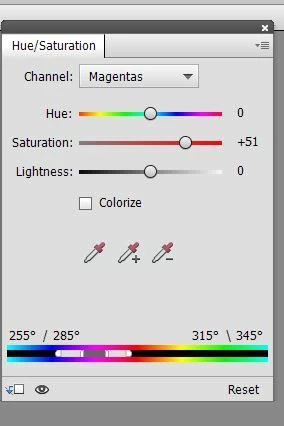
|
Yes, this allows one to drill down to the color channels for more specificity.
If there is an object in one of the pictures, you can select it with one of the selection tools, place the object on its own layer (CTRL+J), open the H/S adjustment layer above the layer with the object, then link the two layers (CTRL+G). This will allow you to limit the color change, vs. a global change.





 AdChoices