
Participant
September 1, 2024
Answered

The elements in the workspace are not updated in real time.

  • September 1, 2024
  • 2 replies
  • 457 views

A few hours ago I bought this Photoshop edition, and when testing it, I can immediately notice that the elements are not displayed correctly.
Let's say, I put a text in the workspace, but when I change its size or place a word, the element is not updated unless I click to confirm changes or move the element in the workspace.
It also happens to me with images, and in general the performance is not the best, generating a kind of Screen Thearing every time I zoom in the workspace or move elements.
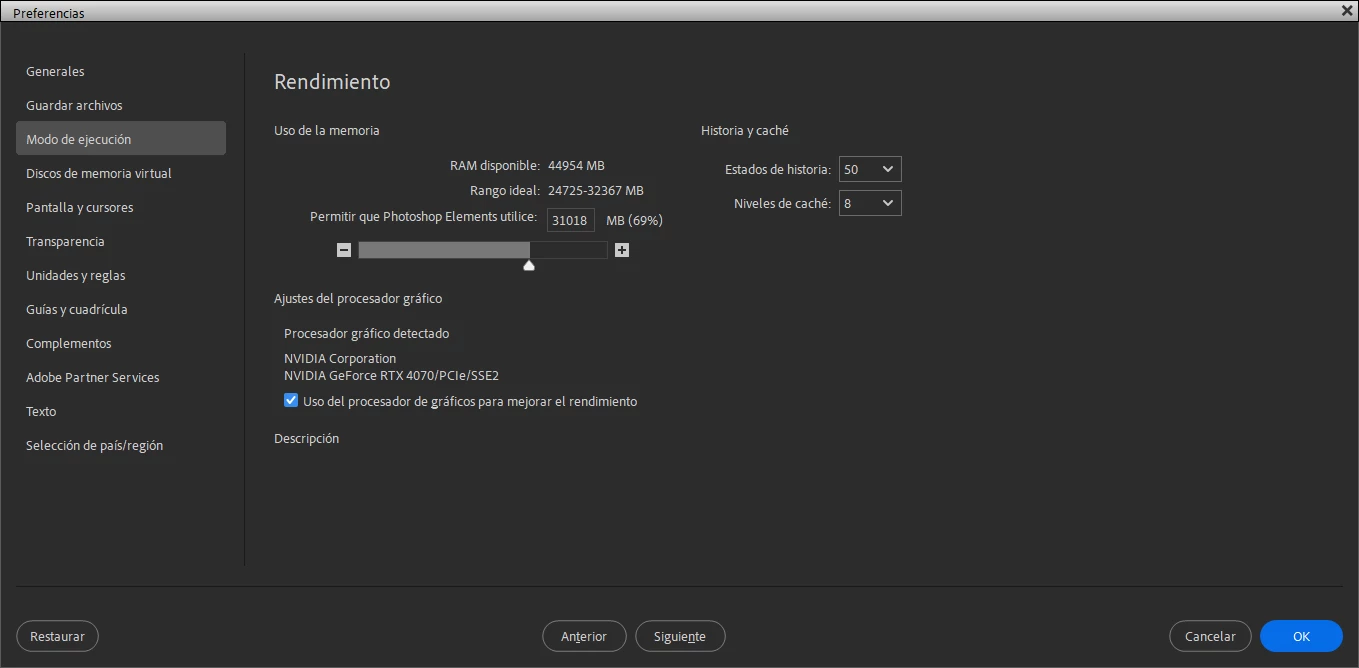
All this sounded like maybe by default this version has the graphics accelerator disabled, but when I checked it, it was enabled.

I have an RTX 4070 graphics card, an AMD Ryzen 5 5600 processor, and I have 48 gigs of ram. The application is installed on a ssd.

Translated with DeepL.com (free version)
This topic has been closed for replies.
Correct answer HelderRocket

Update:
Apparently the bug is caused exclusively by the Microsoft Store version. The edition obtained through Adobe's official site does not suffer from this bug.

2 replies

HelderRocketAuthorCorrect answer
Participant
September 1, 2024

Update:
Apparently the bug is caused exclusively by the Microsoft Store version. The edition obtained through Adobe's official site does not suffer from this bug.

hatstead
Inspiring
September 1, 2024

Do you have Photoshop or Photoshop Elements?

The screen shop of the preferences page in your initial post suggests that it is from Photoshop.

Participant
September 1, 2024

It is PSE, only it has an interface similar to PS.

hatstead
Inspiring
September 1, 2024

This is the Photoshop Elements forum page. Head over to the community for Photoshop.

👋 Welcome to the Photoshop Community - Adobe Community - 13721883