sergeyp32740862
Participating Frequently
May 7, 2019
Question

"Watch folders" function doesn't work

  • May 7, 2019
  • 1 reply
  • 1174 views

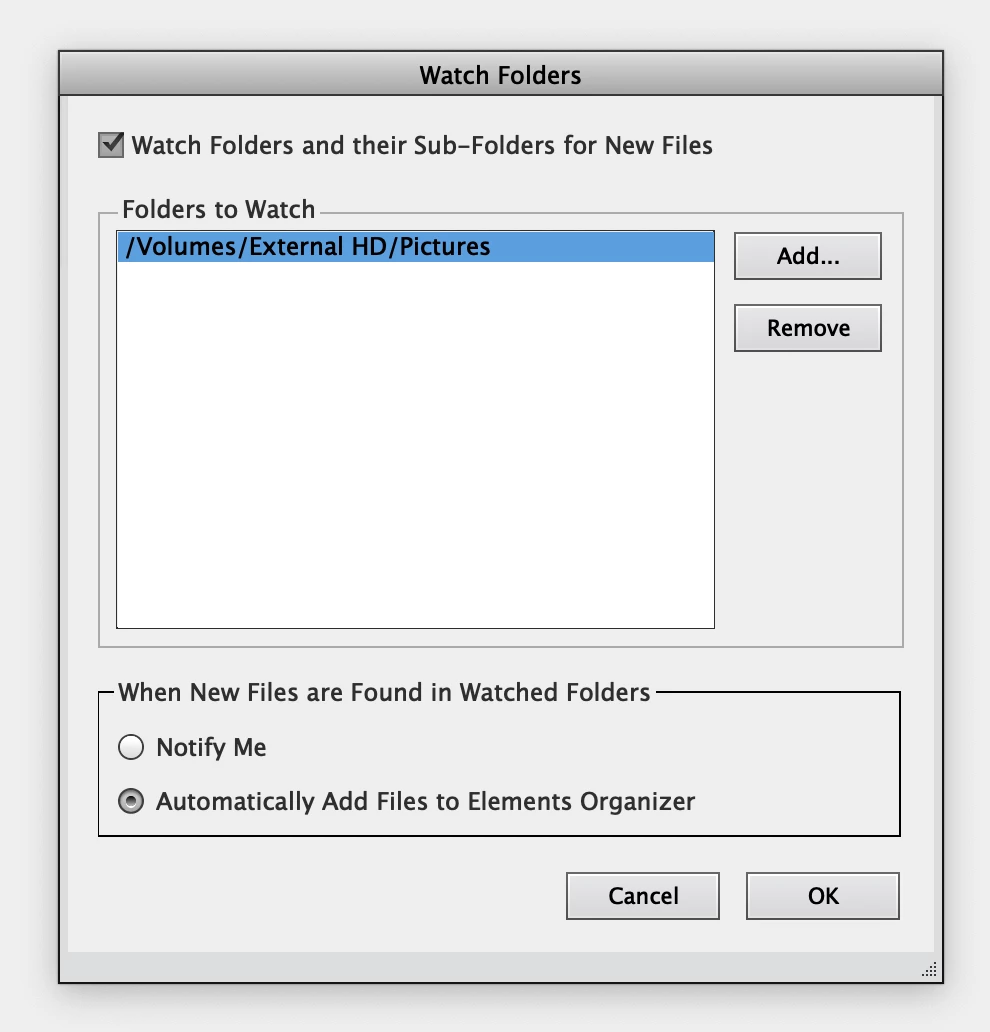
Functions "Watch folders" configured, enabled, but not working!

When adding new files to a folder, nothing happens!

Where to find manual start of scanning folders for changes?

MacOS Mojave 10.14.4
    This topic has been closed for replies.

    1 reply

    MichelBParis
    Legend
    May 7, 2019

    You don't state which Elements version ?

    When adding new files to a folder, nothing happens!

    You should not expect the watched folder function to work immediately. I have not found any tech doc about it, but in my tests, it seems that in PSE2019, the search only begins after a restart of the organizer.

    Where to find manual start of scanning folders for changes?

    There has never been a function for manual scan for watched folders.

    That's the reason why I don't consider it is useful at all for me.

    After all, without watched folders, you simply import from the folder. Files already present in the catalog are skipped and new ones are imported. I don't like automatic background processes which take too much resources when you are editing or organizing. I prefer to choose when to start the import myself, very often when I am away from the computer. Since you can check the last import batch, it's even easy to cull photos you don't want to keep.

    sergeyp32740862
    Participating Frequently
    May 8, 2019

    Adobe Elements Organizer 17.0

    I have restarted the organizer several times - no effect, the folder does not scan

    MichelBParis
    Legend
    May 8, 2019

    sergeyp32740862  wrote

    Adobe Elements Organizer 17.0

    I have restarted the organizer several times - no effect, the folder does not scan

    I am on Windows 10 and I don't trust the watched folders feature, which works or not... I have not found why and when.

    The fact your watched folder is in an external drive may be relevant. Would watching a folder in your internal drive work?

    There has always been issues in the past, but if the feature did not work for most users, the forum would be full of complaints, which is not the case. I am tempted to recommend posting in the feedback forum:

    Photoshop Family Customer Community

    The key issue is to make that behaviour totally reproducible by the PSE team (and also by other users who could help clarify what is going on). Having it recognized as a bug would speed up a solution.

    In the meantime, you can start a new import manually. Out of curiosity, why is the automatic feature important for your own use?
